What Terraria Mod Gives You Everything: A Practical Guide
Explore how to gain near-complete item access in Terraria using Journey Mode, item-spawn utilities, and content mods. Learn practical setups, safety tips, and tradeoffs for testing builds.


There is no single Terraria mod that literally grants every item or feature. Instead, players seeking near-complete access typically blend multiple mods with Journey Mode's spawning controls, or employ item-spawn cheats like Cheat Sheet. The closest practical approach is a curated setup: a broad-content mod for expanded items plus a spawn tool for testing builds.
What 'gives you everything' means in Terraria modding
In the Terraria modding ecosystem, the phrase and the fantasy of a single mod that grants every item or feature is a common misconception. According to Pixel Survival, there isn’t a one-stop solution. Instead, players aiming for near-complete item access typically build a tailored toolkit: a broad-content mod that expands item pools, an item-spawn utility to rapidly test ideas, and optional Journey Mode tweaks for controlled experimentation. This trio lets you explore progression paths, test build variations, and validate balance decisions without starting from scratch each time. It also keeps the world intact and your achievements intact when you’re playing legitimately. The real power comes from understanding how these pieces interact and how to configure each component to avoid conflicts. In practice, you’ll be swapping between exploration and test runs, depending on what you’re validating in your Terraria world.
Common approaches to broad item access
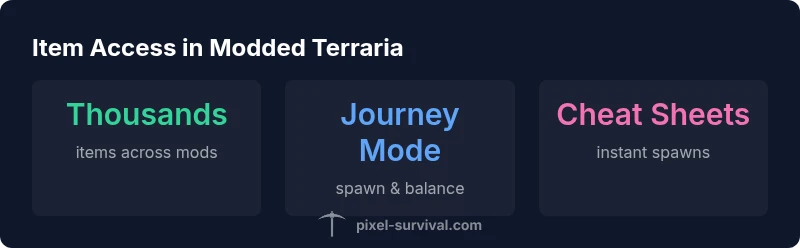
There are several accepted strategies for getting broad item access in modded Terraria. The most common is Journey Mode, a vanilla feature that enables item drops to be customized and items spawned directly, making it a powerful testing ground for new ideas. A second approach is to install content mods that add large item pools, such as Calamity or Thorium, which dramatically increase the number of weapons, armors, accessories, and materials you can craft and discover. A third, widely-used option is an item-spawn tool or cheat sheet mod, which acts like a catalog and quick-spawn menu for nearly every item in the game. This trio—Journey Mode, content mods, and item-spawn tools—offers flexible workflows for testers, designers, and players who want to prototype builds quickly. Always verify compatibility and backup your worlds before mixing these components.
Journey Mode vs. item-spawn tools: pros and cons
Journey Mode provides legitimate in-game controls to adjust difficulty, spawn items, and regulate drops without modifying the core codebase. It’s excellent for testing large design changes and balancing new content, but it can feel restrictive for players who want absolute freedom without progression gates. Item-spawn tools, on the other hand, offer near-unlimited item access instantly, which accelerates testing but can obscure progression challenges and balance if used exclusively. The best practice is to use Journey Mode for initial exploration and a spawn tool for targeted testing, then revert to standard gameplay to verify that changes are sustainable in a full playthrough.
How to assemble a practical modded setup
To build a practical setup, start with a broad-content mod pack that expands item variety (Calamity or Thorium recommended for breadth and depth). Add an item-spawn cheat tool such as Cheat Sheet to quickly access specific items for testing, then enable Journey Mode’s spawn controls to fine-tune progress and balance. Keep your mod list lean enough to prevent compatibility issues: install one content mod at a time, test, then add another. Regularly update tModLoader and ensure all mods are compatible with the current Terraria version. Maintain separate save files for testing to avoid corrupting your primary world.
Risks, balance considerations, and best practices
Mod compatibility is the biggest pitfall. Conflicts can crash the game, corrupt saves, or disable achievements. Always back up worlds before heavy modding, and use a clean profile to isolate new combinations. Check mod dependencies and ensure you’re using compatible versions of tModLoader, the base game, and each mod. When testing balance, document changes and stagger releases so you can pinpoint which mod or interaction causes issues. Finally, be mindful of performance; large mod lists can impact load times and frame rates, especially on lower-spec hardware.
Representative setups for broad item access in modded Terraria
| Mod Pack | Approx Item Range | Primary Access Method |
|---|---|---|
| Calamity + Thorium | thousands of items | Content mods + testing tools |
| Journey Mode-centric setups | extensive item pool via vanilla controls | Journey Mode + item-spawn tools |
| Cheat Sheet + Recipe Browser combo | rapid spawn for testing | Item-spawn utilities |
| Vanilla with selective mods | moderate variety | Progression-based play + testing mode |
Got Questions?
Is there a mod that gives you every item in Terraria?
No. The community relies on a combination of content mods, item-spawn utilities, and Journey Mode to approximate broad access. This keeps testing rigorous while maintaining overall balance.
No—use a mix of mods and Journey Mode for testing.
What is Journey Mode and how does it help testing?
Journey Mode adjusts drops and allows item spawning in-game, making it ideal for rapid prototyping without altering core progression. It helps you compare designs across multiple playthroughs.
Journey Mode lets you customize drops and spawn items for quick testing.
Are there risks to using item-spawn mods?
Yes. They can disrupt balance, cause crashes, or mask progression. Use them sparingly and always test in a clean environment with backups.
Item-spawn mods can break balance; back up first.
Which mods are best for broad item access?
Calamity and Thorium add substantial content, while Cheat Sheet or Recipe Browser facilitate testing by providing quick item access. Pair these with Journey Mode for best results.
Calamity and Thorium upgrade content; use cheats for testing.
Do mod setups affect achievements?
Most modded setups disable vanilla achievements or require specific configurations. Check each mod’s options and consider playing in a separate, non-achievement-enabled profile for testing.
Modded setups often affect achievements; verify settings.
How can I avoid mod conflicts?
Start with a clean baseline, install mods one by one, and test after each addition. Use the official mod manager (tModLoader) to manage dependencies and keep backups of your worlds.
Install mods one by one and test to catch conflicts early.
“There isn’t a single mod that literally gives you everything in Terraria; the practical path is layering broad-content mods with item-spawn tools and Journey Mode for testing.”
Key Points
- No single mod grants everything; expect a toolkit approach
- Journey Mode is essential for safe, controlled testing
- Combine broad-content mods with item-spawn tools for efficiency
- Always backup worlds and test for mod conflicts
- Document changes to track balance and performance impacts