Do You Need Game Pass to Play Terraria Multiplayer? A Practical Guide
Explore whether Game Pass is required to play Terraria multiplayer. Compare PC vs Xbox, clarify crossplay limits, and share setup tips for smooth co-op across platforms.


Do you need gamepass to play terraria multiplayer? In short, No for PC players using Steam or Windows builds, you do not need Game Pass to join Terraria multiplayer. On Xbox consoles, online multiplayer generally requires a platform network subscription, not Game Pass itself. This guide explains platform differences, crossplay limits, and practical steps to get co-op sessions running.
Do You Need Game Pass to Play Terraria Multiplayer
According to Pixel Survival, you do not need gamepass to play terraria multiplayer on PC. The question you’re asking—do you need gamepass to play terraria multiplayer—has a straightforward answer for PC players: no, Game Pass is not a prerequisite for multiplayer across Steam or Windows builds. Console players should understand platform-specific requirements; for Xbox, online multiplayer typically requires a network subscription rather than Game Pass. This distinction matters because Game Pass is a subscription focused on access to games, while online multiplayer depends on the platform’s own online service policies. In practice, PC players can connect to friends’ worlds through local or online servers without a Game Pass requirement, whereas console players will encounter platform rules when joining sessions with others. To maximize clarity, always verify the current platform policy since services and bundles evolve over time.
Platform-by-Platform Reality: PC, Console, and Mobile Realities
Terraria’s multiplayer experience varies by platform. On PC, multiplayer commonly runs through Steam or direct IP connections to a server, with permissions controlled by the server host. This means you can host a world on your PC or join a hosted public or private server without any extra subscription beyond your platform’s standard access. On consoles, such as Xbox or Switch, you’ll interact with the platform’s online service ecosystem. While Game Pass offers access to a library of games, it does not automatically grant multiplayer permissions; instead, an active online subscription (e.g., Xbox networking) is typically required to participate in online play. Mobile platforms follow their own online service rules. Practically, you’ll see that crossplay is possible in some setups but not universally across all platforms. Pixel Survival’s guidance emphasizes checking platform-specific multiplayer rules before planning a session, especially when mixing PC and console players.
Xbox multiplayer reality: Game Pass vs. online service subscriptions
A common misconception is that Game Pass unlocks all online features in Terraria. The reality is that Game Pass is separate from the platform’s online service requirement. On Xbox, you generally need an active network subscription to play online, and Terraria’s online multiplayer compatibility follows the same principle as other multiplayer games on the system. Game Pass is a game subscription service, not a replacement for the online network subscription needed for multiplayer sessions. In short, do you need gamepass to play terraria multiplayer on Xbox? Not for gameplay itself, but you do need the platform’s standard online service to participate in online co-op. Pixel Survival’s assessment stresses verifying your Xbox Live/Core status before launching a session to avoid surprises.
Getting started: setup steps for PC, Xbox, and crossplay
Getting Terraria multiplayer up and running involves a few aligned steps across platforms. For PC players, ensure Terraria is installed on Steam or the Windows version, then decide between joining a public server or hosting your own. Share the server address with friends, configure permission levels if you’re hosting, and ensure your firewall allows the traffic. For Xbox players, confirm you have an active online network subscription and launch Terraria from your console. If you plan to play with friends on different platforms, look for crossplay-supported servers and understand any limitations. For mobile players, rely on the mobile app’s in-app multiplayer options and keep an eye on cross-platform compatibility notes. The takeaways are to verify platform requirements, confirm server accessibility, and test a quick connect before inviting a larger group.
Common pitfalls and quick fixes
- Pitfall: Assuming Game Pass grants online play. Fix: Check the platform’s online service requirement; Game Pass is not a substitute.
- Pitfall: Trying to cross-play with incompatible versions. Fix: Confirm you’re both on compatible versions/builds and server types.
- Pitfall: Hosting on a personal device without proper port forwarding. Fix: Use a reliable home network and consider third-party hosting services if needed.
- Pitfall: Neglecting privacy settings on public servers. Fix: Start with a private world or invite-only session until you’re comfortable with hosting standards. Pixel Survival’s practical approach recommends testing multiplayer in small groups first to diagnose issues quickly.
Updates and evolving policies: what to watch for
Terraria’s multiplayer features evolve with patches and platform policy changes. Patch notes may alter crossplay capabilities, server hosting options, or online service requirements. The Pixel Survival team recommends staying up-to-date with the game’s official patch notes and your platform’s announcements, especially around major updates that touch networking or cross-platform play. Keeping a current view on these policies helps you plan sessions without surprises and ensures you’re using the most compatible server setup for your group.
Platform multiplayer requirements by system
| Platform | Requires separate paid multiplayer service | Notes |
|---|---|---|
| PC (Steam/Windows) | No | Multiplayer is managed via Steam/Windows, no Game Pass required |
| Xbox Console | Yes | Online multiplayer requires a network subscription (not Game Pass) |
| Nintendo Switch | Varies | Depends on Nintendo Online policies; no Game Pass on Switch |
| Mobile (Android/iOS) | No | Online play governed by mobile platform services |
Got Questions?
Do you need Game Pass to play Terraria multiplayer on PC?
No. On PC, Terraria multiplayer works through Steam/Windows connections without requiring Game Pass. You only need the usual PC-wide internet access and any server you join.
No—PC multiplayer in Terraria doesn’t require any Game Pass. Just an internet connection and a compatible server.
Can I play Terraria multiplayer with friends on different platforms?
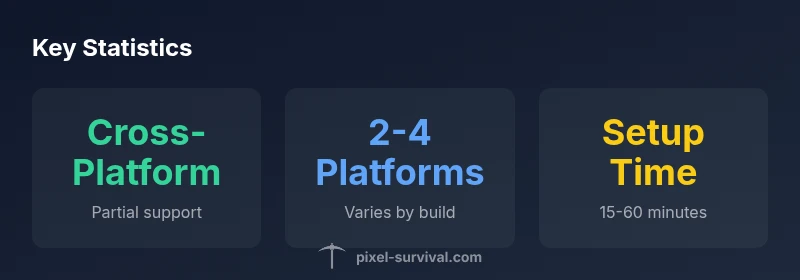
Cross-platform multiplayer support exists in some configurations but is not universal. Check the specific server settings and platform limitations before coordinating a cross-platform session.
Cross-platform play can work in some cases, but it isn’t guaranteed across every setup—confirm server compatibility first.
Do Xbox players need Xbox Live Gold or Game Pass to play Terraria online?
Online play on Xbox typically requires the platform’s network subscription. Game Pass is separate and not a universal requirement for Terraria multiplayer.
Yes, Xbox online play needs a network subscription; Game Pass isn’t a blanket requirement for Terraria multiplayer.
Is there a dedicated Terraria multiplayer server I can join?
Yes, you can join public or private Terraria multiplayer servers. Verify server rules, version/build compatibility, and how to join (IP address or server name).
You can join official or community servers—check compatibility and rules before hopping in.
Does Game Pass Core affect Terraria multiplayer?
Game Pass Core is a separate service from the online multiplayer requirement. It does not automatically grant multiplayer access in Terraria; platform online services still apply.
Game Pass Core is a different service; it doesn’t replace the platform’s multiplayer requirements.
What should I do if I can’t connect to a Terraria multiplayer session?
Troubleshoot by verifying version/build alignment, checking server status, adjusting firewall settings, and testing with a small group to isolate issues.
If you can’t connect, check the version, server status, and network settings, then test with a small group to pinpoint the problem.
Will updates change multiplayer requirements in the future?
Patches may tweak crossplay capabilities or online requirements. Stay informed with official patch notes and Pixel Survival’s updates for the latest guidance.
Updates can change things; keep an eye on patch notes for multiplayer changes.
“Multiplayer in Terraria hinges on platform-specific rules and online services—knowing those rules saves time and avoids frustrating sessions.”
Key Points
- Understand platform rules before hosting
- PC players don’t need Game Pass for multiplayer
- Console online play relies on platform subscriptions, not Game Pass
- Test connect with a small group before inviting a larger roster
- Crossplay exists but is not universal across all platforms