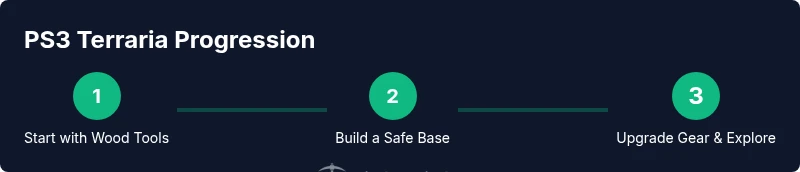
PS3 Terraria: Step-by-Step Survival and Progression Guide
Learn to play Terraria on PS3 with practical, step-by-step guidance. Set up controls, start a world, survive the first night, and progress through early game challenges on console.


In this guide, you will learn how to boot Terraria on PS3, configure your controls, and establish a solid starter base. You’ll also cover early progression goals and safe exploration. To follow along, you’ll need a PS3 with Terraria installed, a standard controller, and a TV or monitor. For best results during play sessions.
Overview: Terraria on PS3 and How It Differs
Terraria on PS3 brings console players into the same vibrant world as PC and mobile, but the experience centers on a controller-driven interface and a TV display. You’ll navigate menus with the D-pad, select items with the face buttons, and manage your inventory using simplified interactions. While core gameplay remains the same, some platform-specific differences affect early decisions, such as base layout, resource management, and combat pacing. This section helps you set realistic expectations and plan your first session accordingly.
Key takeaway: Treat PS3 as a comfortable couch platform—clear space, simple UI, and steady progression are your allies.
Setting Up Your PS3 Controller and UI
Before you start, ensure your DualShock 3 controller is fully functional and connected to the PS3. In-game settings let you adjust brightness, HUD scale, and button behavior. Map critical actions—attack, build, use item, and drop—to easily accessible buttons. Enable a bright light in your base and use torches for visibility, since PS3 players often face longer exploration sessions. The goal is to minimize fatigue and maximize reaction time during night dangers and while traversing caves.
Tip: Practice simple combos in a safe area to build muscle memory for combat, mining, and building quickly.
Beginning a New World on PS3
When starting a new world, choose a reasonable world seed and set boundaries that feel comfortable for console play. Your first goal is to establish a safe refuge with solid walls, a door, lighting, and a basic workbench, so you can craft essential tools without being overwhelmed by enemies. Gather wood, stone, and basic ores to craft better equipment as soon as possible. This approach reduces random risk and helps you maintain momentum as you explore the map.
Important: Don’t rush mining or boss attempts; protection and resource stockpiling are the foundations of success on PS3.
Surviving The First Night: Essentials
Nighttime in Terraria on PS3 is where many players fail if they haven’t built a shelter. Start by placing a small house or bunker with a door and torchlight. Collect basic resources during the day—wood, stone, and vines—and stock up on canned foods or other rations if available in your world. Keep a steady supply of wood for torches, platforms, and early furniture. Avoid deep caverns until you’re equipped with a reliable light source and a sturdy weapon.
Pro Tip: Build a multi-room base so you can separate crafting stations from storage, reducing click fatigue during base management.
Early Progression: Mining, Crafting, and Tools
As you gain confidence, switch to mining for ore and upgrading your tools. Start with a wooden pickaxe and stone weapons to safely break through terrain. Craft basic armor and a more durable weapon as soon as you can. Prioritize wood for shelter, torches for visibility, and a basic furnace for metalworking when you unlock it. This balance between off-hand mobility and on-hand damage is crucial to maintain steady progress while navigating caves.
Note: Crafting recipes on console mirror the PC version, but access to some items is gated by your gear and inventory capacity.
Combat and Bosses on PS3: What to Expect
Terraria’s early enemies, including slimes and zombies, test your protection and timing. Use terrain and built walls to funnel foes, then strike with your best early gear. Boss fights on PS3 require preparation: stock potions where possible, set up a safe arena, and bring a reliable weapon. Don’t attempt the Eye of Cthulhu or other bosses until you’ve explored enough, secured armor, and collected iron or more advanced tools. The PS3 version relies on cautious planning and incremental upgrades more than brute force.
Strategy: Learn enemy patterns and use terrain to your advantage—this beats brute force every time.
Base Building and Housing: Tips for PS3
A well-designed base reduces downtime and gives you a stable resource pipeline. Build a simple home with a door, walls, and torches; arrange crafting stations together so you can quickly switch between tasks. Use compact layouts to minimize travel time and keep your inventory organized. Consider a dedicated mining alcove or staging area to separate ore gathering from living space. Visual clarity and easy resource access are more important on PS3 than size.
Practical layout: A central chest hub with labeled storage makes inventory management fast during the heat of exploration.
Multiplayer and Shared Worlds on PS3
PS3 supports local multiplayer across a single console, letting friends join in for shared progression. Cooperative play lets you divide tasks—mining, building, and exploration—while keeping the world’s progression consistent. If you’re playing couch co-op, establish roles and a base plan to avoid overlapping builds. Note that cross-platform play is not supported on PS3, and online servers for PS3 are separate from other platforms. This means you’ll want to coordinate with local players to maximize efficiency.
Tip: Use voice chat or a shared map to coordinate routes and resource sharing during longer sessions.
Troubleshooting PS3 Terraria: Common Issues and Fixes
If Terraria on PS3 crashes or freezes, start by rebooting the console and checking for any available system updates. Ensure your save data is intact by backing up saves to a USB drive if possible. Keep your game and console free from overheating by providing good ventilation during long sessions. If you encounter inventory glitches or inventory slowdowns, pause, re-enter the world, and reload the save to reset item states. Finally, confirm you’re playing on a compatible PS3 model with adequate storage to prevent data corruption during play.
Authority References and Further Reading
For console-specific guidance and corroborating information, you can consult reliable gaming references and official resources. While Terraria is a fan-focused title, many seasoned players rely on established guides to optimize console play. See the following sources for general game mechanics and progression strategies:
- https://en.wikipedia.org/wiki/Terraria
- https://www.ign.com/wikis/terraria/Terraria_Wiki
- https://www.gamespot.com/articles/terraria-guide-tips-tricks
Tools & Materials
- PS3 console with Terraria installed(Ensure your region supports the game version)
- HDTV or monitor(High visibility preferred for UI clarity)
- Controller (DualShock 3)(Fully functional and synced with PS3)
- Power cable and video cables(HDMI recommended if available)
- USB storage (optional for backups)(Backup save data before major milestones)
Steps
Estimated time: 2-4 hours
- 1
Power on and launch Terraria
Turn on your PS3 and start Terraria from the game menu. Confirm that the system is stable and that the screen displays correctly. This is essential to avoid crashes during early exploration.
Tip: Check controller clarity and perform a quick control test before loading your world. - 2
Create or load a world
Select a world to play in and configure basic options if prompted. A fresh world provides a clean slate for your first base and progression path. Avoid overwriting a finished world unless you intend to start over.
Tip: Label new worlds with a simple tag to distinguish playthroughs. - 3
Gather basic resources
Begin with wood for basic structures and crafting, then collect stone and vines to support early building and torches. Focus on establishing a safe, well-lit base area to survive the first night.
Tip: Keep a small reserve of wood for torches and basic tools. - 4
Build a starter shelter
Construct a simple shelter with a door, walls, and a few torches. Use the space to house a workbench and a crafting area, ensuring quick access to essential items.
Tip: Place a chest inside for quick storage of basic resources. - 5
Craft basic tools
Craft a wooden pickaxe, a wooden sword, and torches. Upgrade tools as soon as you mine enough stone and ore to unlock better materials. Early armor provides vital protection for encounters at night.
Tip: Keep a stocked inventory of basic materials near your crafting area. - 6
Explore safely
Explore nearby caves with caution, light sources, and health potions if available. Map out simple routes back to base to avoid getting lost.
Tip: Always carry a spare light source and a small amount of food for healing. - 7
Upgrade gear and expand
Upgrade your tools and armor as you gather more materials. Build a furnace when possible to smelt ores and craft stronger items.
Tip: Establish a dedicated ore-chasing run to prevent resource shortages. - 8
Prepare for night and progress
Solidify your base, upgrade weapons, and prepare for early bosses when you’re ready. Progression should be steady, not rushed, ensuring you can defend your base and continue exploring.
Tip: Save frequently after milestone upgrades to avoid regressions. - 9
Optional: start couch multiplayer
If playing with friends, set up local co-op on the same PS3, assign roles, and coordinate resource sharing to maximize efficiency.
Tip: Agree on shared goals and designate a base location to prevent overlapping builds.
Got Questions?
Can I play Terraria on PS3 with friends?
Yes, PS3 supports local multiplayer on the same console. Online cross-play between PS3 and other platforms is not supported.
PS3 supports local multiplayer, but cross-platform play isn’t available.
Where should I start for best progression on PS3?
Begin with a sturdy shelter and basic tools, then gradually upgrade armor and weapons as you explore nearby caverns.
Start with shelter and basic tools, then upgrade as you explore.
Is there cross-platform transfer for saves?
There is no official cross-platform save transfer between PS3 and other platforms.
Saves don’t transfer across platforms.
What control setup works best on PS3?
Map essential actions to easily accessible buttons, and keep a comfortable grip to minimize fatigue during long sessions.
Use easy-access button mappings and stay comfortable.
Does the PS3 version differ from PC gameplay?
Core gameplay remains the same, but console controls and UI flow differ, affecting pacing and base design decisions.
Core gameplay is the same, but controls feel different on PS3.
How can I avoid losing progress on PS3?
Back up saves when possible, save after milestones, and keep your world organized to prevent accidental data loss.
Backup saves and save after milestones to protect progress.
Watch Video
Key Points
- Start with a safe base and basic tools.
- Prioritize wood and shelter on PS3.
- Explore cautiously at night and map your surroundings.
- Upgrade gear progressively to handle tougher areas.
- Maintain organized storage to streamline progression.