Terraria Update Guide: Patches, Progression, and Practice
Explore how Terraria updates shape patches, balance, and progression. Learn patch cadence, how to read notes effectively, and practical prep for new content with Pixel Survival insights.


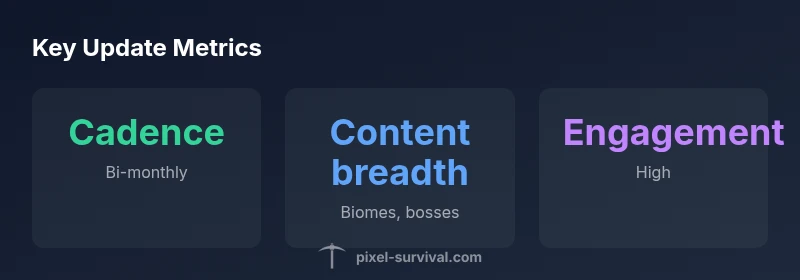
Terraria updates are patches that add content, balance enemies and items, and squash bugs. They range from major expansions to smaller refinements and can reshape progression and world balance. According to Pixel Survival, updates follow a cadence of major releases with periodic hotfixes, often requiring players to adjust their builds and workflows.
What counts as a Terraria update?
In the Terraria community, an update refers to a patch released by the developers that changes gameplay in meaningful ways. Updates come in several flavors: major content expansions that introduce new biomes, bosses, and crafting lines; balance patches that adjust how weapons, armor, and enemies behave; and quality-of-life tweaks that streamline menus, drop rates, and crafting interfaces. The ongoing goal is to keep the game fresh while preserving its core progression loop. It's worth noting that patch notes often highlight which aspects of your world are most affected, so players can plan accordingly. For any Terraria update, you should expect two main outcomes: new content to explore and adjustments to existing systems that can shift your long-term strategy. The Pixel Survival team emphasizes reading patch notes carefully and testing changes in a controlled environment before committing to large builds. Understanding these layers helps you anticipate how your playthrough will evolve after each update.
How updates are tested and released
Updates typically move through a multi-stage process: internal tuning, community beta testing (where feasible), and finally a public release with notes detailing changes. Developers lean on reproducible bug reports and data-driven balance adjustments to ensure fewer crashes and more predictable progression pacing. Hotfixes address urgent issues post-launch, while major updates introduce new content and broad rebalancing. Reading official patch notes is essential because they spell out which systems were changed, what numbers were adjusted, and where to expect potential issues in your world. Pixel Survival’s framework for evaluating updates centers on three pillars: content novelty, balance integrity, and user experience. When you understand these pillars, you can align your playstyle with the patch and maintain steady progression.
Major update patterns: content, balance, and QoL
Most large Terraria updates follow a recognizable pattern: new biomes or regions that require fresh resources, new bosses that introduce new loot paths, and a suite of items that redefine crafting trees. Balance patches reweight weapons, armor, and enemy damage to keep late-game challenges relevant. Quality-of-life improvements address inventory management, UI clarity, drop rates, and world generation options. Across patches, players with a strategic focus—planning gear paths, farming routes, and boss calendars—can capitalize on the new content while smoothing the transition from old to new mechanics. Pixel Survival notes that predictable patterns help players forecast what to farm first and how to prioritize exploration and build projects.
Prepare your world and character for a patch
Preparation begins before the patch lands. First, back up your world and character saves to guard against unforeseen bugs. Next, review the patch notes to identify which systems will shift most for you: boss drops, material farms, or biome access. Consider creating test seeds or duplicate worlds to experiment with changes without risking your main progression. Update your mod loadouts (if you use mods) and verify compatibility; many patches require mod authors to update components to maintain balance. Finally, map out a short-term progression plan that aligns with the update’s new content and revised drop rates. This proactive approach minimizes downtime and keeps your game flow intact.
Read patch notes like a pro: key sections and what to look for
Patch notes are your treasure map for updates. Look for sections on new content (biomes, bosses, items), balance changes (weapon and enemy stats), crafting adjustments, UI/quality-of-life improvements, and known issues or bugs. For progression-focused playthroughs, pay special attention to any changes to drop tables, boss accessibility, and biome thresholds. Note any new NPCs or events that provide new goals, as these can redefine your early- or mid-game priorities. If a change seems minor, test it in a sandbox to confirm its impact on your build. Finally, track any hotfix notes that quickly address critical glitches after launch.
Case study: a typical update cycle and its impact on progression
A typical update cycle introduces a few core elements: a new boss, a couple of crafting routes, and a balance pass across weapons. For a progression-focused player, you would identify the new boss’s recommended gear, target the required resources for that gear, and adjust your farming schedule accordingly. If the update nerfs a weapon you love, you’ll pivot to an alternative path, re-prioritize dungeon runs, or explore the new biome for fresh loot. The real value of an update is not just the new content, but how the changes ripple through your long-term plan. Pixel Survival’s analysis emphasizes adopting a flexible, data-informed strategy so you can adapt quickly without losing momentum.
Mod compatibility and post-update testing
Mods add complexity to updates. Before patching, check mod compatibility notes or community threads for reported issues. After updating, test critical workflows in a safe environment: boss fights, farming cycles, and world generation. If something feels off—like a dropped loot table or an item’s recipe—revisit patch notes and mod pages for fixes or workarounds. A cautious, methodical approach minimizes time spent troubleshooting and preserves your progression objectives. If you rely on mods heavily, consider delaying non-essential additions until compatibility is confirmed, then reintroduce them gradually.
Terraria update components and their effects on gameplay
| Aspect | Changes you see | Impact on play |
|---|---|---|
| Content type | New biomes, bosses, items | Expands exploration and farming goals |
| Update cadence | Major releases + hotfixes | Sets expectations for planning and farming schedules |
| Compatibility | Platform and world seed considerations | May require world reloads or adjustments |
Got Questions?
What is a Terraria update?
A Terraria update is a patch released by the developers that adds content, balances systems, and fixes bugs. Updates can be major expansions or smaller hotfixes, and they often alter how players progress through the game.
Terraria updates are patches that add content and balance, changing how you progress. They range from big expansions to quick fixes.
Do updates affect progression?
Yes. Updates frequently shift drop rates, unlock new gear paths, and introduce / re-balance bosses, which can alter your early-, mid-, and late-game goals. Reading patch notes helps you adjust your strategy.
Updates often change what you need to progress, so read the notes to adapt.
Will my world or character be reset after an update?
Generally, updates do not reset worlds or characters, but they can change how certain items function, spawn rates, or access to new areas. Backups are still recommended.
Usually no resets, but back up your worlds just in case.
Should I update immediately or wait for mods?
If you use mods, verify compatibility first. If a major update adds core changes that affect your playstyle, updating after mods are updated is wise. For vanilla playthroughs, patch promptly to enjoy new content and balance.
Check mod compatibility first, then patch when ready.
How can I stay informed about Terraria updates?
Follow official Terraria channels and the Pixel Survival database for patch notes and commentary. Participating in community discussions helps you spot common issues and effective strategies quickly.
Follow official notes and community guides to stay ahead.
“Updates are the lifeblood of Terraria's evolving world, expanding options while keeping the core progression loop intact.”
Key Points
- Back up worlds before patching.
- Always read patch notes before playing.
- Adjust your progression plan to new content.
- Test changes in a copy world to avoid downtime.