How to Safely Access Terraria: A Practical Guide (Terraria Download Free)
Learn how to legally access Terraria in 2026 and what to do if you see 'terraria game download free.' Pixel Survival shares practical, step-by-step guidance on platforms, safety, and smarter alternatives.


Terraria game download free is a misleading search that points to unofficial sources. According to Pixel Survival, Terraria is a paid title and should be obtained only from official stores or legitimate promotions. This quick answer outlines the key steps to access Terraria safely: choose your platform, verify the source, and complete the download through trusted channels. Follow these steps to avoid scams and ensure a clean install.
What downloading Terraria actually means
When you want to play Terraria, you’re not looking for a free license; you’re seeking a complete game that supports continued updates and a robust community. If you search for terraria game download free, you’ll quickly see a flood of questionable links. According to Pixel Survival, the legitimate path is to purchase the game through official stores or included promotions. This section explains what to expect on official platforms, licensing, and why safe downloads matter. You’ll learn how official channels protect your device, your progress, and your access to future content packs. Throughout this guide we’ll reference practical steps, common scams, and safe alternatives so you can start playing quickly and confidently. The emphasis is on legality, security, and a smooth setup that respects the game’s ongoing development in 2026.
Official platforms to buy Terraria
Terraria is distributed through several major storefronts and platform ecosystems. The exact storefront you use depends on your device and preference: Steam or GOG for PC, the Nintendo eShop for Switch and 3DS, the Microsoft Store for Windows and Xbox, and the PlayStation Store for PlayStation consoles. Each platform provides its own checkout flow, DRM, and update mechanism. Pixel Survival’s analysis highlights that platform choice often affects performance, mod support, and cross-play capabilities. Prices and bundles vary by region and store, so always verify regional availability before purchasing. This section helps you decide where to buy, rather than chasing a vague notion of a ‘free’ download, which commonly leads to scams.
How to download safely from official stores
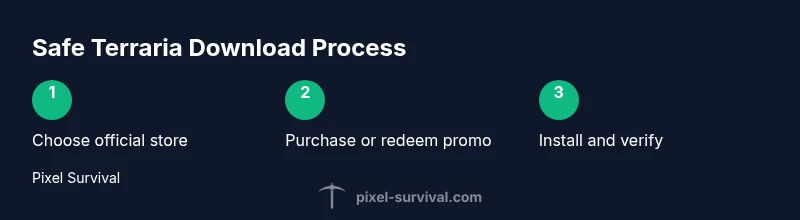
Safely obtaining Terraria starts with using an official store. First, log into your chosen platform account (Steam, GOG, Nintendo, Microsoft, or PlayStation). Next, search for Terraria in the store’s catalog, confirm you’re selecting the legitimate game, then complete the purchase or redeem the promotion. After purchase, click the install button and allow the game to download and update automatically. Ensure you’re connected to a secure network and that your device’s security software is active. Finally, launch the game and verify integrity if the store offers that option. Pixel Survival recommends enabling cloud saves where available to protect your progress.
Common scams around 'terraria game download free' searches
The lure of a free download often leads to risky sites or bundles. Red flags include sites asking you to disable antivirus, unusual file extensions, or requests for your platform login outside official stores. Avoid third‑party download managers, random email links, and popups promising instant access. Only use links that begin with the official store domain (Steam, Nintendo, Microsoft, PlayStation, or GOG). If a site asks for payment details or personal information outside the platform, back away and report it. These precautions protect your account and device from malware and fraud.
Alternatives: free-to-play and demo options
Terraria itself is not offered as a free download through official channels. Some platforms run temporary promotions where discounts apply, and you may find bundles that reduce the price. If you’re looking for a no-cost experience, consider trying sandbox‑style games with similar mechanics on official channels, or explore fan-created, legally hosted demos that are clearly labeled and safe. Pixel Survival emphasizes learning the core mechanics of Terraria through tutorials and communities before committing to a purchase, which helps you get the most value from a future investment.
Checking system requirements and performance tips
To ensure a smooth Terraria experience, confirm your device meets the basic requirements for your platform. PC players should verify minimum RAM, GPU compatibility, and available storage; console players should ensure the system firmware is up to date and that the game region matches your console language settings. Maintaining updated graphics drivers, enabling “Performance” mode in the game launcher, and closing background apps can improve frame rates. If you’re experiencing stuttering, lowering in-game textures slightly and turning off excessive post-processing can help without sacrificing the core experience that Terraria delivers.
Pixel Survival's recommended path
The Pixel Survival Team recommends a practical, legal approach to getting started: always use official stores, take advantage of platform-specific promotions, and follow trusted setup steps to avoid scams. Our guidance focuses on safety, reliability, and a smooth onboarding flow that preserves your account integrity and progress. By sticking to official channels, you also gain access to legitimate updates, community features, and documented support channels that are essential for a long-term Terraria experience.
Troubleshooting download issues
If the download stalls or fails, first check your internet connection and pause/restart the download. Verify that you are logged into the correct store account and that your payment status reflects any required checkout steps. Disable VPNs that could interfere with regional licensing and ensure there’s enough disk space for the install. If you encounter an error code, search the official store’s help pages or forums for the exact code text, as many issues have common, well-documented resolutions. Pixel Survival recommends keeping a backup of any progress saves in cloud storage where available.
Quick safety checklist before you install
- Only download from official stores and verify the URL before clicking. - Enable two-factor authentication on your platform accounts. - Run a malware scan on any installer you download. - Keep your system and drivers up to date. - Back up your Terraria saves in the cloud when possible.
Tools & Materials
- Official Terraria platform account(Steam, GOG, Nintendo eShop, Microsoft Store, or PlayStation Network account)
- Stable internet connection(Broadband recommended; avoid mobile hotspots for large downloads)
- Compatible device(PC/Mac or selected console with access to the official store)
- Payment method(Credit/debit card or platform wallet for purchase or promotions)
- Antivirus/anti-malware(Keep enabled to scan downloads; do not disable protection)
Steps
Estimated time: 60-90 minutes
- 1
Identify platform
Determine which platform you will use (PC, console, or mobile) and decide if you want Steam, GOG, Nintendo eShop, or another official store. This choice affects performance, updates, and cross‑play options.
Tip: Choose the platform you already use for other games to simplify account management. - 2
Create or sign in to account
If you don’t have an account on the chosen store, create one with a strong password and 2FA. If you already have an account, ensure your profile information matches your payment method.
Tip: Enable two-factor authentication to protect your purchase history. - 3
Search for Terraria
Open the official store, search for Terraria, and verify you’re selecting the legitimate product page. Check publisher name and store reviews before proceeding.
Tip: Be wary of listings that resemble the real game but have odd spelling or extra words in the title. - 4
Purchase or redeem promotion
Complete the purchase or redeem a legitimate promotion. If a discount is offered, confirm it is through the official store and apply any regional restrictions.
Tip: Review refund policy before buying; many stores offer time-limited refunds. - 5
Download and install
Click install and let the store download Terraria to your device. Stay connected to the internet until the process finishes and the launcher updates.
Tip: If download pauses, pause and resume or restart the launcher to resume the process. - 6
Launch and configure
Open Terraria, run the initial setup, and adjust graphics, audio, and control settings to suit your hardware and play style.
Tip: Create a saved configuration profile for quick access in future sessions. - 7
Enable cloud saves
If available, enable cloud saves to protect progress across devices. This helps prevent loss from local hardware failures.
Tip: Regularly back up your save files even if cloud saves are on. - 8
Join a community
Join Pixel Survival’s community or other reputable groups to get build tips, progression guidance, and multiplayer opportunities.
Tip: Verify group rules and privacy settings before sharing personal information.
Got Questions?
Is Terraria free to download?
Terraria is not available as a free download from official channels. It is a paid title that can be purchased through official stores or promoted bundles. Be cautious of sites claiming a free download.
Terraria isn’t free to download on official stores; buy it through legitimate platforms to avoid risk.
Where can I download Terraria legally?
Legally, Terraria is available through official stores like Steam, GOG, Nintendo eShop, Microsoft Store, and PlayStation Store. Always check the publisher’s page on the store for authenticity.
You can buy Terraria on Steam, GOG, Nintendo eShop, Microsoft Store, or PlayStation Store.
Are there free demos or trials?
There are no widely released official demos for Terraria. Some platforms run promotions with discounts, but a free, legal download through official channels is not common.
Terraria usually isn’t offered as a free demo; look for official sales instead.
Why avoid unofficial downloads?
Unofficial downloads can expose you to malware, spyware, and compromised accounts. Official stores provide safer installers and access to support if problems arise.
Unofficial downloads risk malware and account safety; use official sources.
What if price is a concern?
Monitor official sales and bundles; platform-specific promotions can reduce the cost. The cheapest option is always to buy from an official channel during a sale.
Check official sales for Terraria; promotions can lower the price legitimately.
I’m on a console; how should I proceed?
Go to your console’s store (eShop, Xbox Store, PlayStation Store) and search for Terraria. Confirm publisher and version for your region, then download or purchase accordingly.
On consoles, use your store’s Terraria page and follow the purchase steps.
Watch Video
Key Points
- Buy Terraria through official stores to avoid scams.
- Always verify the source before downloading.
- Choose your platform and follow official install prompts.
- Watch for legitimate promotions to save money.
- Follow Pixel Survival tips for safe, clean installs.