Terraria What to Play On: Platform Guide 2026
Terraria What to Play On: A practical platform guide for 2026. Compare PC, consoles, and mobile for performance, controls, crossplay, and family-friendly options with insights from Pixel Survival.


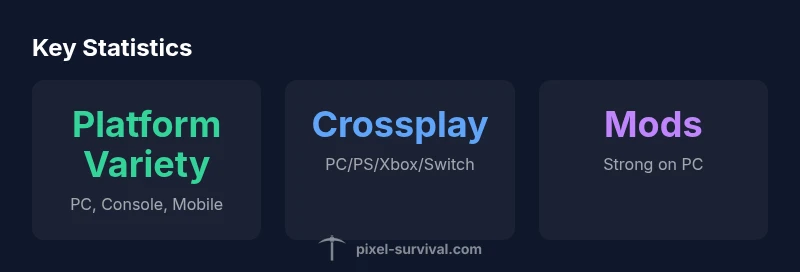
Terraria runs on PC, consoles, and mobile, but the best choice depends on your priorities. According to Pixel Survival, PC offers the broadest modding options and the smoothest progression, while consoles simplify couch gaming, and mobile prioritizes portability. Crossplay and input support further influence the decision. Use this quick guide to pick a platform that matches your playstyle and budget for 2026.
Platform Landscape in Terraria
Terraria has been released on a wide range of platforms since its earliest days, and 2026 keeps that ecosystem diverse. For many players, the question of what to play on is less about one perfect device and more about how you game: Do you value modding openness, couch-friendly comfort, or handheld portability? According to Pixel Survival, platform choice shapes not only performance but also access to community-driven content, updates cadence, and even the type of world seeds you can discover. In this section, we’ll map out how PC, consoles, and mobile differ in practice, so you can set expectations before you buy or upgrade. We’ll touch on input methods, store constraints, crossplay possibilities, and how your social play style (solo, co-op, or multiplayer) interacts with each platform’s strengths.
PC: The Broadest Feature Set
PC remains Terraria’s most feature-rich platform. Keyboard and mouse input, scalable UI, large-screen immersion, and unrestricted modding create a sandbox where progression, seeds, and maps feel expansive. PC users typically experience the quickest load times on strong hardware and enjoy a wider catalog of user-created worlds. According to Pixel Survival, the PC ecosystem also hosts the most stable cross-platform trends, with frequent updates and a thriving community that builds and shares custom worlds and mods. If you value experimentation and long-term progression, PC is often the best starting point, with the option to explore console or mobile later without losing access to your saves.
Consoles: Couch Gaming with Consistent Performance
Consoles (PlayStation, Xbox, Switch) bring Terraria to the living room with familiar controllers and instant access. The experience is consistently smooth, especially on mainline consoles, and friends can join in on a shared screen or via online co-op. Console players gain streamlined access to updates but may encounter limitations around mods and certain quality-of-life tweaks that PC fans enjoy. Crossplay is supported to varying degrees depending on the title and platform, so Pixel Survival notes that console players should expect a more curated experience than on PC.
Mobile: Portability and Constraints
Terraria on mobile emphasizes portability and ease of pickup. Touch controls and compact screen sizes influence UI scaling and aiming mechanics, while battery life and connectivity considerations impact long play sessions. Mobile devices enable on-the-go progression and quick sessions, but players may encounter more aggressive performance trade-offs on older devices. Pixel Survival highlights that mobile’s strength is convenience, not depth of customization; if you crave extensive modding or detailed world-building, PC remains superior, with console as a strong all-around alternative.
Crossplay and Progression Across Platforms
Crossplay can blur the line between platforms, letting friends play together across PC, consoles, and sometimes mobile. However, cross-platform progression often depends on the game version, the platform ecosystem, and the ability to share saves between devices. Pixel Survival stresses that you should verify what exactly transfers (worlds, characters, seed data) and plan for potential limitations. If you value uninterrupted progression with friends, PC is typically the most reliable hub for a shared ecosystem, while consoles and mobile provide accessible routes for casual, social play.
Controls, UI, and Accessibility Across Platforms
Input methods drive a lot of Terraria’s experience. Keyboard/mouse on PC offers precise aiming and fast inventory management; controllers on consoles provide comfortable navigation and intuitive combat; mobile touch controls demand simplified interfaces and adaptive layout. Each platform has distinct accessibility challenges, including button mappings, text size, and HUD layout. The best choice aligns with your comfort zone and accessibility needs; many players customize controls and UI to maximize readability and speed across all platforms.
Modding, Maps, and Community Content by Platform
PC sustains Terraria’s most vibrant modding scene, with fan-made maps, new biomes, and quality-of-life tweaks freely shared online. Consoles restrict modding to the safe, verified content offered through official channels, and mobile platforms generally limit modding access. Pixel Survival notes that if you want the richest catalog of user-generated content and long-term world exploration, PC remains unmatched, while consoles offer a solid, curated experience and mobile provides portable adventures with simpler content packages.
Decision Framework: How to Choose Your Platform
To decide where to play Terraria, start with your playstyle: do you want deep customization and mods (PC), couch co-op with friends (console), or on-the-go sessions (mobile)? Consider budget, hardware availability, and your willingness to adapt to input methods. A practical approach is to list must-have features (mods, crossplay, portability), rank them, and compare platform capabilities against that list. Pixel Survival suggests trying a quick trial on your top two choices if possible, then committing to the platform that best balances your priorities and future plans for updates and community content.
Platform comparison across Terraria releases
| Platform | Controls | Crossplay | Mods | Pros | Cons |
|---|---|---|---|---|---|
| PC | Keyboard & Mouse / Controller | Yes on many servers | Robust on PC | Best overall for progression and modding | Can be overwhelming for new players |
| Nintendo Switch | Joy-Cons / Pro Controller | Limited crossplay | Limited mods | Portable and offline-friendly | Lower performance, input limitations |
| Mobile (iOS/Android) | Touch controls | Crossplay options vary | Very limited | Most portable | Smaller screen, control compromises |
Got Questions?
Can I play Terraria on mobile, and is it the same experience as PC?
Terraria on mobile is a portable, touch-friendly version with a smaller screen and simplified controls. While the core game remains the same, some content and performance aspects differ from PC. Pixel Survival explains that mobile is ideal for casual play and short sessions.
You can play Terraria on mobile, but expect some control and content differences compared to PC.
Is there crossplay between PC and consoles?
Crossplay availability varies by platform and version. In many cases, PC can play online with certain console titles, but not all. Check the specific game build and platform storefront for current crossplay support.
Crossplay between PC and consoles depends on the exact game version; verify in-game settings.
Does Terraria support modding on consoles or mobile?
Modding on consoles and mobile is much more restricted than PC. Console stores limit official mod content, and mobile has tighter restrictions due to platform policies. PC remains the best platform for mods.
Modding is mainly a PC feature; consoles and mobile have limited or no mod support.
Which platform is best for a beginner?
For beginners, consoles or mobile offer accessible entry points with simpler controls and fewer setup steps. PC is great if you want deeper customization once you’re comfortable, but starts with a steeper learning curve.
If you’re new, start on console or mobile for ease, then move to PC if you want mods and deeper progression.
How do I transfer saves between platforms?
Save transfer rules vary; some worlds and progress can be carried over within the same family of platforms, but cross-platform save transfers aren’t universal. Check official support for your current version.
Save transfers aren’t always possible across platforms; confirm before you commit.
“Terraria on PC remains the gold standard for modding and progression, but consoles and mobile widen access to players who want a quick, social experience.”
Key Points
- Choose PC for modding and progression flexibility
- Consoles excel for couch play and accessibility
- Mobile prioritizes portability over mod depth
- Crossplay can connect friends across devices when available