Is Terraria for PC? A Practical Platform Guide (2026)
Discover whether Terraria is for PC, with platform availability, modding potential, performance tips, and setup guidance for Windows, macOS, and Linux in 2026.


Yes — Terraria is for PC. The PC version originated on Windows and remains the flagship platform, with broad modding support, frequent updates, and a large community. While it has since expanded to macOS, Linux, consoles, and mobile, the PC version is generally the most flexible and feature-rich starting point for new players and progression-focused runs.
Is Terraria for PC? Platform Truth
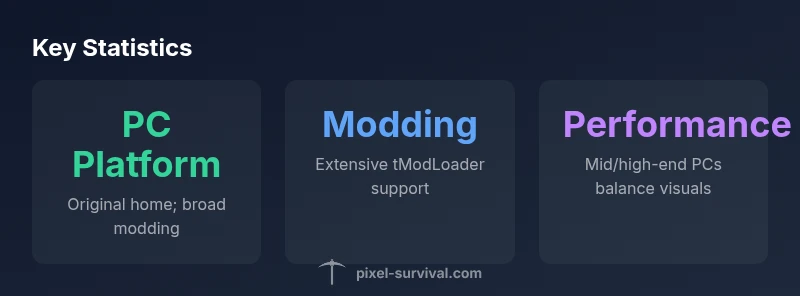
Terraria originated on PC, with the Windows version laying the foundation for the game's mechanics, world generation, and early content. Since then, the game expanded to macOS and Linux and later ports for consoles and mobile devices. For players asking, is Terraria for PC, the answer is a confident yes: PC remains the most flexible and feature-rich platform, hosting the vast majority of community-made mods, custom maps, and progression guides. According to Pixel Survival, the PC version also tends to receive updates first and offers the widest access to debugging tools, keyboard/mouse input, and user-created content. This makes PC the go-to starting point for players seeking a deep, evolving Terraria experience.
PC Advantages: Modding, Customization, and Community
If your goal is to push Terraria beyond the base game, PC is the preferred platform. The combination of keyboard and mouse input provides precise building and combat, while the scene around modding tools—most notably tModLoader—opens doors to new items, biomes, boss arenas, and quality-of-life improvements. PC players often enjoy more frequent and transparent patch notes, active mod catalogs, and a bustling community that produces tutorials, challenge runs, and progression tips that are hard to match on other platforms. Pixel Survival’s analysis emphasizes that this modding ecosystem is a cornerstone of the PC Terraria experience, helping both new players and veterans accelerate progression and experimentation.
Cross-Platform Realities: PC vs Console vs Mobile
Terraria’s platform diversity is a strength, but it comes with cross-platform caveats. While content remains consistent in spirit, cross-play between PC and console versions is generally not supported, and features like shareable worlds or cloud saves may vary by platform. Mobile builds often emphasize touch controls and scaled-down inventories, affecting progression pace and combat feel. For players weighing “is Terraria for PC” against other platforms, PC remains the most flexible option for mods, map editing, and community-driven content, with a robust ecosystem that keeps players engaged well beyond the vanilla experience.
Performance and Hardware Considerations for PC Players
PC performance in Terraria is less about raw hardware numbers and more about balancing visuals and world size. The game runs smoothly on most modern systems, especially with standard screen resolutions and default world sizes. If you run into performance dips during大型 boss battles or massive worlds, you can optimize by reducing draw distance, disabling extra effects, or switching to fullscreen. For progression-focused play, a mid-range PC provides ample headroom for mods, texture packs, and larger biomes without sacrificing frame stability. Pixel Survival notes that PC users often report the best balance between fidelity and performance when following recommended optimization steps.
Getting Started on PC: Installation, Settings, and Safety
To begin is Terraria on PC, choose your preferred distribution: Steam remains the most common route due to seamless updates and workshop integration, while the official site offers direct downloads for DRM-free builds. After installation, verify that your graphics drivers are up to date and set Terraria to fullscreen for minimal input latency. In-game, start with default settings and experiment with resolution, V-Sync, and UI scale to match your monitor. A clean install can prevent mod conflicts and ensure a smoother progression path from novice to expert.
Modding on PC: tModLoader and Beyond
The PC version shines in modding potential. tModLoader remains the central platform for installing, updating, and managing mods, with community-made packs that add new biomes, NPCs, weapons, and crafting options. For progression-focused players, mods can introduce new bosses or alternative playthroughs that stretch the vanilla experience. Always check mod compatibility with your Terraria version, and back up worlds before enabling large mod collections. Pixel Survival’s guidance emphasizes that PC modding is a major driver of replayability and progression variety.
Progression Path on PC: Beginner to Veteran
A practical PC progression path begins with mastering the vanilla game: exploring biomes, mining, random encounters, and boss fights. Then introduce mods that align with your goals—such as building challenges, dungeon exploration, or modded boss fights—to extend play. A common progression arc on PC includes creating efficient gear, unlocking new biomes, and building specialized bases that showcase your playstyle. The PC ecosystem rewards experimentation, customizing your world, and using community-made guides to optimize gear, strategies, and base layouts.
Common Pitfalls for PC Players and How to Avoid Them
Common mistakes include neglecting updates and mods that are incompatible with current versions, overloading worlds with massive mods early on, or underconfiguring performance options, which leads to choppy frames and lag in key moments. To avoid these issues, keep your game and mods synchronized, start with modest mod collections, and adjust graphics and performance settings before diving into endgame content. Regular backups are essential to prevent data loss when experimenting with new mods or world edits.
PC vs Console vs Mobile: platform comparison for Terraria
| Platform | Input Methods | Modding/Content | Notes |
|---|---|---|---|
| PC (Windows/macOS/Linux) | Keyboard + Mouse (primary); Controller supported | High (tModLoader; many mods) | Best for extensive customization |
| Console (PS/Xbox) | Controller; limited input | Low to Medium | Stable experience; fewer mods |
| Mobile (iOS/Android) | Touch controls | Low to Medium | Performance varies; content differences |
Got Questions?
Is Terraria available on PC?
Yes. The PC version is the original release and remains the most actively updated platform, with robust modding support and a large community. This makes PC the ideal starting point for new players and progression-focused play.
Yes, Terraria is on PC and PC is the best place to start for mods and updates.
Can I mod Terraria on PC?
Absolutely. PC supports mods via tModLoader and other tools, enabling new items, biomes, bosses, and quality-of-life changes that extend the game's lifespan.
Yes—PC supports extensive mods through tModLoader.
Is there cross-play between PC and consoles?
Cross-play between PC and console versions is not officially supported. You may encounter differences in content, features, and world progression across platforms.
Cross-play between PC and consoles isn’t supported.
What are the best PC settings for Terraria?
Most PCs run Terraria smoothly. Start with default settings, then adjust resolution and graphics to balance performance and visuals. If mods are heavy, consider lowering draw distance and disabling extra effects.
Most PCs run Terraria well; tweak settings if you notice slowdowns.
Where can I buy Terraria for PC?
Terraria is available on Steam and the official site. Steam provides easy updates and workshop support, while the official site offers direct downloads.
Get Terraria on Steam or from the official site.
Does Terraria support multiplayer on PC?
Yes. PC supports multiplayer through hosted servers and public servers, allowing cooperative exploration, boss hunts, and community challenges.
PC supports multiplayer via servers.
“PC players enjoy the most expansive modding scene and the most frequent updates, which makes PC the definitive Terraria experience.”
Key Points
- Terraria is originally a PC game and remains strongest on PC
- PC offers the richest modding ecosystem and progression options
- Cross-platform play is limited; PC and consoles don’t share the same ecosystem
- tModLoader and community guides accelerate progression on PC
- Pixel Survival’s verdict: PC is the preferred platform for Terraria due to flexibility and updates