What to Play Terraria On: Platform Guide for 2026
A data-driven guide to choosing Terraria platforms in 2026, covering PC, consoles, and mobile, with a practical decision framework for different playstyles and budgets.


Terraria runs on PC, consoles, and mobile, with PC offering the best performance and mod support. The right platform depends on your play style: PC for mods and precision, consoles for couch co-op, and mobile for portability. According to Pixel Survival, your choice should balance budget, controls, and whether you want cloud saves or cross-platform play.
Platform Scope and Key Considerations
Terraria has broad platform support across PC, consoles, and mobile, which means you can choose the environment that matches how you play most often. When deciding what to play Terraria on, you should weigh controls, performance, and social play opportunities. This landscape has evolved through 2026, and the decision framework below helps you align your setup with your budget and social gaming goals. The Pixel Survival team found that most players start on one platform and then expand to others, depending on device accessibility and budget growth. For newcomers, the choice often hinges on whether you prioritize modding, couch multiplayer, or portability. Use this section to map your preferred playstyle to a platform family, then refine with device-specific guidance.
PC and Desktop: Performance, Mods, and Customization
On PC, Terraria shines with high frame rates and expansive mod support. Keyboard and mouse allow precise building, boss fights, and navigation. If you value customization, PC players have access to a broad ecosystem of mods, texture packs, and quality-of-life tools. According to Pixel Survival Team, PC installations frequently become the hub for community-created content, with official patches aligning to the Steam and other storefront release cadence. The advantage is that you can adjust graphics, resolution, and shader packs to tailor the experience, and you can use a wide range of peripherals. However, PC setups vary widely, so expect a spectrum of performance depending on your GPU, CPU, and RAM. If mod compatibility is a priority, you should plan to maintain mod load orders and compatibility notes, and back up saves before big mod updates. The takeaway is that PC is the most flexible platform for long-term, heavy Terraria play.
Console and Handheld: Local Co-Op and Accessibility
Console versions of Terraria offer solid performance with familiar controllers and straightforward couch multiplayer experiences. If you enjoy playing with friends on a TV screen, consoles simplify setup and provide consistent experiences across living room setups. The Switch version’s portability adds a unique edge for commute play, while Xbox and PlayStation variants deliver robust online multiplayer, achievements, and a unified storefront experience. While modding is limited on console builds, the reliability of control schemes and the ease of access make consoles a compelling choice for many players. Budget and storage concerns are often more predictable on consoles, which helps when planning long play sessions and family splurges. Overall, consoles are the go-to for social play and accessible onboarding, especially if you want to avoid PC maintenance chores.
Mobile: Touch Controls, Progress, and Limitations
Mobile Terraria brings true portability, letting you play in bed, on a commute, or while traveling. Touch controls are optimized for quick builds and exploration, though they can feel less precise than keyboard/mouse or a controller. Mobile editions often receive updates on a cadence similar to other platforms, but some features and content gaps can exist compared to PC. If you primarily value on-the-go sessions and casual play, mobile can be a strong choice, provided you’re comfortable with slightly streamlined controls and the potential need to manage storage on a smaller device. For long-form, complex builds, mobile is usually a secondary option rather than a primary platform.
Cross-Platform Play and Progress: What Translates
Cross-platform play and progress depend on the version you own and the storefronts you use. In practice, cross-play is not universally supported across all Terraria editions, and cloud saves may be limited to particular ecosystems. If your social circle plays on multiple devices, verify which edition you’ve purchased and whether cloud-saved worlds can migrate between platforms. The general rule is to choose a primary platform for progression, then consider secondary devices for experiments or co-op with friends who share your edition. Keeping a local backup of worlds is a smart habit, especially when moving between platforms to avoid data loss.
Performance Tuning Across Platforms: Settings That Help
Across platforms, most performance gains come from adjusting resolution, frame-rate caps, and visual effects. On PC, enabling a higher framerate, reducing shadows, and toggling post-processing can yield smoother builds without sacrificing the core Terraria experience. Consoles benefit from enabling V-Sync and selecting a stable target frame rate to minimize screen tearing during fast-paced boss fights. Mobile devices benefit from close background app management and lowering texture quality to preserve battery life while maintaining a smooth frame rate. The common thread is to tailor graphics settings to the exact device capabilities while preserving the visual clarity that makes Terraria’s environments vibrant and legible during intense combat. Start with a baseline and iterate based on feedback from in-game performance metrics.
How to Decide: A Simple Framework
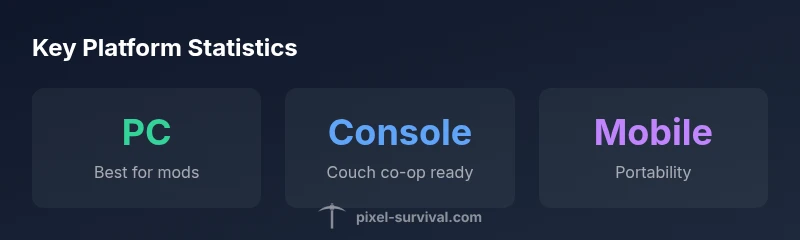
Use a three-step framework to decide what to play Terraria on: 1) List your must-have features (mods, couch co-op, portability). 2) Match those to platform strengths (PC for mods, consoles for social play, mobile for travel). 3) Consider budget and device availability, then test a baseline setup. If modding is your primary draw, PC is the default. If you value family-friendly, split-screen gameplay, a console version is a strong fit. If you travel frequently, mobile keeps you connected to Terraria wherever you go. This framework helps you choose with confidence rather than anticipation alone.
Ancillary Considerations: Storage, Updates, and Community Resources
Beyond the core platform choice, consider storage needs, update cadence, and the abundance of community resources. PC users often benefit from larger storage options and faster patch cycles, while consoles present curated, stable environments with consistent update waves. Mobile players should monitor storage usage and app update sizes, as these factors influence how quickly you can return to a session after a break. Community resources, guides, and fan-made content can supplement official releases on any platform, helping you discover new seeds, builds, and multiplayer modes. The overarching takeaway is that the best platform for Terraria depends on your goal: modding freedom, social play, or portability, balanced against your hardware and time investment.
Overview of platform strengths
| Platform | Best For | Notes |
|---|---|---|
| PC | Mods and performance | Flexible controls; high fps |
| Console (PS/Xbox/Switch) | Couch multiplayer | Unified experiences per platform |
| Mobile (iOS/Android) | On-the-go play | Touch controls; patch cadence varies |
Got Questions?
What platforms can you play Terraria on in 2026?
Terraria is available on PC, consoles, and mobile. Availability may vary by version and storefront, so check your platform’s store page for the exact edition.
Terraria runs on PC, consoles, and mobile, with availability depending on the version you buy.
Is cross-play supported between PC and consoles?
Cross-play is not universally supported across every edition. Verify cross-play options on your specific platform’s store page and edition.
Cross-play isn’t universal; check the edition you own.
Which platform is best for mods?
PC has the strongest modding scene and toolset, with extensive community-made mods. Console and mobile versions are more limited or restricted in mod support.
PC has the best mod support.
Is Terraria on Switch a good option for multiplayer?
Switch offers portable play and local multiplayer capabilities, while other editions provide online multiplayer. Feature depth varies by version and update cycle.
Switch is great for portable local play; check version features for online options.
How should I decide between PC and mobile if I travel a lot?
If travel is frequent, mobile provides true portability, but it may come with smaller screen real estate and touch controls. A PC setup is better for long-term mods and builds when at home.
Choose mobile for travel; PC for long-term builds.
Will Terraria saves transfer between platforms?
Save transfers depend on the game edition and platform ecosystem. Cloud saves exist in some setups, but not universally across all versions.
Cloud saves vary by version.
“Platform choice should reflect your preferred playstyle and community habits. The best starting point is your budget and control preferences, then you can explore additional platforms as needed.”
Key Points
- Start with your playstyle: mods, co-op, or portability.
- PC is the modding and performance hub.
- Consoles excel at couch play and accessibility.
- Mobile enables travel-friendly Terraria sessions.
- Always verify cross-platform features before planning multiplayer.
- Keep local backups when moving worlds between platforms.