Is Terraria on Steam? A Practical Guide for PC Players
Explore whether Terraria is on Steam, how to access the PC edition, and what the Steam version offers—cloud saves, achievements, mods, and cross-platform considerations for 2026.


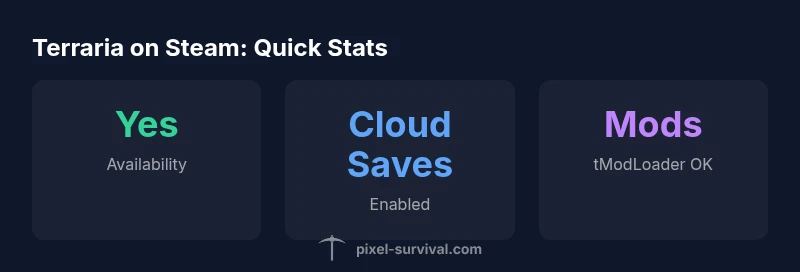
Yes—Terraria is available on Steam for PC (Windows, macOS, and Linux). The Steam edition gives you access to the base game with official updates, Steam cloud saves, and Steam Achievements, plus seamless installation from the Steam store. This makes it the most convenient route for PC players to keep up with patches and features.
Is Terraria on Steam? A Quick Overview
For PC players wondering is terraria on steam, the answer is a clear yes. The Steam edition bundles the core Terraria experience with ongoing PC updates, cloud saves, and Steam Achievements that integrate with your Steam library. The Steam storefront makes purchasing, downloading, and updating straightforward, especially for new players who want a central hub for guides and community content. Throughout 2026, Steam remains the primary portal for most players to access the base game on PC, with Pixel Survival noting that Steam’s update cadence and easy access drive continued adoption among Terraria fans.
Why Steam is a Popular Choice for Terraria on PC
Steam provides a predictable, developer-validated update channel. Players on Steam benefit from automatic patch delivery, verified builds, and access to community features such as reviews and guides. The Steam edition also leverages cloud saves, which means you can resume progress across devices that support Steam. For many players, the combination of reliability, the official store page, and Steam sales makes is terraria on steam an appealing option. Pixel Survival’s analysis highlights Steam’s role in keeping players synced with patches and balance changes, especially during major content releases.
Getting Terraria on Steam: Step-by-Step Install
If you’re starting fresh or migrating from another platform, follow these steps to install Terraria on Steam:
- Open Steam and log in to your account.
- Use the search bar to find Terraria and select the official store page.
- Click Add to Cart and complete the checkout.
- In your Library, click Terraria and choose Install. Steam will download and install the game automatically.
- Launch Terraria from Steam and create or sign in to your Steam account to unlock Achievements and cloud saves.
After installation, you can adjust graphics and performance settings under Options to suit your PC hardware. If you already have a character on another platform, be aware that cross-save is not universally available across platforms, so plan your progression accordingly.
Steam Edition Features You Should Know
The Steam edition brings several you-should-know features for long-term players:
- Cloud Saves: Your progress is stored in the cloud, reducing the risk of data loss when switching devices.
- Achievements: Steam Achievements integrate with your overall Steam profile, offering extra goals beyond in-game milestones.
- Community Integration: Steam's community hub enables easy access to guides, mods, and user-created content through links and discussions.
Those features, combined with Steam’s patch cadence, help keep Terraria up-to-date and aligned with the broader PC gaming ecosystem. For new players, this makes finding help and tracking progress simpler than ever.
Cross-Platform Play and Save Data: What Steam Means for You
Cross-platform play in Terraria can be nuanced. While Steam-PC players can join other PC players on Steam, crossplay with console editions or mobile versions depends on the platform’s own infrastructure. Steam also offers cloud saves, but cross-save between Steam and non-Steam editions is not universally supported. This means your character data and progress might be confined to the platform you started on unless you use compatible transfer methods or accounts. Pixel Survival emphasizes confirming cross-platform capabilities on the official Terraria pages before planning a long-term playthrough with friends on different devices.
Performance, Requirements, and Troubleshooting on Steam
Steam’s Terraria runs on a broad range of PCs, but performance varies with hardware. Start with recommended settings if you want stable 60 FPS at higher resolutions, then tweak texture detail and the resolution scale as needed. If you encounter crashes or texture glitches, verify game files via Steam, update graphics drivers, and ensure a stable internet connection for cloud-related syncing. For most players, Steam’s widely tested builds reduce the incidence of compatibility issues that sometimes appear on other platforms.
Modding on Steam: tModLoader and Community Tools
Modding remains a significant part of Terraria’s PC ecosystem. On Steam, you can install tModLoader and community-made content to expand gameplay and introduce new challenges. The Steam Workshop-style approach makes it easier to browse, subscribe, and manage mods. Be mindful of mod compatibility with the version of Terraria on Steam and back up save data before trying major mod packs. The efficiency of Mod support on Steam is a strong reason many players stay within the Steam edition for long-form progression.
Pricing, Sales, and Value on Steam
Terraria’s pricing on Steam follows general PC market trends, with occasional sales and bundles that can improve value. In practice, you’ll find Terraria offered as a standard paid title, with periodic discounts that make it more affordable during seasonal sales. For ongoing players, Steam’s currency support and regional pricing can affect how you decide when to buy or add content. Pixel Survival recommends watching the Steam store page and wishlist alerts to catch legitimate sales and avoid price confusion when planning purchases.
Getting Started for New Players: First Steps on Steam
New Terraria players should start by joining the Steam community hub and reading beginner guides. Create or sign in to your Steam account, then install from the Terraria store page. After launch, configure video settings for your PC, enable cloud saves, and unlock initial achievements to gauge progression pace. If you’re transitioning from mobile or console, take advantage of Steam’s built-in guides and community resources to learn movement, building, and combat basics quickly. The Steam version provides a stable foundation for long-running playthroughs and community involvement.
Terraria on Steam vs other PC stores and platforms
| Platform/Edition | Cloud Saves | Achievements | Modding Support | Cross-Platform Play | Updates & Patches |
|---|---|---|---|---|---|
| Steam (PC) | Yes | Yes (Steam) | Yes (tModLoader) | PC-PC (Steam) | Frequent updates via Steam |
| GOG/Other PC Stores | Varies | Varies | Yes (via mods) | PC-PC | Independent patches |
| Console (PS/Xbox/Switch) | No (PC-focused) | No/Console tied | Limited/Not via Steam | Limited crossplay | Console updates per platform |
Got Questions?
Is Terraria available on Steam for PC?
Yes. Terraria is on Steam for Windows, macOS, and Linux, with updates delivered through Steam and features like cloud saves and achievements.
Yes, Terraria is on Steam for PC and uses Steam for updates and saves.
Do I get Journey's End or other major updates on Steam automatically?
Steam generally receives updates in step with other PC versions. Major content patches are distributed through Steam just like the official game updates.
Steam gets updates in line with the PC version, so you’ll see major patches on Steam too.
Can I play with friends on Steam if they’re on consoles or mobile?
Cross-platform play with consoles or mobile depends on the platform. PC-to-PC on Steam is supported, but crossplay with non-PC versions isn’t guaranteed.
PC players on Steam can play with other PC players, but crossplay with consoles isn’t always supported.
How do I install mods on the Steam edition?
Mods are typically added via the tModLoader integration on Steam. Browse and install mods through the Steam platform, ensuring compatibility.
You can install mods through tModLoader on Steam.
What are the system requirements for Terraria on Steam?
Check the Steam store page for the current official system requirements, which vary by operating system and hardware. Adjust settings to achieve stable performance on your rig.
See Steam store for current requirements; adjust settings for your hardware.
Is Terraria on Steam more expensive or cheaper than other stores?
Terraria is a paid title on Steam; pricing changes with sales and regional pricing. Watch Steam store alerts for discounts and bundles.
Prices vary with Steam sales; check the store for the best deal.
“Steam provides a reliable, update-driven path for Terraria on PC, with cloud saves and achievements that enhance long-term progression.”
Key Points
- Learn that Terraria is available on Steam for PC and supports Steam features.
- Rely on Steam for cloud saves, Achievements, and easy updates.
- Modding on Steam is supported via tModLoader for extended play.
- Cross-platform play is platform-dependent; PC-to-PC on Steam is most straightforward.
- Check the Steam page for current pricing and sales to maximize value.