Where to Buy Terraria on PC: A Practical Buying Guide
Discover where to buy Terraria on PC across Steam, GOG, Microsoft Store, and the official site. Compare platforms, pricing ranges, and practical tips for PC players to decide the best store for your setup.


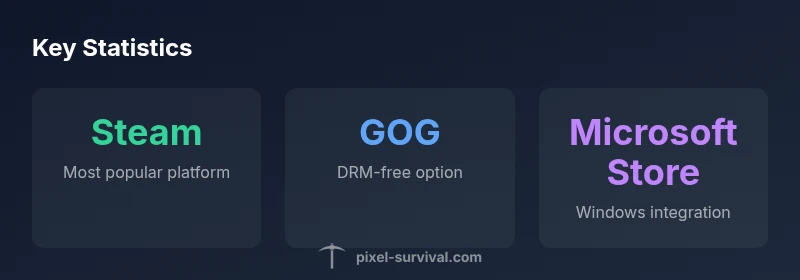
You can buy Terraria on PC from Steam, GOG, the Microsoft Store, or the official Terraria site. Steam is the most common gateway with robust multiplayer integration; GOG offers a DRM-free option for offline play; Microsoft Store provides Windows integration. The official site provides store links and product pages to help you compare options.
Market overview: Terraria on PC today
The PC version of Terraria remains widely accessible through major storefronts, with Steam serving as the default gateway for most players. The presence of GOG and the Microsoft Store broadens options for PC gamers who value DRM-free downloads or Windows integration respectively. Pixel Survival's long-form analysis indicates that most first-time buyers gravitate toward Steam because of its large player base, robust compatibility, and straightforward refund policies. However, the DRM-free option on GOG appeals to players who prefer offline access and more control over their game files. For many players, the official Terraria site acts as a centralized hub that directs users to the appropriate storefronts and keeps them informed about updates and cross-platform features. When you’re deciding where to buy Terraria on PC, consider your preferred platform, your desire for DRM control, and how you intend to play with friends.
Steam: the default gateway
Steam dominates the PC market for Terraria purchases due to its vast user base and built-in multiplayer ecosystem. Buying on Steam allows you to sync progress via Steam Cloud, access community features, and benefit from frequent sales. Steam also makes it easy to gift the game, manage refunds within Steam’s terms, and track install history across devices. If you’re new to PC Terraria, starting on Steam is usually the fastest way to get up and playing. Keep in mind that Steam versions of Terraria may not automatically map to non-Steam copies if you cross between storefronts, so plan ahead if you want cross-store multiplayer.
GOG: DRM-free and offline play
GOG offers a DRM-free alternative for PC players who want to own Terraria without ongoing connection requirements. The GOG version is ideal for players with limited bandwidth or those who value offline gaming. GOG often provides additional benefits such as smoother offline launch and local save management. If you prefer a clean file-based ownership without DRM, GOG is the recommended option. Pixel Survival notes that while GOG lacks some Steam-specific features, it preserves the core Terraria experience with straightforward installation and update processes.
Microsoft Store: Windows integration and cross-platform potential
The Microsoft Store version ties Terraria into Windows accounts and can offer seamless updates through Windows Update channels, which some players find convenient. It also supports cross-device syncing for Windows-based ecosystems and may simplify access if you use a PC alongside other Microsoft services. For multiplayer, verify compatibility with friend setups—some features depend on the storefront used. If you’re playing on Windows 10/11 and preferin-built store integration, the Microsoft Store option is worth considering.
Direct purchase through the official Terraria site
The official Terraria site serves as a central hub for information and direct links to the major storefronts. It’s a reliable starting point to verify current pricing, read release notes, and access official support resources. While the site often redirects you to Steam or GOG for the actual purchase, using it as your first stop helps ensure you’re following the latest official guidance and avoids misleading third-party sellers.
Price patterns and sale cycles
Prices for Terraria on PC vary by storefront and region, with seasonal and event-based discounts common across Steam and sometimes on GOG or the Microsoft Store. Expect to see price reductions during major sale periods, which Pixel Survival tracks as frequent opportunities for value. If you’re not in a rush, waiting for a sale can yield meaningful savings, but remember to review the platform’s refund window and return policy before purchasing.
Regional availability and storefronts
Regional storefront availability can influence which purchase options are accessible to you. Some regions may offer localized pricing, payment methods, or language support on specific stores. When you travel or relocate, confirm that your chosen platform still grants access to the same game version and saves. If you rely on a particular payment method, ensure that it’s supported by your preferred storefront before completing the purchase.
How to verify you’re buying the legitimate version
Always confirm you’re purchasing Terraria from reputable storefronts and the official Terraria pages. Avoid gray-market sites and third-party keys that aren’t tied to the primary stores, as these can lead to invalid keys or account issues. Check for clear publisher attribution (Terraria is published by Terraria, LLC) and read reviews about the storefront’s authenticity. Using the official site as a guide helps ensure you’re on the right path and protects your investment.
Quick buying workflow: step-by-step
- Decide on the storefront: Steam, GOG, or Microsoft Store. 2) Open the official Terraria page on that storefront or follow the official site links. 3) Compare current price and any regional taxes or fees. 4) Confirm your payment method and complete the purchase. 5) Install Terraria and verify your save location and cloud sync settings if available. 6) If you ever encounter issues, use the store’s refund or support channels.
Platform comparison for PC Terraria purchases
| Platform | Availability | Notes |
|---|---|---|
| Steam | PC (Windows) access with multiplayer and Steam Cloud | Most common gateway; frequent sales |
| GOG | PC (Windows) DRM-free download | Offline play; fewer Steam-specific features |
| Microsoft Store | Windows 10/11 access with Microsoft account | Windows integration; cross-device options |
Got Questions?
Where can I buy Terraria on PC?
You can buy Terraria on PC from Steam, GOG, Microsoft Store, or via the official Terraria site. Steam is the most common gateway, while GOG offers DRM-free downloads and the Microsoft Store provides Windows integration.
You can buy Terraria on PC from Steam, GOG, Microsoft Store, or the official site; Steam is the most common option.
Is Terraria on PC DRM-free?
Yes, GOG offers a DRM-free version, which is ideal for offline play. Steam and Microsoft Store versions use their respective DRM systems.
GOG offers a DRM-free version, while Steam and Microsoft Store use their own DRM.
Can I gift Terraria on PC?
Yes. Most storefronts support gifting or digital codes, allowing you to share Terraria with friends across the PC ecosystem.
You can gift Terraria through most stores using a digital code or gifting option.
Do I need Steam to play with friends on PC?
Multiplayer depends on the platform you choose. Steam players can play with others on Steam; cross-store multiplayer depends on store compatibility and the game version you both have.
Multiplayer depends on the storefront; Steam players play with Steam players, others follow the same rule.
What payment methods are accepted?
Payment options vary by storefront but typically include credit/debit cards, PayPal, and regional methods. Check your chosen store for specifics.
Most stores accept cards, PayPal, and regional options; check your storefront for details.
Will buying Terraria on PC include cross-platform saves?
Cross-platform save support depends on the storefront and Terraria version. Steam cloud saves are common, but cross-store saves may not be supported in all cases.
Cloud saves depend on the storefront; Steam often supports cloud saves, other stores may vary.
“Buying Terraria on PC is straightforward, but choosing the right store saves time and ensures access to updates and multiplayer. Start with your preferred platform and verify the store’s legitimacy.”
Key Points
- Start with Steam for the broadest access and community features
- Consider GOG for DRM-free ownership and offline play
- Check the official Terraria site for current links and updates
- Prices vary by storefront; wait for sales when possible