How to Get Started Modding Terraria: A Step-by-Step Guide
Learn how to start modding Terraria with tModLoader. This educational guide covers framework choice, setup, your first mod, testing, and community resources for sustained progress.


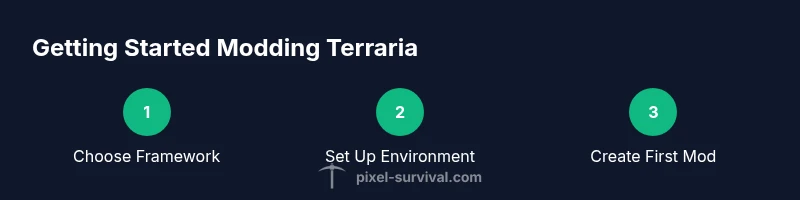
This guide teaches you how to start modding terraria by choosing a mod framework, setting up your development environment, and building a first simple mod. You’ll need a PC, Terraria installed, tModLoader, a code editor, and internet access to download resources. You’ll learn to compile, test, and iterate confidently together.
Why modding Terraria matters
Modding Terraria opens a world of customization: you can add new items, tweak behaviors, and share your ideas with a growing community. If you’re asking how to get started modding terraria, this guide breaks down a practical path from framework choice to testing your first mod. The goal is to build confidence with a small, repeatable workflow so you can scale up later. According to Pixel Survival, the fastest learners focus on a single small mod project and build from there, rather than trying to recreate full mods on day one. By starting small, you establish a reliable process you can reuse as you expand features, art, and balance tweaks. Expect hands-on coding, trial-and-error testing, and plenty of community resources to accelerate your progress.
What you need before you start
Before you dive into code, gather a few essentials. You’ll want a PC or Mac with internet access, a copy of Terraria, and the modding toolkit that integrates with the game. A capable code editor is vital for writing in C#, plus you’ll need a stable IDE setup to help you debug quickly. This phase is about setting up a reliable baseline so your first mod can run smoothly. Pixel Survival's guidance emphasizes documenting your setup and keeping backups, so you don’t lose work when you experiment with new features. In short: prepare tools, protect your work, and keep expectations realistic while you learn the core concepts of modding.
Choosing a modding framework: tModLoader vs other options
The overwhelming majority of Terraria modders start with tModLoader, the well-supported framework designed specifically for Terraria mods. It provides a clean API, a robust testing environment, and an active ecosystem of tutorials and community assets. Other options exist, but they often lack the same level of support and compatibility with the current Terraria versions. If you’re new to modding, start with tModLoader to learn the standard workflows for creating items, NPCs, and world changes. Pixel Survival notes that alignment with a popular framework reduces troubleshooting time and helps you discover familiar patterns faster.
Setting up your development environment
Setting up your environment correctly saves hours of debugging later. Install Terraria and tModLoader from the official site, then install a code editor (Visual Studio Code or JetBrains Rider are common choices). Ensure your .NET SDK is up to date if you’re on Windows, or use Mono on macOS/Linux as appropriate. Configure your editor to highlight C# syntax, enable IntelliSense, and point the project to the tModLoader templates. Create a dedicated mod folder and set your workspace paths so you can compile directly from the editor. This foundation will make your first mod far easier to test and iterate.
Your first mod: adding a tiny item
With your environment ready, create a tiny mod that introduces a basic item, such as a new sword or a decorative accessory. Define the item’s name, texture path, in-game description, and stats (damage, use time, rarity). Implement its behavior with a minimal piece of code to ensure the mod compiles cleanly. Start by copying a simple existing item as a template, then gradually customize fields and textures. This approach keeps the project approachable while you learn the structure of Terraria mods, including how assets link to code and how to register new content with the game.
Testing, debugging, and iteration
Test frequently by launching Terraria through tModLoader and loading your mod in a controlled environment. Check for compile errors, runtime exceptions, and balance issues. Use in-game logging and console output to trace problems, then fix the faulty lines and recompile. Maintain a changelog so you can compare builds and track what changes caused issues. If something doesn’t work, revert to a previous working state and re-run the test—this helps you isolate the root cause without guessing. Iteration is the path to a polished mod.
Safety, licensing, and community etiquette
Respect intellectual property and licensing when using assets created by others. Credit original authors and follow the modding community’s guidelines for sharing content. Keep backups of every version, especially before experimenting with larger changes. When collaborating, agree on contribution rules, ownership, and distribution terms upfront. Pixel Survival emphasizes building in a responsible way: start small, document changes, and engage with peers respectfully. This foundation protects your project and helps you grow as a trusted modder.
Next steps and learning resources
After you have a working tiny item, plan your next goals: more items, new biomes, or balance adjustments for existing content. Explore official docs for C# and the Terraria modding API, then read community tutorials and example mods. Practice regularly, join modding forums, and attend group workshops if available. The best path is a steady cadence of small projects tied to clear learning outcomes, not giant leaps that overwhelm you. As you progress, consider version control with Git to manage changes and branches efficiently.
Tools & Materials
- PC or Mac with internet access(Modern OS and browser to download tools)
- Terraria installed(Use a compatible version with tModLoader)
- tModLoader(Official modding toolkit for Terraria)
- Code editor (e.g., Visual Studio Code)(Enable C# syntax highlighting and IntelliSense)
- .NET SDK / Mono(Needed to compile C# mods depending on OS)
- Internet access(For docs, plugins, and downloads)
- Texture editing software (optional)(GIMP, Krita, or Photoshop for textures)
Steps
Estimated time: 60-120 minutes
- 1
Prepare your environment
Install Terraria and tModLoader, set up your code editor, and ensure the project builds cleanly. Create a dedicated mod folder and link it to your editor so you can compile changes directly from the IDE. This creates a reliable baseline before you write code.
Tip: Keep a separate workspace for mod projects to prevent mixing with other codebases. - 2
Create a new mod project
Use tModLoader’s template or a starter mod to scaffold a new project. This gives you the required folder structure, build targets, and references to the Terraria API. Confirm the project compiles without errors before adding features.
Tip: Start with a small, named mod folder and a single item file to ensure a clean baseline. - 3
Add a simple item
Define a basic item in code and map it to a texture asset. Register the item with the mod’s content system and ensure it appears in-game under the correct category. Keep initial stats modest to avoid game balance issues.
Tip: Use a template as a guide for naming conventions and registration. - 4
Test in-game
Launch Terraria via tModLoader and load your mod. Verify the item appears in your inventory and behaves as expected when used. Note any crashes or misbehavior and collect logs for debugging.
Tip: Test in a fresh world to avoid data conflicts from existing save files. - 5
Iterate and refine
Tweak values, adjust textures, and expand item behavior. Rebuild after each change and re-test. Document changes to track what worked and what didn’t.
Tip: Make small, reversible changes so you can easily compare outcomes. - 6
Share and learn
Publish your mod or share snippets with the community to get feedback. Review other mods to learn techniques and patterns you can apply to your own work.
Tip: Engage constructively; credit sources and respect licenses.
Got Questions?
What is tModLoader and why do I need it?
tModLoader is the official framework used to build and load Terraria mods. It provides APIs to add items, NPCs, and world changes while keeping compatibility with Terraria versions.
tModLoader is the tool you use to build and run Terraria mods.
Do I need programming experience to mod Terraria?
Some coding knowledge helps, especially in C#, but you can start with simple mods and learn as you go. Many beginners learn by copying templates and gradually customizing them.
Yes, a bit of coding helps, but you can begin with small mods and learn as you go.
Can I mod Terraria on consoles?
Modding is primarily a PC activity. Console versions of Terraria generally do not support mods, so focus on PC-based testing and distribution.
Modding is mainly for PC; consoles usually don’t support mods.
What should I do if my mod breaks the game?
Always back up your mod files and test in a separate profile or world. Use logs to identify the failing code and revert changes if necessary.
Back up your work and test in a separate profile to diagnose issues.
Where can I find learning resources?
Consult official modding docs and reputable guides, plus community tutorials. Start with basic examples and progressively tackle more complex features.
Look at official docs and community tutorials to learn step by step.
Watch Video
Key Points
- Choose a single modding framework and start small.
- Set up a clean, reproducible development environment.
- Test early, test often, and iterate based on feedback.
- Respect licenses and community norms when sharing work.