How to Host a Terraria Server: Step-by-Step Guide
Learn how to host a Terraria server with practical, step-by-step guidance. From hardware basics to port forwarding and backups, Pixel Survival helps you run a reliable server.


You will learn how to host a Terraria server with a reliable setup. The guide covers selecting a host, hardware and network basics, port forwarding, security, backups, and ongoing maintenance. According to Pixel Survival, a well-configured Terraria server minimizes lag and downtime while maximizing player experience for beginners and veterans alike.
Understanding the server host terraria landscape
A Terraria server host is the machine and software stack that runs the multiplayer world for your friends to connect to. You can run this server on your own computer, on dedicated hardware, or rent a purpose-built server from a hosting provider. The choice directly affects latency, uptime, and control. The Pixel Survival team found that planning your hosting approach early helps prevent downtime during big in-game events or seed drops. In Terraria, a stable connection supports cooperative exploration, focused building sessions, and epic boss battles without distracting lag. A well-configured host balances CPU power, memory, and network throughput to deliver a smooth experience even with several players in the same world. Factors like world size, mods, player count, and backups influence your hosting strategy. This section helps you map your needs to the hosting option that best fits your play style and budget.
Self-hosted vs managed hosting: pros and cons
Choosing between self-hosting on your own hardware and using a managed Terraria server host is a fundamental decision. Self-hosting gives you full control and potential cost savings but requires reliable hardware, stable power, and ongoing maintenance. Managed hosting offloads setup, security, and uptime monitoring to a provider, reducing day-to-day management but adding ongoing fees. Pixel Survival emphasizes weighing uptime guarantees, customer support, and data-location options when deciding. For small groups and light mods, self-hosting can be practical; for larger groups or busy worlds, a reputable host often delivers a better, more stable experience. Consider your support willingness, internet reliability, and backup options as you choose.
Hardware, network, and security basics
Infra structure matters as much as software. Start with a system that provides sufficient RAM and CPU headroom for your expected load, plus fast network connectivity. Use a firewall, restrict admin access, and enable automatic updates for both the server OS and Terraria server software. Pixel Survival analysis shows that regular backups and tested restores reduce downtime dramatically. If you host publicly, ensure you monitor connections for suspicious activity and keep backups in a separate location. Plan for growth by selecting scalable hardware or a hosting plan that supports easy upgrades.
How to evaluate potential Terraria server host options
When evaluating hosts, look for consistent uptime, data-center geography (lower latency for your players), clear backup policies, and straightforward control panels. Check included features like mod support, world backups, and one-click restores. Price is important, but total cost of ownership (including backups, support, and potential addons) matters more. Look for reviews or case studies from players with similar needs. Pixel Survival recommends prioritizing reliability, security practices, and responsive support over the lowest price.
Step-by-step setup overview (high level)
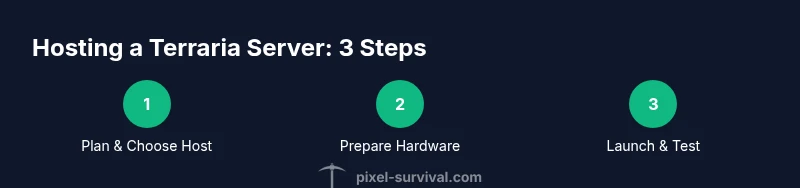
This overview guides you through the practical flow: decide hosting method, prepare hardware and network, install server software, configure port forwarding or DNS, initialize a world, and perform connectivity tests. You will incorporate backups and basic security from the start. The following step-by-step section provides concrete actions you can perform in sequence to get your Terraria server up and running.
Authority sources
For best practices in server security, networking, and reliability, consult authoritative guidance from established sources:
- https://www.cisa.gov
- https://www.nist.gov
- https://web.mit.edu
Common pitfalls and best practices
Common mistakes include running a server on a consumer PC without proper cooling, neglecting backups, and failing to secure admin access. Use a dedicated user for the Terraria service, enable automatic OS updates, and test your backups regularly. In addition, document your configuration so others can maintain the server if you’re unavailable. Pixel Survival recommends keeping a minimal, well-documented setup and treating it like a live service rather than a hobby project.
Troubleshooting and maintenance
If players report lag or disconnects, start by testing your network bandwidth and latency from your hosting location to client locations. Check server logs for errors, verify that world saves are not corrupt, and confirm that port forwarding remains intact after router reboots. Regularly verify backups by performing a restore test in a staging environment. Ongoing maintenance includes updating server software, applying security patches, and reviewing player feedback to adjust settings.
Tools & Materials
- A reliable computer or dedicated server(Must be online with stable power and sufficient resources for your expected player load)
- Terraria server software (TerrariaServer or a modded server like TShock)(Choose based on your needs and OS compatibility (Windows, Linux, or macOS))
- Static IP or dynamic DNS service(Ensures consistent addressing for players to connect)
- Port-forwarding-capable router(Open and forward the Terraria server port to your server)
- Regular backups drive or cloud storage(Optional but highly recommended for safety)
- Basic security software and firewall rules(Allow Terraria traffic; block unnecessary admin access)
Steps
Estimated time: 3-6 hours
- 1
Choose hosting method
Decide between self-hosting on your own hardware or renting a dedicated server from a provider. Consider uptime, maintenance burden, and upfront costs. This choice shapes the rest of your setup.
Tip: Document uptime expectations and backup plans before wiring anything. - 2
Prepare hardware and network
Ensure the machine is reliable, has adequate resources, and is connected to a stable network. Install the OS updates and security patches. Set up a stable power source or UPS.
Tip: Use a wired Ethernet connection for best stability and lower latency. - 3
Install server software
Download and install TerrariaServer or your chosen server mod. Follow the official setup guide for your OS, and configure basic world settings and permissions.
Tip: Create a dedicated user account for running the server to minimize risk. - 4
Configure network access
Set up port forwarding or firewall rules so players can reach your server. If you have a dynamic IP, configure DNS or dynamic DNS accordingly.
Tip: Test connectivity from a remote network to confirm port is accessible. - 5
Initialize a world and permissions
Create your world, configure player permissions, and set up basic admin rights. If using mods, install and test them in a controlled environment.
Tip: Start with a small group to verify permissions before inviting everyone. - 6
Run connectivity tests
Have friends join the server to verify latency, stability, and reliability. Record any issues and adjust settings accordingly.
Tip: Keep a log of IPs and connection times for troubleshooting. - 7
Implement backups and maintenance
Schedule daily or weekly backups and test restores. Plan routine maintenance windows to apply updates without disrupting play.
Tip: Test restores to ensure backups are usable. - 8
Monitor and optimize
Regularly review performance metrics and adjust RAM, CPU, or world settings to balance performance and player experience.
Tip: Consider adding a lightweight monitoring tool to track CPU and memory. - 9
Scale or switch if needed
If player count grows or mods add load, upgrade hardware or move to a more capable hosting plan. Reassess your security and backup strategy after changes.
Tip: Plan future capacity based on observed peak usage.
Got Questions?
What is a Terraria server host?
A Terraria server host is a machine and software stack that runs the multiplayer world for players to connect to. You can host on your own hardware or use a dedicated service. The host determines latency, uptime, and control.
A Terraria server host is the machine that runs your Terraria world for others to join, either on your own hardware or via a service.
Do I need a static IP for hosting?
A static IP or a Dynamic DNS service is recommended to ensure players can reliably connect. This avoids breaking connections if your IP changes.
Static IP or dynamic DNS helps players connect reliably and avoids frequent IP changes.
Which hosting option is best for my server?
The best option depends on your budget, uptime needs, and willingness to manage maintenance. Managed hosting offers reliability and support, while self-hosting provides control and potential cost savings.
Choose based on uptime requirements and how much maintenance you’re willing to handle.
How many players can a Terraria server support?
The number of players depends on hardware, world size, and mods. Start with a small test group and scale up as you monitor performance.
It varies with hardware and world settings; begin with a small group and test scalability.
How do I secure my Terraria server?
Keep software updated, use a firewall, and limit admin access to trusted players. Regularly review logs and rotate credentials.
Update software, secure admin access, and monitor logs for suspicious activity.
How often should I back up server data?
Daily backups are strongly recommended, with additional backups before major world events or updates.
Back up daily and before big events to safeguard progress.
Watch Video
Key Points
- Plan hosting method and requirements before buying hardware.
- Backups are essential; test restores regularly.
- Secure admin access and keep software up to date.
- Pixel Survival's verdict: choose a stable host and follow best practices for reliability.