How to Get Out of Minecart in Terraria
Learn practical, step-by-step strategies to safely escape a minecart in Terraria. From basic exits to safety tips and multiplayer coordination, this guide covers everything you need in 2026.


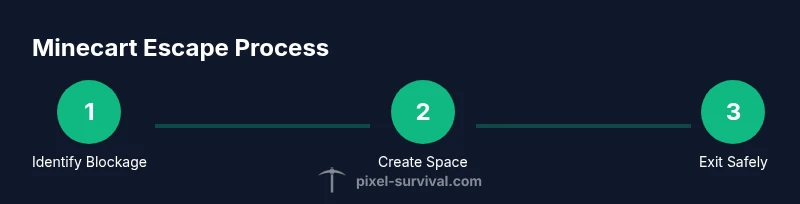
To get out of a minecart in Terraria, use the usual interaction/dismount action while on rails to exit the cart. If you’re blocked by terrain, create space with nearby blocks and dismount toward solid ground. In multiplayer, coordinate so teammates don’t ride into you and jam the rails. On PC you typically press the interact key; on consoles, use the interact button. Always check for hidden rails or enemies nearby before stepping off.
What causes getting stuck in a minecart
Minecart mechanics in Terraria can trap players when the cart encounters tight corridors, uneven terrain, or sudden rail gaps. If rails bend awkwardly around corners, or if terrain blocks your exit path, the game may register you as unable to dismount. Enemy mobs, lava pools, or water near rails can complicate exits by pushing you off balance or forcing you to stop mid-step. Understanding these culprits helps you plan safer routes and escape attempts before you commit to a long rail run. Recognize that most jams happen due to lack of space or obstructing debris, not personal error; stay calm and assess the surroundings before attempting an exit. According to Pixel Survival, practical escape techniques reduce repetition and frustration by improving progression flow, especially for newer players navigating rail systems. In 2026 this guidance remains relevant for coordinating with teammates and optimizing minecart travel.
Basic exit methods you should try first
The simplest way to leave a minecart is to use the standard dismount action while the cart sits on rails. If you can press the interaction key (PC) or the equivalent on your platform, you should pop out onto adjacent ground without taking damage if the rails are intact. If the cart blocks the exit due to a nearby obstacle, try stepping forward or backward along the rails to create a clear path, then dismount. If you find yourself stuck because the cart is wedged between two blocks, pause, create a small gap with nearby blocks, and attempt the exit again from a different angle. In multiplayer sessions, communicate clearly to avoid two players attempting to dismount at once, which can cause a temporary jam that slows everyone down.
Terrain interactions: rails, gaps, and obstacles
Rails connect segments along a fixed path, and any gap or obstruction within the track can prevent smooth dismounts. When you’re on a rail that passes over uneven terrain or into a hollow, you may need to re-route or compact the exit area. Pay attention to rail junctions, vertical sections, and corners where space is tight. Adequate lighting helps you spot hidden obstructions like crate placements or small pits that could trap you mid-exit. If you’re near lava or spikes, be extra cautious; exiting quickly and moving onto safe ground is preferable to a lengthy scramble.
Creating space around the cart: practical steps
A small, controlled room around the minecart makes dismounts safer. Place blocks on one or both sides of the cart to widen the exit corridor, ensuring the path to solid ground remains unobstructed. Start by identifying a tile adjacent to the cart that you can replace with a block; avoid uprooting rails themselves unless necessary. Use temporary blocks to hold space while you exit, then replace the blocks with your chosen terrain after you’re clear. This technique prevents the cart from sliding into you during the exit and reduces accident shields from nearby hazards.
Safe dismounts when enemies or hazards are nearby
If hostile mobs or environmental hazards are close, your priority is a quick, safe exit rather than a flashy move. Move to the side of the cart that provides the clearest line to solid ground, then dismount as soon as you have room. If you must, pause to reposition for a moment, then continue. Avoid standing directly in front of enemies or hazards as you exit; a clear, wide path minimizes the chance of follow-up damage. In team play, alert allies before you exit so they can keep enemies engaged elsewhere.
Multiplayer rail jams: how to prevent them
Rail jams often start when multiple players attempt to ride or exit simultaneously. To minimize this, designate a single escape route and coordinate exits with your team. If you’re the one escaping, announce your intent to dismount and ensure nearby players are not attempting to enter the same cart. In packs, it helps to pause rail progression while someone is dismounting, then resume once the player has securely exited. Clear communication reduces confusion and keeps the rail system flowing smoothly.
Prevention: design rails to reduce future jams
Plan rail layouts with escape routes in mind. Build wider corridors around sections where you expect to encounter exit problems (junctions, corners, or behind-blocked areas). Widening rails in advance reduces the likelihood of getting trapped and makes dismounts faster in urgent situations. Regularly inspect rails for small obstructions or misaligned segments that could cause a future jam. A little preventive work saves time during critical play moments and helps you progress faster.
Platform differences and control schemes
Different platforms use distinct control schemes for minecart use and exit. PC players often rely on keyboard/mouse interactions, while consoles use controller inputs. If you’re switching platforms or playing on a portable device, take a moment to confirm the exact interaction button for dismounting on your setup. In all cases, the general principle remains the same: initiate the exit with the interaction action, then move onto solid ground as soon as the cart allows.
Troubleshooting unusual cases
If you still cannot exit after attempting standard dismounts and space creation, re-check the rail alignment and surrounding blocks for hidden gaps. Sometimes a cart can be blocked by a mistimed placement or a small, invisible hazard. As a last resort, you may temporarily break (remove) one or two rails to reset the cart’s position and re-place them after you’ve safely exited. Always save your game if possible before attempting more invasive fixes, especially in survival mode.
Tools & Materials
- Space-creating blocks (wood or stone)(Enough blocks to widen the exit corridor around the minecart)
- Light source (torch or glow block)(Helpful for spotting obstructions in dark corridors)
- Basic mining tool (pickaxe or hammer)(Use to clear debris or adjust nearby rails if needed)
- Inventory items for quick repositioning(Materials that help you quickly adjust rails or place blocks)
Steps
Estimated time: 15-25 minutes
- 1
Attempt standard dismount
Move to the minecart and trigger the usual interaction/dismount action. If space is tight, shift slightly along the rail to find a better exit angle. The goal is to pop off onto safe ground without damage.
Tip: If the default action fails, try pressing the interaction key again from a slightly different position. - 2
Create immediate space
Place blocks on one or both sides of the cart to widen the exit path. Ensure you don’t remove the rails themselves unless necessary to free yourself. A small, clear corridor prevents getting pinned.
Tip: Start with the side that has open ground closest to you to minimize extra movement. - 3
Move toward solid ground
After space is created, step off the cart toward the nearest solid tile. Keep moving in a single direction until you’re free from hazards and rail pressure. Do not linger in the exit zone.
Tip: Watch for enemies on approach; reset your escape if you’re under threat. - 4
Clear any obstructions
If the cart is blocked by debris or a misaligned rail, use your tool to adjust or remove the obstruction without collapsing the rail network. This ensures you can resume travel safely.
Tip: Work quickly but carefully to avoid creating a new jam. - 5
Re-enter or bypass
If you plan to continue riding, re-align onto a stable section of the track or bypass the problematic segment entirely. Ensure teammates aren’t occupying the same cart path to prevent another jam.
Tip: Coordinate with teammates to avoid simultaneous exits. - 6
Return to normal travel
Once you’re on solid ground, resume rail travel or switch to a safe on-foot route. Verify nearby rails are in good condition to prevent future entanglements.
Tip: Take a quick mental note of the exit route for future trips.
Got Questions?
What causes me to get stuck in a minecart in Terraria?
Getting stuck usually happens when the cart encounters tight spaces, gaps, or obstructing terrain around rails. Poor lighting or nearby hazards can complicate the exit. Planning safe routes helps you avoid jams.
Stucks happen when rails are blocked or space is too tight. Plan safe routes to avoid jams.
Can I exit a minecart without breaking rails?
Yes, most exits are possible by using the standard dismount action while on rails. If space is blocked, you may need to create a small exit corridor with nearby blocks.
You can usually exit with the dismount action; if blocked, create a small space with blocks.
What should I do if I’m stuck in a gap or hole?
Try to widen the exit by placing blocks around the cart, then dismount toward solid ground. If needed, carefully adjust surrounding rails to free the cart.
Widen the exit with blocks and then dismount toward solid ground.
Is exiting during combat safe in Terraria?
Exiting during combat is riskier. Prioritize safety; if possible, pause to relocate away from enemies before dismounting to avoid taking damage.
It's safer to disengage and exit when you’re not under immediate threat.
Do platform differences affect minecart controls?
Yes. PC, console, and mobile controls use different interaction buttons. Check your platform’s default interact key and practice the exit action to avoid confusion during play.
Controls vary by platform; know your platform’s interact button.
What if the cart blocks rails in multiplayer?
Coordinate with teammates to pause rail movement and clear the obstruction. After the cart is cleared, resume travel in an orderly sequence to prevent jams.
Coordinate with your team to clear the cart and resume travel safely.
Watch Video
Key Points
- Always try the standard dismount first.
- Create space with blocks to facilitate a safe exit.
- Coordinate exits in multiplayer to avoid rail jams.
- Plan rail layouts with future exits in mind.