How to Make Terraria Brighter
Learn practical steps to brighten Terraria using in-game brightness settings, lighting strategies, and safe tweaks for clearer visuals and smoother exploration.


You can brighten Terraria by adjusting the in-game brightness slider, adding more light sources (torches, lanterns, glow items), and using brighter materials and lamps. Start by increasing brightness in Settings, then place lights at key areas like caves, houses, and boss rooms for consistent visibility. This approach keeps visuals clear without compromising performance.
Why brightness matters when you play Terraria
Learning how to make terraria brighter isn’t just about vanity. It dramatically improves visibility during caves, night patrols, and boss fights, helping you spot hazards, track enemies, and place lights more effectively. According to Pixel Survival, a structured lighting approach can noticeably reduce missed paths and make exploration more comfortable for new players. By prioritizing brightness, you also create visually distinct zones that aid navigation and combat planning. In practice, brighter scenes make potions, traps, and hidden items easier to spot, especially in dense biomes where shadows hide threats. This guide focuses on practical, in-game methods you can apply right away, with tips for balancing visuals against performance. Whether you’re building a new base or exploring a cavern network, brighter lighting sets a foundation for smoother progression and safer play.
In Terraria, lighting isn’t only cosmetic. It informs where you can see, react, and position yourself during encounters. Pixel Survival emphasizes that brightness improvements aren’t about chasing a flashy look; they’re about reducing eye strain and improving situational awareness. Start with the basics, then layer in more lighting as you expand your world. With the right setup, you’ll experience noticeably clearer nights, safer housing for NPCs, and faster detection of hidden walls and resources. The following sections break down the steps, from settings to practical in-game methods, so you can quickly transform dim spaces into well-illuminated zones.
Understanding Terraria's lighting system
Terraria’s lighting system is a mix of ambient visibility and local light sources. Light sources illuminate surrounding tiles and adjust how bright or dark nearby areas appear. The game also supports a brightness slider in the video settings, allowing you to boost overall visibility beyond specific lights. Additionally, certain items emit more intense light than others, helping you cover large rooms or dark caverns with fewer sources. Understanding these fundamentals helps you plan a lighting layout that maximizes coverage while keeping frame rates stable. When you place lights, consider both the radius of illumination and how shadows affect depth perception in corners, staircases, and underground sections.
In practice, brighter environments reduce the time you spend squinting and searching for enemies, traps, or hidden chests. It’s common to combine bright sources with reflective surfaces or light-colored walls to bounce more light around rooms, making interiors feel larger and safer. The balance between bright sources and natural shadows is also important for atmosphere and gameplay pacing. This section lays the groundwork for actionable tweaks in the next sections, including how to adjust settings and select effective light sources.
Settings and in-game strategies to brighten the game
To start, open the Settings menu and adjust the brightness slider toward the higher end. This global adjustment makes the entire world clearer at night and underground, reducing the need to overdo lighting in every area. After setting brightness, survey your base and common routes to identify pockets of darkness. You’ll want to focus on spots where you spend the most time, including crafting stations, storage rooms, and the entrance to dungeon floors. In addition to brightness, you can boost visibility by choosing light sources with higher luminance and by placing them in strategic positions—near floors, walls, and ceilings—to minimize dark dead zones. Use a mix of light sources instead of relying on a single type to avoid color desaturation and flat lighting. Finally, test your changes in both day and night cycles to ensure consistent visibility across conditions.
Consider enabling light-emitting blocks from decorative items to add ambient glow without crowding the room with obvious lamps. This approach is popular for builds where aesthetics matter but you still want clear sightlines. Pixel Survival notes that combining practical lighting with decorative accents yields both function and style, helping players enjoy brighter gameplay without sacrificing atmosphere.
Lighting options by category and their practical uses
Lighting in Terraria falls into several practical categories: ambient, task, and decorative. Ambient lighting covers broad areas and is best for open rooms and hallways; task lighting focuses on workstations like anvils and furnaces; decorative lighting enhances mood and texture without significantly increasing clutter. For bright, efficient coverage, aim to place ambient lights at consistent intervals along the ceiling or high on walls to minimize harsh shadows. Task lighting should be placed where you perform frequent activities—crafting benches, chests, and portals—so you can see details clearly while you work. Decorative lighting can be used to highlight builds or guide NPCs, but keep it balanced to avoid glare.
When choosing lights, look for items with higher light radius and consistent color temperature to avoid jarring color shifts. You can vary sources by color and warmth to create depth, which helps your eyes parse the environment during combat and exploration. If you’re working with a limited inventory, prioritize room-wide ambient lights first, then add targeted task lights for key activities. This approach ensures reliable visibility without overloading your world with lamps and glowsticks.
Practical lighting for different biomes and builds
Different biomes benefit from different lighting strategies. In dark biomes, increase ambient lighting around spawn points, paths, and important rooms to reduce fatigue and improve navigation. In dungeon areas, ensure corridors receive steady illumination, especially near corners where enemies may ambush you. For base builds, create a layered lighting plan: start with ceiling lights to wash the space evenly, then add wall sconces near chests and workstations for detail work. Decorative lighting such as colored lanterns or mood lights can be used to define rooms and themes, while still maintaining clear visibility. Remember to test visibility during nighttime and in shadowed zones behind barriers or staircases to prevent dark pockets that hinder exploration. Pixel Survival’s approach is to blend practical brightness with aesthetic choices, ensuring your world feels vibrant without compromising performance or responsiveness during combat and movement.
A step-by-step brightness optimization plan
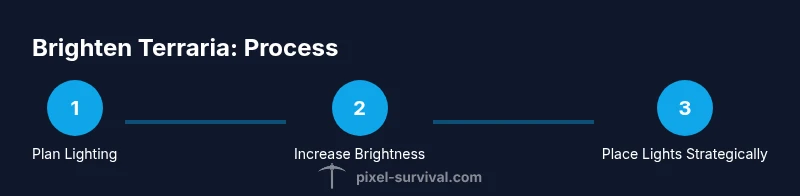
- Open Settings and raise the brightness to a comfortable level, ensuring you can distinguish objects in the darkest areas. 2) Inventory a mix of light sources for immediate use (torches, lanterns, and glow items) and plan higher-luminance options for large rooms. 3) Map your base and caves to identify critical zones that require immediate illumination, such as entrances, chests, and boss arenas. 4) Place lights at key intervals to create a grid of coverage, avoiding long dark corridors. 5) Experiment with wall-mounted lights and ceiling fixtures to maximize light distribution and minimize harsh shadows. 6) Test during day and night to ensure consistent visibility across lighting conditions. 7) Adjust placement density based on room size and texture complexity to maintain balance between brightness and performance. 8) If performing a large patrol or a boss fight, temporarily boost brightness settings and add focused lights to critical chokepoints for better reaction time.
This plan keeps your world bright and navigable, while giving you the flexibility to adapt to different environments and challenges. The goal is to improve clarity during exploration and combat, without sacrificing the game’s atmosphere or frame rate.
Common pitfalls and optimization tips for brighter terraria
Over-brightness can wash out textures and reduce contrast, making it harder to spot enemies in certain lighting conditions. Avoid cluttering rooms with too many lights; instead, aim for evenly spaced sources that cover key paths and activity zones. If you notice flickering or lag, back off on the number of light sources or lower texture quality temporarily while you plan more efficient placements. Keep an eye on color balance; using a mix of warm and cool lights can add depth without creating too much glare. Finally, remember that external mods and texture packs can affect brightness in unpredictable ways, so test changes incrementally and save versions to compare results. By following these guidelines, you’ll maintain strong visibility while preserving performance and the game’s aesthetic integrity.
Tools & Materials
- Terraria on PC/Console(Ensure access to Settings and inventory for light sources.)
- Light sources (torches, lanterns, glowsticks, candles, lamps)(Gather a variety of sources with different radii.)
- Workbench/Basic building materials(Useful for mounting lights and creating elevated placements.)
- Brightness slider access(Located in Video/Display settings to adjust global lighting.)
- Optional texture/lighting mods(Only if you’re comfortable with mods; test for stability.)
Steps
Estimated time: 40-60 minutes
- 1
Open brightness settings
Navigate to Settings > Video and adjust the brightness slider toward higher levels. This global adjustment helps you see more clearly in dark areas and reduces the need for excessive local lighting at every step.
Tip: Increase in small increments and test in both day and night cycles. - 2
Inventory light sources
Collect a variety of light sources such as torches, lanterns, and glow items. Keep a few fast-deploy sources in your hotbar for quick deployment during exploration.
Tip: Mix sources with different radii to cover both wide spaces and tight corners. - 3
Plan base lighting
Map out your base and important rooms, marking where you’ll place ceiling lights and wall sconces to maximize coverage without clutter.
Tip: Place lights higher on walls to reduce glare at eye level. - 4
Illuminate caves and tunnels
Target critical paths such as tunnel junctions, entrances, and treasure rooms. Use a row of lights along the tunnel ceiling to avoid shadowy pockets.
Tip: Prioritize natural choke points where ambushes occur. - 5
Experiment with color and placement
Try warm vs. cool lighting in different rooms to create depth and readability. Use decorative lights to accent textures while maintaining visibility.
Tip: Keep a consistent color temperature for readability. - 6
Test performance and tweak
Play through a night scene and a boss arena to ensure brightness improvements don’t cause stuttering. Adjust density if needed.
Tip: If performance drops, reduce light count or texture quality temporarily.
Got Questions?
Can brightness settings affect game performance?
In vanilla Terraria, increasing brightness mainly affects visuals and visibility. If you use multiple bright light sources or mods, you might see minor performance changes on lower-end systems. Test gradually and monitor FPS as you adjust.
Increasing brightness mainly helps visibility. If you add many lights or use mods, check your performance and adjust accordingly.
Should I use mods to brighten Terraria?
Mods can enhance visuals, but they may affect stability and performance. Start with in-game brightness and lighting options, then explore mods if you need more refinement, ensuring you back up saves first.
Mods can brighten visuals, but test for stability and back up saves before trying them.
What’s the best approach for caves?
Equip a mix of light sources and place them at intervals along pathways to prevent dark pockets. Focus on ceiling placement to maximize spread and reduce shadows near walls where enemies may lurk.
In caves, place lights on ceilings and at regular intervals to cover every path clearly.
Are console versions different for brightness?
Settings vary by platform. Look for brightness controls in the video or display options and adjust according to the available UI. If yours lacks a feature, rely on light sources and brightness in-game while checking for updates.
Consoles may differ in brightness options; adjust what your version allows and use lighting strategies to compensate.
Do I need to rebalance lighting after updates?
Updates can tweak lighting behavior or add new light sources. Revisit your base lighting plan after major patches to maintain consistency and readability.
After major patches, recheck your lighting plan to keep visibility consistent.
Watch Video
Key Points
- Boost global brightness to start quickly.
- Prioritize ambient lighting with layered sources.
- Place lights strategically in caves and bases.
- Balance performance by testing and tweaking.