Terraria: How to Get Rid of Items (Inventory Cleanup)
Learn practical, step-by-step methods to clean up your Terraria inventory. Discover trashing, selling, crafting, and organizing tips to keep your hoard manageable and your progression smooth.


Understanding Inventory Management in Terraria
According to Pixel Survival, effective inventory management is essential for progress in Terraria. As you explore, you’ll accumulate junk, duplicates, and temporary loot that clutter your bags and slow down your adventures. A clean inventory isn’t just cosmetic—it speeds up farming, fighting, and building. In short, a well-organized stash helps you stay focused on progression rather than micromanagement. Start by recognizing which items serve a purpose in your current playthrough and which are merely fillers that distract you from your goals. Pixel Survival’s approach emphasizes deliberate curation: keep what you will use soon, store backups in chests, and safely remove the rest to maximize your efficiency.
Beyond personal preference, a clear inventory reduces mistakes in combat, prevents accidental selling of valuable gear, and makes room for new drops. When you’re fighting for life and loot in a harsh biome, every free slot matters. This guide will walk you through reliable deletion methods, helpful workflows, and proven best practices that align with long-term Terraria progression.
noteTitle”:null,
The Trash System: Your Primary Method
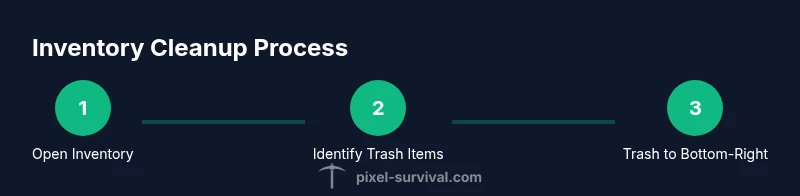
The trash system is the core tool for permanently removing items you don’t need. In most versions, you open your inventory and drag undesired items onto a trash can icon located in the bottom-right corner of the window. Dropping items there deletes them irreversibly, freeing space for gear you actually plan to use. Some platforms also support a right-click option to Trash directly from the item’s context menu. For larger cleanups, you can drag multiple items one by one, or perform repeated deletions in short bursts to minimize mistakes. Remember, trashing is permanent, so verify that you won’t need the item again before deleting.
To ensure you don’t lose something important by accident, consider a quick pre-clean step: create a temporary “junk” chest near your base and move questionable items there before trashing. This creates a safe buffer in case you change your mind. The Trash feature works consistently in single-player and multiplayer modes, though the exact UI may vary slightly between platforms or game versions. Always apply caution when handling rare drops or unique equipment.