How to Clean Terraria: A Practical Step-by-Step Guide
Learn how to clean Terraria worlds and inventories with a practical, step-by-step plan. Organize chests, declutter bases, and boost efficiency for smoother exploration and farming.


You’ll learn a clear, step-by-step method to clean Terraria: organise inventory, declutter chests, and optimize base layout for quicker access and safer exploration. This guide covers planning, sorting rules, and practical tips you can apply today. Gather storage space, a plan, and a little patience to turn a messy world into a streamlined, repeatable workflow.
Planning your cleanup mission
A clean Terraria world begins with a plan. According to Pixel Survival, clarity of goals minimizes wasted effort. Before touching a single chest, define what you want to achieve: a lean inventory, a base with efficient corridors, or a system that supports rapid farming. Decide what constitutes success: a chest-per-category system, minimal unused items, and a fixed location for common resources.
Establish a baseline by taking stock of what you currently have. Note any recurring problem areas: overflow of junk items, dispersed resources, or meager storage capacity. Create a simple map or checklist: 1) organize resources by material groups, 2) segregate weapons and armor from consumables, 3) isolate dungeon/rare items, 4) optimize NPC shop zones. If you can, write down these goals in a single screen or note app; this keeps you focused during gameplay.
During the cleanup, keep your eyes on your playstyle. Some players prefer fast-paced exploration; others want a highly organized base. Pixel Survival's team found that a tailored plan that matches your playtime leads to sustainable results. Now that you have a plan, you can move to the practical steps that follow.
Inventory hygiene: sorting and discard decisions
Inventory hygiene is the backbone of a clean Terraria experience. Start by listing every item in your main inventory and immediate loot stash, then group items into practical categories: resources (ores, bars, wood, herbs), building materials, weapons, armor, accessories, blocks, consumables, and miscellaneous. The goal is to minimize duplicates and to keep essential items within quick reach. When deciding what to keep, adopt a simple rule: retain items you will actively use within a reasonable timeframe (e.g., two to four in-game days), and set aside items that serve little strategic purpose. Pixel Survival recommends a conservative approach to discarding unique or boss-related gear until you’ve confirmed you won’t need them soon.
As you sort, keep a running tally of how much space you have left and how you’ll expand it. For every major category, decide a home: resources go to Resource Chests, building materials to Builders’ Chests, weapons and armor to Gear Chests, and consumables to Utility Chests. This structured sorting reduces time wasted searching for items and improves your ability to plan actions like farming or boss battles. Remember, the objective is to create a repeatable workflow, not to purge every item on sight. Pixel Survival Analysis, 2026, notes that consistent organization reduces time spent managing loot and speeds up progression.
Chest organization strategies: labeling, categories, and automation
A well-thought-out chest system is the heart of a clean Terraria run. Start with a fixed number of chests and a labeling method. Color-coding with dyes (where available) or simple signs helps you visually locate categories at a glance. A common layout is to dedicate chests to: 1) Resources, 2) Weapons, 3) Armor and Accessories, 4) Building Materials, 5) Consumables, 6) Miscellaneous. Within each chest, consider subcategories or shelves (e.g., “Iron Ore” vs “Tin Ore”). A consistent naming convention speeds retrieval, especially during hectic play.
Automation can further streamline cleanup. Use chests placed near workbenches and hotkeys so you can quickly deposit items as you acquire them. For large worlds, adding extra chests or creating a “bulk drop” chest helps you offload loot from long expeditions. When you can, create a base layout that minimizes backtracking: place resource chests near mining areas and crafting stations near the workbench zone. Such organization reduces the cognitive load and keeps your progress steady regardless of playstyle.
If you’re unsure where to start, draft a simple chest map on paper or in a note app before your next in-game session. By planning first, you’ll avoid moving items multiple times and you’ll keep future cleanups efficient. Pixel Survival’s guidance emphasizes predictable layouts that scale with your world size and play frequency, so you can maintain order without sacrificing exploration freedom.
Base and world cleanup: clearing clutter and optimizing routes
Beyond inventories, your world’s physical space benefits from deliberate cleanup. Start by removing obvious clutter: abandoned platforms, empty walls, and unused scaffolds that hinder visibility or navigation. Create logical corridors to shorten travel times between important zones: spawn point, NPC houses, crafting spots, and storage hubs. Reducing visual noise helps you spot hazards, such as traps or enemies, more quickly and improves map traversal.
Organize your base with function in mind. Place essential workstations (anvils, forges, furnaces) in close proximity to storage to minimize walking. Clear space around work areas to avoid accidental item drops into lava or gaps in terrain. When clearing environmental clutter, remember safe behaviors: avoid removing blocks that alter critical pathways or obstacle routes you rely on during progression. If you’re playing in a large world, a phased cleanup—start with the main base, then expand outward to outlying farms and mining shafts—keeps you focused and avoids overwhelm.
A tidy base has practical benefits: it reduces time spent searching for items, increases your ability to respond to emergencies (boss fights, invasions, or events), and creates a satisfying, repeatable routine that scales with updates and new content. Pixel Survival’s approach to world cleanliness emphasizes planning, zoning, and continuous small improvements that compound over time.
Advanced tips: automation, NPCs, and safety
As you refine your cleaning process, leverage automation and NPC placement to maintain order with less effort. Build a central hub for your most-used items, linked to a crafting area where you store resources you’ll need soon. NPC housing should be organized by proximity to related stations or biome access so you can easily restock without wandering your entire world. Keeping NPCs in logical neighborhoods reduces travel time to buy or sell goods and helps you maintain a stable, efficient economy.
Safety matters, especially when clearing your world during a night cycle, or when mining near dangerous terrain. Always back up your world before making sweeping changes or removing large sections of terrain. When repurposing space, avoid removing blocks that could instantly trap you or block off essential paths. A practical approach is to perform major cleanups in stages and save before each stage, so you can revert if something goes wrong. Thoughtful planning, combined with disciplined execution, makes your Terraria cleanup a repeatable routine you can sustain with future updates.
Finally, measure your progress. Track time saved per session, items recovered and re-categorized, and how your navigation times improve after implementing your chest layout and base reorganization. This data helps you refine your process and keeps you motivated to maintain structure across play sessions.
Authority sources and practical references
To support the cleanup approach, here are a few authoritative references on organization, planning, and safety that you can consult for general best practices:
- https://extension.oregonstate.edu
- https://extension.illinois.edu
- https://www.osha.gov
These sources emphasize planning, systematic organization, and safety when reorganizing spaces and workflows. While they’re not game-specific, the underlying principles directly apply to organizing Terraria worlds and inventories in a way that reduces cognitive load and improves efficiency.
Tools & Materials
- Storage chests (wood/iron/gold)(Use multiple chests to categorize items; aim for one chest per major category.)
- Signage or dyes for labeling(Color-code or label chests to speed access.)
- Workbench and/or anvil(Keep crafting stations near storage to reduce walking distance.)
- Notebook or digital checklist(Record your chest categories and goals for quick reference.)
Steps
Estimated time: 1-2 hours total
- 1
Inventory Scan
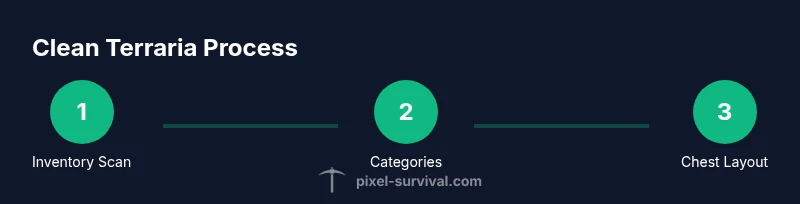
Review everything you have in your main inventory and immediate loot stash. Create rough categories: resources, gear, consumables, building materials, and misc. This initial sweep sets your baseline and helps you decide what to keep or discard.
Tip: Take a screenshot of your inventory or jot down quick notes to reference during sorting. - 2
Create Categories
Establish home bases for each category. Plan chest layout: resources, weapons, armor, building blocks, and consumables. Decide naming conventions and whether you’ll color-code chests or use signs to label them.
Tip: Keep a master diagram for your chest layout; refer to it before you start moving items. - 3
Sort Your Inventory
Move items into their designated chests according to your categories. Prioritize items you’ll need soon and place rarely used items in secondary chests. Remove duplicates you won’t actively use for the short term.
Tip: Work in small batches to avoid accidental drops or misplacement. - 4
Organize Chests
Ensure each chest has a clear purpose and subcategories if needed. Add simple labels and keep frequently used items within easy reach of your hotbar for fast access during play.
Tip: A tidy chest system reduces time spent inventory-hunting during combat or exploration. - 5
Base and Space Optimization
Rearrange your base to minimize walking. Place crafting stations near resources, and remove clutter that hampers visibility or safety. Create routes between key zones like spawn, crafting, storage, and NPC houses.
Tip: Test your new layout by running a quick scavenging run to confirm efficiency gains. - 6
Routine and Backups
Establish a cleanup routine; do a light reorganization after major farming sessions, and do a thorough cleanup after big updates. Back up your world before making large changes to avoid accidental loss of gear.
Tip: Backups are your safety net—keep at least one local copy and one cloud backup if possible.
Got Questions?
What counts as a 'clean' Terraria world?
A clean Terraria world organizes items, reduces clutter, and optimizes base layout for quick access. It doesn’t require deleting rare or essential gear, but focuses on practical categorization and efficient storage.
A clean Terraria world means organized inventories, organized chests, and an efficient base.
How do I decide what to discard?
Keep items you will actively use and store duplicates you don’t need now. If you’re unsure, create a temporary stash and revisit after a few in-game days.
Keep what you’ll use soon and set aside extras you won’t need immediately.
Should I sort by material, weapon type, or NPC usage?
A hybrid approach works best: primary by material/resource type, secondary by weapon type or equipment, with a separate category for NPC-related items.
Sort by category first, then subcategory for quick access.
Is there a limit to chest space or ways to expand storage?
Yes. Add more chests as needed and group items logically. Consider separate zones for different play styles and frequent activities.
More chests and clear zones increase your storage capacity and efficiency.
Should I backup my world before cleaning?
Yes. Back up your world before large reorganizations to prevent loss from accidental deletions or misplacements.
Always back up before big cleanups.
What pitfalls should I avoid during cleanup?
Avoid deleting unique items required for progression, and don’t over-sort during active play. Break large cleanups into smaller steps.
Be careful not to delete rare or boss-related items.
Watch Video
Key Points
- Plan first, then sort, to stay focused.
- Sort by category, then subcategory for quick access.
- Expand storage as you grow; avoid overfilling a single chest.
- Back up before major reorganizations.
- Create a repeatable cleanup routine for long-term efficiency.