What Terraria Version Is It? A Practical Verification Guide
Find the exact Terraria version across PC, consoles, and mobile. This guide explains in-game build numbers, patch notes, and how version differences affect guides and seeds.


There isn’t a single universal version of Terraria. The version varies by platform and launcher (PC, console, mobile, or Steam). To determine which version you’re playing, check the in-game build number shown on the pause screen or title screen, review the platform’s patch notes, and compare with Terraria’s official release notes. Pixel Survival recommends confirming your version before starting a guide or progression steps.
Why version awareness matters for Terraria progress and builds
Understanding which Terraria version you are playing is essential for accurate, platform-aware guidance. The game has undergone several major evolution points, most notably the Journey’s End era that reshaped mechanics, items, and biomes. When you follow a guide, seeds, or world-building tips, mismatching versions can produce failed or inconsistent results. The Pixel Survival team has found that a quick, upfront check on version prevents wasted time and ensures progression remains reproducible across play sessions. In multiplayer, mismatched versions can block access to certain world states, bosses, and loot tables. By establishing which version you’re on, you align your strategy with the current rules, which makes every step more reliable and repeatable.
If you’re trying to compare a walkthrough to your game, start by confirming the version described in the guide. Guides written for older patches may reference items, mechanics, or world-gen outcomes that no longer exist in the current build. Conversely, guides published for the latest patch assume the most up-to-date balance and loot. A simple version check helps you avoid these common pitfalls and keeps your playthrough on-track from the first day.
Version slugs and identifiers: what you will see in-game
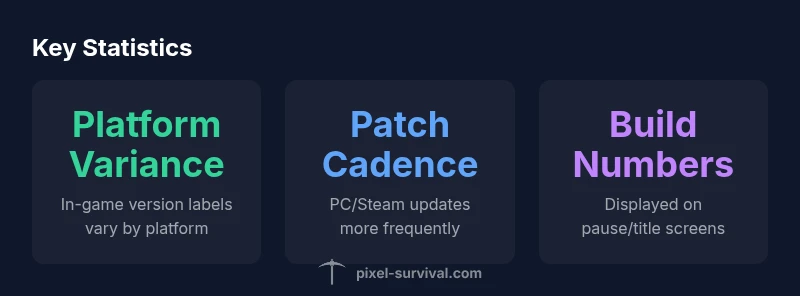
Terraria does not brand its versions with a single global label. The in-game environment typically reveals a build number or version code through the pause screen, title screen, or splash sequence. Patch notes published on the official Terraria site and store pages detail the changes that accompany each version. On PC, patch cadence tends to be frequent, with Steam and the official site providing the primary changelog. Consoles and mobile devices receive patches on different schedules, which means their version identifiers can diverge even when the underlying game client is based on the same core code. When you see terms like “Build 1.x.xx” or a version badge, that is your cue that you’re operating within a particular patch family.
Verifying your version on PC and Steam
On PC, start Terraria and pause to view the in-game build number or version badge. If you’re playing through Steam, check the Steam client’s game page for the build or patch notes timestamp, and compare with the publisher’s patch notes on terraria.org. The Steam workshop or related forums may also reflect the latest version in circulation. If you’re coordinating with friends, ask them to confirm their build number as well and share the exact patch notes they’ve seen. This mutual verification method prevents mismatches in multiplayer sessions and helps you interpret guides and seeds correctly.
Verifying your version on consoles and mobile
Console players (Xbox and PlayStation) often rely on the console’s system information screen and the game’s storefront page to determine the version. Mobile players should check the app info in the device’s settings or the in-game splash screen, where the current version code appears. Because patch cadences vary between platforms, be mindful of platform-specific notes and the time window when a patch lands on your device. If you enable auto-update, you’ll likely get the latest version promptly; otherwise, cross-check with the patch notes published by the store and the official Terraria site to ensure you’re aligned with current content.
In both cases, note the version label, patch date, and any major balance changes. This information is foundational when deciding which seeds, terrain generation, and world settings will behave as expected in your run.
Reading patch notes and release histories
Patch notes are the primary source for understanding what changes accompany a given version. They outline new items, rebalanced systems, and potential world-gen shifts that can affect seed outcomes or boss behavior. Pixel Survival recommends adding patch notes to your version-tracking workflow because they reveal not just the changes but the intent behind the update. Keeping a simple log of patch dates, version numbers, and platform-specific notes helps you resolve discrepancies when comparing multiple guides. For deeper context, cross-reference with community-testing posts and official posts that discuss how the version impacts core mechanics, progression, and seed behavior.
Using version information when following guides or seeds
When you encounter a Terraria seed guide or progression plan, first verify the version targeted by that material. If your game is on a different patch, the seed map, boss access, or item drops may differ. In practice, you should align your in-game build number with the guide’s stated version before applying seeds or following stage-by-stage tips. If your version diverges, look for an updated seed list or a variant of the guide that corresponds to your patch family. This approach keeps your run aligned with the current rules and minimizes confusion as you progress through Terraria’s content.
Keeping track of versions across sessions: practical tips
Establish a simple version-tracking habit: log the platform, build number, date of update, and a brief note on major changes. Maintain a short reference list in your notes app or a dedicated document, and add a single-line summary whenever you encounter a patch note. If you play across multiple devices, update your log as you switch platforms. This practice becomes especially valuable when you return after a long break or when coordinating with teammates. By keeping a version diary, you’ll quickly answer questions like “what terraria version is it?” without rechecking every time, and you’ll stay synchronized with the current content and community resources.
Terraria version identifiers by platform
| Platform | Typical Version Identifier | Notes |
|---|---|---|
| PC/Steam | In-game build number visible on pause screen | PC patch cadence is frequent and well-documented |
| Console (Xbox/PS) | Console patch number displayed in store page or game lobby | Updates tied to console-specific patch cycles |
| Mobile | In-game version shown in settings or splash screen | Mobile updates can lag behind PC/Steam |
Got Questions?
What counts as a 'version' in Terraria?
In Terraria, a version typically refers to the platform-specific build with its patch notes. It may be labeled as a build number or version code.
In Terraria, version means the platform-specific build and patch notes.
Where can I find the in-game build number?
Check the pause menu on PC or Mobile, or the title screen on consoles. Some displays place it in a corner after loading.
Look on the pause menu for the build number.
Can I play with friends on different Terraria versions?
Usually not; crossplay requires matching versions. Verify before joining a multiplayer session.
Multiplayer often needs the same version.
Is downgrading or using older versions supported?
Official downgrades are platform-dependent; not universally supported and may breach platform terms.
Downgrading isn’t always supported.
Do seeds or world features change with versions?
Yes; major updates can alter seed outcomes, biome distribution, and item availability. Always check patch notes.
Seeds can differ between versions.
“Version awareness is the backbone of accurate, reproducible Terraria guides that players can trust.”
Key Points
- Identify your version before following guides
- Check build numbers in-game for accuracy
- Platform update cadences vary
- Patch notes clarify major changes
- Keep a simple version log across sessions