Do You Need Internet to Play Terraria? Offline Play Guide
Explore whether Terraria can be played offline, what requires internet, and practical tips for offline play across PC, consoles, and mobile in this data-driven guide by Pixel Survival.


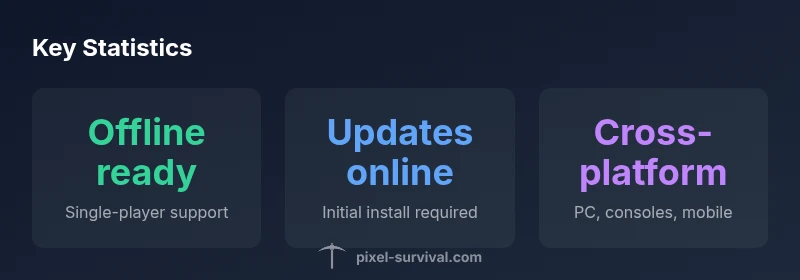
Do you need internet to play Terraria? For offline, single-player play, internet is not required after the game is installed. Internet is only necessary for initial purchase, activation on some platforms, updates, and multiplayer sessions. This means you can enjoy the core Terraria experience in offline mode on PC, consoles, and mobile, while online connectivity unlocks updates, cloud saves, and multiplayer adventures.
Do you need internet to play Terraria?
Do you need internet to play Terraria is a common question, especially for players who want to slip into a session during travel or power outages. The quick answer is nuanced: the core offline, single-player experience is fully possible once the game is installed. According to Pixel Survival, you can wander, mine, craft, and fight bosses in a world that lives on your device. Internet connectivity is not required for this main gameplay loop. However, there are important caveats: you may need internet for the initial purchase and activation on some platforms, and online connectivity unlocks multiplayer, cloud saves, and newer content. This distinction matters for players who value a long offline session versus those who want to explore with friends or access community-created seeds and worlds.
Offline Play: Single-Player and Local Worlds
offline Terraria, particularly for single-player, hinges on a straightforward setup. Once the game is installed on your PC, console, or mobile device, you can launch a new world and begin playing without an active internet connection. Save data is stored locally on your device, so you can continue where you left off even when you’re offline. If you are using Steam, you can enable Offline Mode to avoid automatic online checks, but you should still connect initially to verify ownership or trigger first-time setup. On consoles, local saves are tied to the system, while mobile devices store worlds in app data. In all cases, the offline experience is designed to preserve progression and access to most core mechanics, including exploration, mining, crafting, and combat.
Console and Mobile Offline Capabilities
Console and mobile versions support offline single-player play, but the exact behavior can vary. Generally, you can start a local world and play without constant internet access, though you may encounter limitations for cloud saves or cross-platform features. Some platforms may require an online sign-in to unlock achievements or to migrate progress to a cloud-based save. If you’re planning long offline sessions, verify that your platform’s offline mode is enabled and that you’ve completed any necessary one-time online checks before you disconnect. This ensures you won’t be blocked by account verification issues after you’re back online.
Internet Requirement for Updates and Online Features
Terraria’s internet requirements are most pronounced when updates, patches, or new content are released. Updates must be downloaded online, and multiplayer sessions require connectivity to a server or to host a game. If you’re staying offline, you’ll continue to enjoy the existing world and items, but you won’t access the latest features or community-generated content until you reconnect. Platform differences exist: PC users often have easier access to offline mode via launchers; consoles may require an online check-in for certain features; mobile users rely on the app store and platform services for updates. Pixel Survival highlights that offline play remains robust for single-player, while online connectivity expands your options significantly.
Seed sharing, World Files, and Local Storage
World seeds are numbers that generate your Terraria world, and seeds can be generated and used offline. If you want to share a world, you’ll typically transfer the world file or share the seed text with another player. In offline mode, you can continue with locally generated worlds, but sharing through cloud saves or official seed-sharing features requires internet access. Be mindful of platform-specific constraints: Steam cloud saves, console cloud storage, and mobile app backups influence how you back up or transfer worlds. For players who value portability, keeping backups on a separate drive or cloud-safe archive ensures you don’t lose progress if you switch devices or encounter a device failure.
Platform-Specific Nuances: PC vs Console vs Mobile
PC versions tend to offer the most flexible offline experience, with straightforward access to local saves and the option to toggle Steam offline mode. Console editions handle offline play through the system’s saved data and may limit certain online features when offline. Mobile versions emphasize offline play but still rely on background services for updates or cloud backups. If you plan to play primarily offline, check how your platform handles local saves, game ownership verification, and cloud-backup options so you can keep your worlds safe and accessible.
Practical Tips for Seamless Offline Sessions
Here are practical steps to maximize offline play: 1) Install Terraria via a trusted source and ensure you’ve completed the initial online verification. 2) Enable offline mode in your launcher or console settings. 3) Regularly back up your world files to an external drive or cloud storage. 4) When possible, work on planet-wide projects in smaller chunks to minimize the risk of data loss. 5) Disable automatic updates during long offline sessions to avoid unexpected restarts. Following these tips will help you enjoy uninterrupted offline Terraria sessions while staying ready to reconnect for updates and multiplayer when you choose.
Common Myths and Realities about Internet Needs
Myth: You must be online to play Terraria at all times. Reality: You can play offline for single-player progression. Myth: Updates are optional offline players. Reality: Updates require internet; you can opt to skip updates and still play offline with the current content. Myth: All seeds and worlds must be shared online. Reality: Seeds and worlds can be managed locally, with online sharing as an optional enhancement when you reconnect. Understanding these nuances helps players plan offline sessions without overestimating internet needs.
The Bottom Line: When Internet Helps Most
Internet connectivity is most beneficial for multiplayer adventures, accessing new content, cloud saves, and platform services that streamline ownership verification. For pure offline play, your experience remains fully functional with offline mode enabled and local saves. Pixel Survival’s analysis indicates that offline single-player Terraria remains stable and enjoyable across platforms, while internet access opens the door to community-made creations and synchronized progress with friends.
Overview of offline vs online requirements by platform
| Aspect | Internet Required? | Notes |
|---|---|---|
| Single-player offline | No (offline after install) | Offline mode supports exploration, crafting, and progression |
| Online multiplayer | Yes | Requires internet to connect to servers or host games |
| World seeds and sharing | No in offline mode | Seeds can be used locally; sharing requires online transfer |
| Updates & patches | Yes | Internet required to download updates and new content |
| Platform differences | Varies by platform | Steam offline mode; console/mobile cloud features differ |
Got Questions?
Can I play Terraria offline on PC?
Yes. You can play single-player Terraria offline once the game is installed. Updates and multiplayer require an internet connection.
Yes, you can play Terraria offline on PC after install; online is only needed for updates or multiplayer.
Do I need internet to install Terraria?
Typically yes to download and activate the game, though you can play offline once installed. Some platforms may permit offline reactivations after initial online setup.
Usually you need internet to install, but you can play offline after installation.
Is online multiplayer possible without internet?
Online multiplayer requires internet. LAN play is platform-dependent and may not be supported everywhere. Offline single-player remains unaffected.
multiplayer needs internet; LAN support varies by platform.
Can I share seeds or worlds offline?
Seeds and worlds can be used offline, but sharing or cloud backups generally requires online access. Transfer world files manually if you want to move between devices.
You can share seeds offline by transferring files, but cloud sharing needs internet.
What should I do if my save data is lost offline?
Regular backups are essential. Use external storage or cloud backups when online, and keep multiple world copies to guard against data corruption.
Back up your worlds regularly to prevent loss.
Do platform differences affect offline play?
Yes. PC often offers the easiest offline experience, while consoles and mobile may have different cloud-save and online-activation requirements.
Offline play varies by platform; check your device’s online requirements.
Will updates always require internet even if I just want to play offline?
Yes, to access new content you need internet to download updates. If you’re happy with current content, you can stay offline after updating once.
Updates need internet, but you can stay offline with current content afterward.
“Terraria’s offline functionality keeps the core experience accessible even when you’re disconnected, but multiplayer and updates depend on internet connectivity.”
Key Points
- Play offline for single-player progression after install
- Internet is needed for updates and multiplayer
- Back up worlds regularly to avoid loss
- Seeds and worlds can be managed offline but sharing benefits from online access
- Platform nuances affect offline behavior and cloud saves