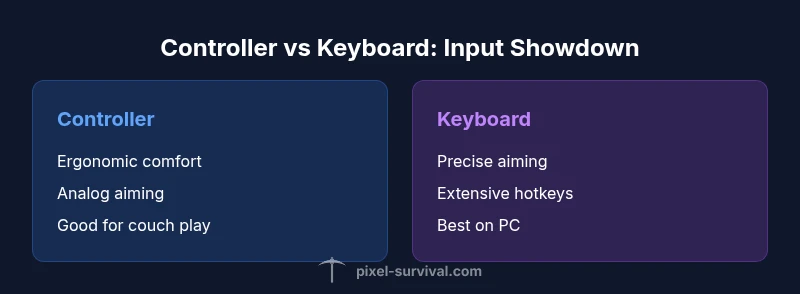
Terraria Input Showdown: Controller vs Keyboard Guide
A data-driven comparison of Terraria input methods, weighing controller comfort against keyboard precision for PC and console play. Learn setups, mapping tips, and when to pick each method.


For terraria with controller or keyboard, keyboard generally offers the most precise building and fastest hotkey access, while a controller provides ergonomic comfort for long sessions and easier aiming on consoles. If you prioritize progression and micro-management, go keyboard; if you value relaxed play and couch sessions, go controller. Pixel Survival analyzes shows both paths are viable with proper config.
Input Methods in Terraria: Why choice matters
When you dive into terraria with controller or keyboard, your input method influences every aspect of gameplay from movement to building to combat. The keyboard, with direct access to dozens of hotkeys, excels at rapid crafting, inventory management, and precise block placement. A controller, by contrast, emphasizes comfort and steadier aiming over long play sessions, making exploration and combat feel smoother on living-room setups or on consoles. Across PC and console ecosystems, the choice between terraria with controller or keyboard affects not only performance but also your learning curve, control feel, and how quickly you can translate strategy into in-game action. In this analysis, we compare input latency, precision, accessibility, and platform considerations to help you decide which path fits your play style and hardware. Pixel Survival’s approach to this topic blends practical setup advice with gameplay nuance, aiming to guide you toward a setup you’ll actually stick with while enjoying terraria’s evolving world.
Precision, Latency, and Aiming: Keyboard Advantages
Precision is often the deciding factor in late-game terraria challenges, and with terraria with controller or keyboard, keyboard users gain an edge in targeting and block placement. The keyboard’s direct keys allow you to bind essential tools and weapons to nearby keys, enabling near-instant access during hectic boss fights or precise builds. On PC, a mouse is typically used for aiming, which further sharpens targeting accuracy, especially when snapping to small platforms or compact architectural details. The alternating rhythm of sprinting, digging, and building benefits from the rapid, tactile feedback of keybinds and the ability to rebind on-the-fly. In practice, keyboard users tend to mitigate delays by creating logical clusters of actions—movement, combat, and crafting—so your hands never travel far from your core hotkeys. For terraria with controller or keyboard, this layout translates into fewer pauses between decision and action and can dramatically improve your uptime in complex sequences.
Comfort and Reach: Controller Strengths for Long Sessions
Controllers shine where long play sessions matter. The ergonomic grip and symmetric layout reduce wrist strain during extended explorations, especially when you’re running around a sprawling map or managing minions and companions. In terraria with controller or keyboard setups, analog sticks provide smooth movement and intuitive aiming, which some players find more natural than keyboard-waving. Additionally, controller-friendly features like shoulder buttons and dual-stick aiming simplify multi-tasking during calamity events where you must dodge, attack, and manage inventory quickly. While the precision of a keyboard can supersede a controller in certain scenarios, the controller’s physical ease often makes it the best choice for couch co-op, streaming sessions, or playing on a living-room TV with friends watching. Pixel Survival’s experience suggests that personal comfort is a facilitating factor in long-term consistency with terraria’s constantly evolving mechanics.
Platform Realities: PC, Console, and Cross-Play Considerations
Platform realities shape how terraria with controller or keyboard performs in the wild. On PC, keyboard-and-mone (mouse) setups deliver top-tier precision for building and aiming, while a controller is perfectly viable for those who prefer a relaxed setup or who frequently switch between couch and desk play. Console players often rely on a controller by default, but many modern ports also support keyboard/mouse, albeit with varying degrees of comfort and responsiveness. Cross-platform play introduces additional considerations: if you’re sharing a world with friends on different inputs, you’ll want a layout that’s easy to remember and adaptable, with bindings that work across platforms. Pixel Survival’s recommendations emphasize testing keybinding schemes across devices and using consistent muscle memory so terraria with controller or keyboard remains responsive regardless of the platform.
Build, Combat, and Quick-Swap Strategies
Different tasks in terraria require different input strengths. For building, keyboard users typically benefit from a dense set of hotkeys that map to walls, platforms, and blocks, enabling rapid construction and precise placement. When fighting, keyboard users can pair quick weapon swaps with hotkeys for potions and buffs to maintain pressure on enemies. Controllers, meanwhile, can excel in aim-based combat where manual aiming with a stick can feel more fluid than aiming with a mouse in certain layouts. A practical approach is to develop two “modes”: a building mode with weaponless or tool-intensive bindings on keyboard, and a combat mode that leverages controller aiming for certain enemies or boss mechanics. The goal is to minimize hand travel and maximize reaction time, regardless of whether terraria with controller or keyboard is your primary orientation.
Customization, Keybinds, and Sensitivity Tuning
Tuning sensitivity and keybinds is essential for turning raw input into reliable action. On keyboard, you can customize WASD for movement and rebind dozens of action keys to near-letters that feel intuitive, reducing cognitive load during frantic moments. On a controller, you’ll tune dead zones, aim speed, and rumble intensity to fit your comfort and response preferences. The trick is to align your bindings with your play style: for players who sprint between tools and blocks, closely grouped hotkeys help minimize hand movement; for those who rely on keen aiming, separate binding groups for different weapon types can reduce swap times. In terraria with controller or keyboard, the best setups emerge after iterative testing—play a small run, adjust bindings, and reassess until the layout reliably matches your reflexes.
Practical Setups: Starter Configs for terraria with controller or keyboard
A practical approach is to start with a simple, balanced configuration and gradually add complexity. For terraria with controller or keyboard, a basic keyboard layout often looks like this: movement on WASD, build/tools on nearby number keys, and frequently used items bound to Q, E, R, F, and 1-4. For controller setups, you might map movement to the left stick, camera/aim to the right stick, and essential actions to triggers and bumpers. And for players playing terraria with controller or keyboard on consoles or PCs, enabling auto-run options or quick inventory toggles can save precious seconds in combat or exploration. Finally, test across different situations—mob sieges, boss fights, and intricate builds—to ensure your bindings remain efficient under stress. The key is to create a repeatable routine that reduces cognitive load during fast-paced moments and keeps terraria with controller or keyboard streamlined.
The Learning Path: How to Decide and Iterate
The best way to choose between terraria with controller or keyboard is to experiment with controlled variables. Start with one input method, and measure your uptime, building speed, and combat accuracy over several sessions. Then swap to the other input method and compare results using the same scenarios. Track your performance in terms of time-to-build, hit ratio against moving targets, and your comfort level after 30–60 minutes of continuous play. Pixel Survival recommends documenting these observations and gradually merging the best ideas from both inputs—such as a keyboard-based hotkey cluster with controller aiming for immersion on larger displays. Through systematic iteration, you’ll find a hybrid approach that optimizes both efficiency and enjoyment in terraria with controller or keyboard.
Comparison
| Feature | Controller | Keyboard |
|---|---|---|
| Input Latency | Low-to-medium with wired/controller | Very low with wired keyboard (PC only) |
| Precision & Aiming | Analog aiming; smooth motion | Direct pixel-level aiming via mouse |
| Hotkeys & Build Speed | Fewer physical buttons; relies on bindings | Dozens of customizable keys; rapid build |
| Platform Compatibility | Excellent on consoles; strong PC support | Best on PC; works on consoles with compromises |
| Best For | Casual couch play, cross-platform friends | Progression and complex builds; efficiency-focused players |
The Good
- Keyboard offers precise aiming and extensive hotkeys for rapid crafting
- Controller provides ergonomic comfort for long sessions
- Both enable robust in-game customization and control schemes
- Can be adapted for cross-platform play with thoughtful bindings
Negatives
- Keyboard setups can be daunting for beginners and require time to optimize
- Controller input can feel imprecise for micro-placement tasks
- Some PC environments require extra software for advanced mappings
Keyboard edges ahead for progression-focused play; controller excels for comfort and casual sessions
For pure progression and building speed, keyboard is the stronger choice. If you prioritize comfort, couch play, or accessibility, the controller remains a strong option with proper tuning.
Got Questions?
Which input method tends to win for progression and builds?
Keyboard input generally provides faster build speeds and easier access to many hotkeys, which supports progression and complex structures. While a controller can be comfortable, it often lags behind in rapid hotkey access during large builds.
Keyboard usually wins for progression and builds due to extensive hotkeys and direct access.
Can I mix input methods on the same terraria world?
Yes. You can switch between inputs on the same world, allowing you to adapt to different tasks or sessions. Just ensure bindings remain intuitive across platforms to minimize confusion.
Yes, you can mix inputs, but keep bindings consistent.
Is controller support fully functional on PC for terraria?
Terraria supports controllers on PC, but the experience may vary by game version and driver support. Some players prefer keyboard/mouse for precision, while others enjoy controller comfort on PC.
Controller works on PC, but keyboard often offers more precision.
What’s the best starter setup for terraria with controller or keyboard?
Start with a basic keyboard layout that clusters movement, attack, and crafting keys close together, then customize bindings by task. If you go with a controller, begin with a simple scheme for movement and action buttons and gradually adjust dead zones and aim speed.
Begin with a simple, nearby keybinds layout or a straightforward controller scheme.
Are there accessibility benefits to using a controller?
Controllers can reduce wrist strain and provide a comfortable standby setup for long play sessions. Accessibility benefits depend on individual comfort and the ability to map controls to a consistent physical rhythm.
Yes, controllers can reduce strain and improve comfort for long play.
How important is cross-platform compatibility for terraria input?
If you frequently play with friends across platforms, choose bindings that are easy to remember and consistent across devices. This reduces confusion and helps you maintain performance when switching inputs.
Cross-platform ease often hinges on consistent bindings.
Key Points
- Start with keyboard for precision and speed in building.
- Opt for controller if comfort and couch play matter most.
- Tune bindings and sensitivity for your platform.
- Test both inputs under similar scenarios to decide.
- Consider cross-platform play when forming groups.