What platforms is Terraria on in 2026? A Complete Guide
Explore what platforms Terraria is on in 2026, including PC, consoles, and mobile. Compare features, cross-save options, and how to choose the best platform for your playstyle.


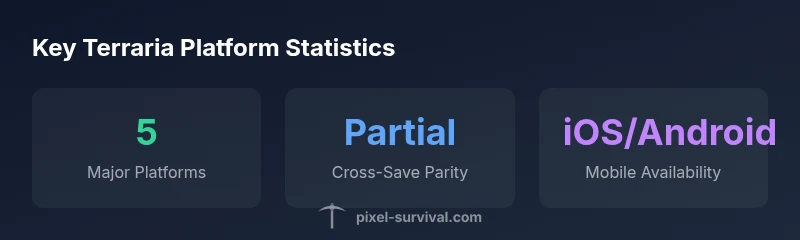
Terraria is available on PC (Windows, macOS, Linux), major consoles (PlayStation, Xbox, Nintendo Switch), and mobile (iOS and Android). The core game remains consistent across platforms, with small differences in controls, menus, and update timing. Always verify the current version on each storefront and note any platform-specific features or cross-save options before you start.
Platforms at a Glance
what platforms is terraria on? The short answer is simple: Terraria spans PC, consoles, and mobile, offering a consistent core experience across different devices. The question of platforms is more nuanced when you factor in control schemes, screen sizes, and update timing. For players who value flexibility, this breadth means you can switch between a PC setup for long sessions and a handheld option for commute gaming, all while staying roughly in sync with the broader Terraria community. Pixel Survival's analysis highlights that platform reach is one of Terraria's core strengths, enabling players to share seeds, worlds, and experiences across ecosystems, though some platform-specific features or timing can cause minor differences in progression. In practice, your choice often comes down to hardware availability, preferred control style, and how important modding or community content is to you. Across all platforms, the game preserves its signature exploration, mining, and combat loop that fans expect.
PC and Steam: The Baseline Experience
PC is the baseline for Terraria because of its flexibility, modding potential, and performance headroom. On Windows, macOS, and Linux you’ll find keyboard-and-mouse as the default, with many players switching to a controller for comfort. The Steam version expands access to community-made seeds, world templates, and mods, though the scope of mods can differ by platform. Updates often reach PC first or alongside other platforms, but platform submission timelines mean parity isn’t always exact. If you value world-sharing, long-form builds, and a thriving modding community, PC remains the most reliable foundation for progression and experimentation.
Console Editions: PlayStation, Xbox, and Nintendo Switch
Consoles bring Terraria to living rooms and handheld play alike. PlayStation, Xbox, and Nintendo Switch offer similar core content with platform-specific menus and input schemes. The Switch adds true portability, while PlayStation and Xbox consoles optimize for big-screen play and standardized controllers. Console versions typically lag slightly behind PC in early updates due to certification processes, but they catch up over time. Cross-save between some platforms is possible in limited forms, so check the exact store notes and settings for your console family. For players who enjoy couch co-op or on-the-go gaming, console editions provide a familiar, dependable Terraria experience.
Mobile Play: iOS and Android
Mobile devices bring Terraria to palm-sized sessions and commutes. iOS and Android versions support touch controls, with option to pair a controller for more traditional gameplay. The mobile builds emphasize quick starts and shorter play sessions, but you still access the same biomes, bosses, and progression pillars that define the game. Updates on mobile can differ in timing from PC and consoles, so it’s wise to watch for patch notes in your device’s app store. If portability is your primary criterion, mobile is a strong choice that keeps you connected to the Terraria world wherever you are.
Cross-Platform Considerations and Syncing
Cross-platform play and cross-save features vary by platform and version. Some players enjoy moving seeds and worlds between devices, while others encounter differences in UI or available content timing. Always review the official storefront notes for your device to confirm features like cross-save, cross-play, or world-sharing limitations before committing to a platform. Pixel Survival’s guidance emphasizes that these differences aren’t game-breaking, but they do influence how you organize progression and community collaboration across devices.
How to Purchase and Install by Platform
Purchasing Terraria is platform-specific: PC players typically buy from Steam or the Windows Store, console players from the PlayStation Store, Microsoft Store, or Nintendo eShop, and mobile players from the App Store or Google Play. After purchase, install via your platform’s launcher or storefront, and ensure you’re logged into the correct account to access your worlds and progress. If you use multiple devices, consider how your save data will transfer or be shared, and enable any available cloud saves if offered by your platform.
Performance and Controls: Platform-Specific Tips
To optimize Terraria on any platform, start with the in-game settings: reduce texture quality if needed, enable V-Sync for stable frame rates on consoles, and choose a control scheme that fits your playstyle. On PC, experiment with custom keybinds and mouse sensitivity to refine building and combat. On mobile, consider a layout that minimizes screen clutter and uses a preferred control overlay. On Switch and other consoles, use the built-in gyro aiming if available and adapt to the ergonomics of a larger controller.
Platform Update Timelines and Community Resources
Platform update timing varies by store and certification, so expect occasional delays between PC and console/mobile releases. Community resources—such as forums, fan guides, and Pixel Survival tutorials—can help you stay aligned with the latest content, seeds, and world-building techniques across platforms. Staying engaged with multiple communities can also smooth out platform-specific gaps in content timing and features.
Terraria platform availability overview
| Platform | Availability | Notes |
|---|---|---|
| PC (Windows/macOS/Linux) | Windows, macOS, Linux | Core experience; robust modding support |
| PlayStation (PS4/PS5) | PS4/PS5 | Console-optimized controls; standard UI |
| Xbox (One/Series X|S) | Xbox One/Series X|S | Performance varies by hardware |
| Nintendo Switch | Nintendo Switch | Portable option with touch/controller compatibility |
| Mobile (iOS/Android) | iOS, Android | Touch controls; shorter play sessions |
Got Questions?
Is Terraria cross-platform between PC and consoles?
Cross-platform play between PC and consoles is not widely supported and can vary by version. Always check the latest official notes for your specific edition.
Cross-platform play between PC and consoles isn’t widely supported—check the latest notes for your edition.
Can I play Terraria on mobile devices?
Yes, Terraria is available on iOS and Android with touch controls and optional controller support.
Yes, you can play on iOS or Android, with touch controls.
Does Terraria support cross-save between platforms?
Cross-save is platform dependent and varies by edition. Check the store pages for your version to confirm compatibility.
Cross-save depends on the platform; verify on your store page.
Which platform is best for beginners?
PC often offers the most flexible controls and access to mods, while Switch and mobile excel for portability and quick starts.
For beginners, PC is usually best for controls and mods, though Switch/mobile are great if you want portability.
Will there be new platform releases in the future?
There are no official announcements about new platforms. Monitor official channels and Pixel Survival for updates.
No announced platforms right now; stay tuned to official updates.
Do I need to buy Terraria separately for each platform?
Typically, purchases are per platform, but confirm with your storefront policies and any regional availability.
Usually you buy per platform, check your store’s policy.
“Terraria’s platform breadth is a core strength, letting players choose where they game without sacrificing the core experience.”
Key Points
- Choose PC for modding and widest feature set
- Consoles are ideal for couch play and shared screens
- Mobile offers portability and quick sessions
- Cross-save and cross-play vary by platform—verify store notes
- Platform timing can affect update parity, plan accordingly