What to do if housing is corrupted in Terraria
A step-by-step troubleshooting guide to fix corrupted housing in Terraria, with quick checks, rebuild strategies, and prevention tips. Learn how to restore valid NPC housing and keep your world progressing with Pixel Survival's expert guidance.


Facing a corrupted housing issue in Terraria? Start with the simplest fix: verify background walls, light, door, and furniture, then rebuild the room from scratch in a fresh location. If NPCs still won’t move in, relocate the house and check for invalid blocks. Pixel Survival’s expert approach emphasizes methodical checks and backups to avoid data loss. Steps follow.
Housing corruption basics in Terraria
Housing in Terraria operates under a strict set of rules that NPCs rely on to settle into a home. Each room must be a safe, accessible space with true background walls, a light source, an entrance, and essential furniture (at least a table and a chair). If any of these elements are missing or misconfigured, the game will not count the area as housing, and NPCs may refuse to move in. This can manifest as empty rooms that look complete but fail to qualify or NPCs wandering without a shopkeeping companion. According to Pixel Survival, many cases of housing corruption come from subtle mistakes rather than obvious disasters. A wall that isn’t truly background, a misplaced chair, or a blocked door can invalidate a room even if it visually resembles a home. This section helps you distinguish structural problems from placement issues so you can act quickly without risking your world. The urgency is real: corrupted housing can stall progression and block access to essential services like traders and crafting stations. By learning the exact rules and checking each room, you’ll repair faster and keep your Terraria world thriving.
Common causes of corrupted housing
Understanding the usual suspects speeds up fixes. The most frequent problems are missing or non-background walls, which leave gaps the NPCs cannot use, or light sources that are blocked or destroyed. Another common culprit is furniture misplacement: you need at least one table and one chair, plus a light source that isn’t obstructed by other blocks. The entrance must be an actual, accessible doorway; locked or hidden passages can render a room invalid. Rooms that touch or bleed into other rooms or extend beyond acceptable space can trip housing validation. Updates or mods can subtly change housing rules, turning a previously valid room into invalid territory after a patch. Pixel Survival’s analysis shows that rebuilding with strict checks—walls, light, furniture, entrance—often restores NPC presence quickly with minimal disruption to the world.
Quick checks you can perform before rebuilding
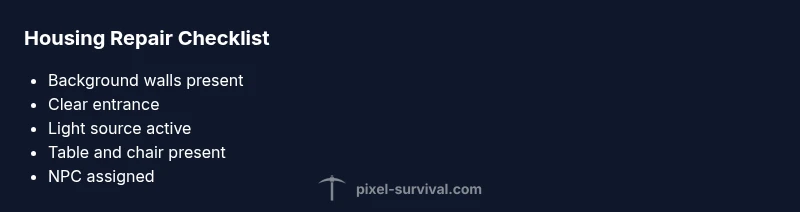
Before tearing down walls, run through these quick checks to confirm whether the problem is structural or something that requires a rebuild. First, verify that the room has true background walls on all sides; walls that are just placed objects don’t count. Next, ensure there is a clear entrance; doorways should be easily accessible from the world and not blocked by furniture. Check for a light source, such as a torch or lamp, that isn’t sabotaged by other blocks. Confirm there’s at least one table and one chair that are not overrun by other items. Finally, watch for overlap with other rooms: avoid creating a long, narrow corridor that touches multiple spaces, which can complicate validation. If you have a housing block in a cave, create a defined, enclosed, well-lit area to restart the evaluation. If a misconfiguration is found, mark it as an issue, but avoid simply patching the problem—move the space to a fresh location if necessary.
How to reconstruct housing safely and quickly
If checks reveal a corrupted room, follow a consistent rebuild protocol. Start by sealing off a quiet area and clearing it to a blank slate. Place true background walls around a clearly defined rectangle, then add a single doorway that opens directly into a safe corridor. Install a light source that won’t be extinguished by blocks or furniture. Place a table and chair in logical positions, and then assign an eligible NPC. After these steps, re-test the housing by saving and reloading the world, opening the NPC shop interface, and watching for the housing indicator to turn green. Pixel Survival recommends assembling rooms in a simple, modular pattern so future repairs are quick. If the NPC still won’t move in, double-check the room’s maximum size rules and nearby blocks that might invalidate the area. In many cases, repeating the process with a fresh room location resolves the issue rapidly.
Reusing housing blocks: proper placement rules
In Terraria, you can optimize your build by reusing existing blocks, but you must keep the space valid. Avoid stacking aliasing furniture or overcrowding the space with heavy furniture that blocks light or background walls. Use distinct walls around a compact, rectangular area to simplify validation. Keep the distance from other NPCs and rooms reasonable—too close proximity can trigger housing conflicts even if the room looks fine. When moving a house, copy the key elements (table, chair, light, walls, entrance) into the new space, keeping baseline distances. This approach minimizes the risk of reintroducing invalid housing while also preserving your village aesthetics. The Pixel Survival team has found that modular, repeatable housing patterns tend to perform better over time, especially after patches or new content that tweak NPC behavior.
Handling game updates and mods that affect housing
A frequent source of confusion is game updates or mods that alter housing requirements. When Terraria patches are released, validate your current housing layouts against the new rules, as a room that previously qualified may be invalid after a patch. Mods may also reintroduce or remove certain furniture items; if an NPC won’t move in after updating, remove any items that aren’t on the official list or re-create the space using standard furniture. Pixel Survival’s guidance emphasizes testing each room after updates and keeping a world backup so you can revert if needed. In some cases, you may need to rebuild all inspected housing sections to align with the new standard. If the patch introduces stricter rules, start with the simplest room possible and scale up gradually to avoid triggering new issues.
Advanced fixes: when normal rebuilding fails
If basic rebuilding doesn’t restore housing, you might be dealing with a deeper problem. Try relocating the entire house to an untouched area of the world and rebuild from scratch, ensuring every required element is present. Check for hidden blocks or misaligned walls that prevent air from circulating or that alter the room’s layout. Consider temporarily removing nearby floors or tiles to eliminate accidental overlaps with adjacent rooms. If the corruption persists, restore your world from a backup made prior to the issue. Pixel Survival recommends performing a controlled rollback rather than continuing to patch corrupted rooms, as repeated minor fixes can create new issues. If you suspect a broader corruption, contact Terraria support or engage with the community for a guided approach.
Prevention: keeping housing valid long-term
Preventive habits save time and keep your world thriving. Establish a simple housing template and reuse it for every NPC to eliminate guesswork. Always verify background walls and lighting when you add new rooms or redesign existing ones. When you patch rooms, do so in small increments, testing after each change. Maintain backups before major modifications or patches. Be mindful of the order of placement: first the wall, then the furniture, then the door and light. If you can’t keep track, create a checklist for every new house. By building with consistency and routine checks, you’ll reduce the chances of corruption and preserve NPC livelihoods.
Quick reset checklist for corrupted housing
If you’re in a hurry, run this quick reset: confirm background walls on the room, ensure a door is present, place a lamp or torch, add a table and chair, check NPC eligibility, reload the world, and observe the housing indicator. If issues persist, move the room to a fresh location, rewrite from scratch, and test again. Finally, back up your world before making further edits; this saves time if you need to revert.
Steps
Estimated time: 60-90 minutes
- 1
Back up the world
Create a full backup of your Terraria world before making changes. This protects you from accidental data loss and allows you to revert if something goes wrong.
Tip: Store backups in a separate drive or cloud storage if possible. - 2
Clear the targeted room
Remove items from the room and strip it down to bare walls to start fresh. This helps identify whether hidden blocks caused the issue.
Tip: Take a quick photo for reference before you rebuild. - 3
Rebuild with background walls
Place true background walls on all sides to form a clearly enclosed space. Ensure no gaps are left that could invalidate the room.
Tip: Use a consistent pattern for walls to avoid future mistakes. - 4
Add entrance and light
Install a doorway that opens into a safe corridor and place a reliable light source that isn’t blocked by furniture.
Tip: Don’t place lights behind objects; keep them clearly visible. - 5
Add essential furniture
Place at least one table and one chair in obvious positions. Avoid crowding the area with non-essential items.
Tip: Keep furniture away from walls where it could obstruct walls or blocks. - 6
Assign an NPC and test
Assign a suitable NPC to the room and save/reload. Check if the housing indicator turns green and the NPC shows up for business.
Tip: If not, double-check room size and proximity to other rooms. - 7
Test every time you patch
After patches or mods, test housing in the same way to ensure a room remains valid under new rules.
Tip: Back up before applying patches. - 8
Document and monitor
Keep a simple log of room designs and outcomes to speed future repairs.
Tip: A quick note saves time later.
Diagnosis: Housing is marked invalid or NPCs won’t occupy a newly built room
Possible Causes
- highMissing true background walls
- highNo entrance or blocked doorway
- mediumNo light source or blocked light
- mediumMissing required furniture (table + chair)
- lowRoom overlaps or size issues near borders
Fixes
- easyAdd true background walls around the room and ensure the walls are continuous
- easyCreate a proper entrance and clear path from the world
- easyPlace a visible, unobstructed light source
- easyAdd a table and chair in valid positions and test NPC housing
- easyRelocate the room to a fresh area and rebuild from scratch if issues persist
Got Questions?
What counts as valid housing in Terraria?
Valid housing requires background walls, a light source, an entrance, and furniture (a table and a chair). The room must be accessible and not overlap with other rooms. NPCs will only move in if all criteria are satisfied.
Valid housing means a properly walled, lit room with furniture and a doorway that NPCs can access.
Why won’t NPCs move into rebuilt housing?
If the room lacks a true background wall, an accessible entrance, or essential furniture, NPCs won’t move in. Recheck each criterion and rebuild if necessary.
NPCs won’t move in if the room isn’t truly valid housing; verify walls, door, light, and furniture.
Can mods affect housing validity?
Yes. Mods can add or remove furniture or alter rules. After installing mods, test rooms and revert to a clean backup if things don’t align with standard housing criteria.
Mods can change how housing works; test rooms after updates and keep backups.
Does corrupted housing affect merchants or other NPCs differently?
All NPCs rely on valid housing for occupation. If housing is corrupted, NPCs including merchants may not move in or may become unavailable for trading.
Any NPC needing a house may be blocked if housing is invalid.
Should I always back up before repairs?
Yes. Backing up gives you a safety net if a repair creates new issues or you need to revert after patching.
Always back up before making repairs to avoid data loss.
Watch Video
Key Points
- Verify background walls and lighting first.
- Back up before major edits.
- Use modular housing templates for consistency.
- Test housing after patches or mods.