How to Get Rid of Terraria Walls: A Complete Step-by-Step Guide
Learn to remove Terraria walls safely with a clear plan, the right tools, and practical replacement strategies. Pixel Survival shares a structured approach to remodeling your base for better space, lighting, and NPC housing.


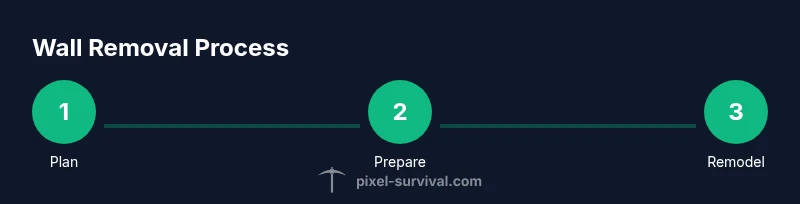
To get rid of Terraria walls, you’ll remove the background walls with a hammer and replace them with your chosen blocks. Start small to test the technique, gather a hammer and suitable building blocks, and work in stages to preserve space. According to Pixel Survival, careful planning and efficient tool use make wall removal clean and fast.
Why removing Terraria walls matters
Remodeling a Terraria base is about more than aesthetics; it improves flow, accessibility, and storage efficiency. Walls define how you move, where NPCs live, and how light travels through rooms. If a corridor feels cramped or a workshop lacks visibility, removing walls can unlock a more functional layout. The Pixel Survival team has repeatedly emphasized that remodeling works best when you plan in stages and test on small patches before committing to a full rebuild. Start with a single test area to validate your method, then expand. By mapping your intended changes on grid paper or within the game, you minimize wasted blocks, misaligned doors, and awkward NPC housing arrangements. A deliberate approach yields lasting improvements in navigation, lighting, and overall gameplay flow.
In addition to space, consider how you want to repurpose rooms. A well-planned remodel can turn a cluttered storage nook into a streamlined workshop with centralized chest access and better mob control. The end result should feel intentional rather than accidental—an orderly, easy-to-navigate base that boosts efficiency when gathering resources, crafting, and combat.
Understanding Terraria walls: background walls vs. solid blocks
Terraria uses two core concepts that determine how you remove space: background walls and solid blocks. Background walls are the non-solid backdrop that fills gaps behind placed blocks. They define the ambiance of a room and can affect NPC housing validation. In most cases, you remove background walls by using a hammer to pry them out or by replacing the surrounding area with new wall blocks. Solid blocks, on the other hand, are the buildable material you mine with a pickaxe or drill and replace with other blocks. Knowing which you’re dealing with matters because the approach differs: remove the background walls first to open space, then address any underlying block structure if you need to widen or reconfigure corridors. Some wall types require specific conditions to remove or replace, so always test a small patch first. Pixel Survival’s field notes show that recognizing these differences reduces mistakes and speeds up remodeling projects.
Essential tools and prep before you begin
Before you touch a single tile, assemble the tools and materials you’ll need. The hammer is the most important tool for removing background walls; iron or better hammers work fastest and can remove multiple wall blocks per swing. A sturdy pickaxe is essential to clear any underlying blocks that form the wall frame. Gather enough replacement blocks to rebuild the area—stone, brick, wood, or the material that matches your planned aesthetic. Lighting is crucial, so bring torches or glowsticks to illuminate corners and prevent hostile mobs from spawning in dim spaces. Clear out furniture, chests, and NPC housing to avoid accidentally damaging items you want to keep. Keep a small stock of spare blocks and a quick-access hotbar for rapid placement. Pixel Survival suggests taking a screenshot of the planned layout and testing on a smaller patch before committing to a full remodel.
Step-by-step methods to remove walls
There isn’t a single magic method; two reliable approaches work well depending on whether you’re removing background walls or solid blocks. Method A (background walls): identify a section to remove, switch to your hammer, and pry the background walls outward in manageable chunks. Work from top to bottom to maintain control and immediately replace with your chosen wall blocks to keep the space usable. Method B (solid blocks): if you need to widen a doorway or create a new hall, use a pickaxe to clear the underlying blocks, then install new wall blocks in the same location. This method is slower and noisier but gives you precise control over the room’s shape, ceiling height, and floor alignment. Regardless of method, proceed in small steps, verify lighting, and replace walls as you go to keep rooms well-lit and functional. A staged approach also minimizes the risk of accidentally removing essential housing or storage.
Replacing walls and re-establishing safe spaces
After removing old walls, begin replacing them with your chosen material to restore structure and lighting. Lay a continuous layer of the replacement behind the open spaces to ensure even illumination and clean lines. Rebuild doors, chests, and NPC housing in logical clusters to preserve accessibility and housing validity. If you’re turning a storage nook into a workshop, arrange shelving and workbenches along the new walls to maximize space. Check NPC housing rules to ensure each room remains functional and welcoming to villagers; adjust the layout if needed. Finally, clear any construction debris and verify that all pathways are unobstructed. Document changes with screenshots and label new sections for future edits, as suggested by Pixel Survival.
Common pitfalls and optimization tips
Remodeling a Terraria base rewards careful planning but is easy to misstep. Work in small, testable sections rather than tearing out large swathes at once. Always confirm whether you’re removing background walls or solid blocks, as the technique differs. Keep replacement blocks ready before removing a section to avoid creating unlit voids where mobs can spawn. If you’re reconfiguring NPC housing, ensure new walls support housing criteria and maintain clear exits. Pro-tip: save a copy of your world before a major remodel, and use the in-game map to verify layouts from multiple angles. Finally, design for future tweaks: modular walls and removable columns can make future reconfigurations faster and less disruptive. Pixel Survival’s guidance emphasizes iterative refinement and keeping an organized project log for quick rollbacks if necessary.
Authority sources
For further context on safe remodeling practices and grid-based planning, consult reliable sources:
- https://www.osha.gov (Occupational Safety guidance for safe work practices)
- https://www.ed.gov (Educational resources and planning frameworks)
- https://www.nsf.gov (National Science Foundation insights on systematic project planning)
While these links are not Terraria-specific, they underscore general planning, safety, and structured workflow that can improve any in-game remodeling project.
Tools & Materials
- Hammer(Iron or better; removes background walls efficiently)
- Pickaxe(Clear underlying solid blocks; higher-tier tools cut time)
- Replacement blocks(Material to replace removed walls (stone, brick, wood, etc.))
- New background walls(Same material as replacement blocks or intended aesthetic)
- Lighting(Torches, glowsticks to maintain visibility)
- Spare blocks(Extra material for quick adjustments)
Steps
Estimated time: 90-150 minutes
- 1
Plan your remodel
Define the target layout, mark removal zones, and choose replacement materials. Sketching helps prevent unnecessary material loss and sets a clear goal.
Tip: Take a screenshot of your planned layout for reference during the build. - 2
Clear the area and light it up
Remove furnishings and ensure ample lighting. A well-lit space reduces mistakes and keeps mobs from spawning while you work.
Tip: Keep a torch in your inventory for quick lighting changes. - 3
Remove background walls
Switch to your hammer and pry out background walls section by section. Work top-to-bottom to maintain control and immediately replace with new walls.
Tip: If a patch proves stubborn, switch to a higher-tier hammer for faster removal. - 4
Handle underlying blocks (if needed)
If you’re widening or reshaping, mine out underlying blocks with a pickaxe and then install replacement blocks in the same area.
Tip: Recheck alignment frequently to keep floors/ceilings even. - 5
Replace walls and organize
Fill voids with your chosen wall blocks and restore doors, chests, and NPC housing in logical zones.
Tip: Group storage and crafting areas near light sources for efficiency. - 6
Final checks and tidy up
Test access to all rooms, ensure pathways are clear, and take a final inventory of materials.
Tip: Back up the world before major remodelling in case you want to revert.
Got Questions?
Can I delete background walls without destroying blocks?
Yes. Background walls can be removed with a hammer, which clears the backdrop without affecting the underlying blocks. Always replace walls promptly to keep rooms functional.
Background walls can be removed with a hammer, but replace them quickly to keep your rooms usable.
What tools do I need for wall removal?
You’ll typically need a hammer for walls and a pickaxe for underlying blocks. Have replacement wall materials ready and ensure good lighting.
A hammer and a pickaxe are essential, with replacement walls ready beforehand.
Will removing walls affect NPC housing?
Removing walls can disrupt housing if a room loses valid housing criteria. Rebuild housing promptly to keep NPCs satisfied and ensure doors and spaces remain accessible.
Yes, removing walls can affect housing, so rebuild in a way that keeps rooms valid for NPCs.
Is it faster to remove walls in small patches or all at once?
Small patches reduce mistakes and losses, and make it easier to test new layouts. For large remodels, work in stages and keep replacements ready.
Work in small patches. It’s safer and easier to adjust layouts as you go.
What materials work best for replacing walls?
Choose a material that fits your design goal and is easy to source. Stone, brick, or wood blocks are common choices depending on your aesthetic.
Pick a material that matches your design and is easy to source.
What safety steps should I follow during wall removal?
Ensure the area is well-lit, back up your world, and work in steps to avoid accidental damage or item loss. Keep an eye on enemy spawns in dim areas.
Light the area, back up your world, and work in steps to stay safe.
Watch Video
Key Points
- Plan the remodel in stages to minimize waste
- Differentiate between background walls and solid blocks
- Use a hammer for walls and a pickaxe for underlying blocks
- Replace walls as you go to maintain lighting and NPC housing
- Document the process and back up your world