Terraria Compact Crafting Setup: A Step-by-Step Guide for 2026
Learn how to build a compact, highly efficient Terraria crafting area. This step-by-step guide covers layout, components, storage strategies, and early-to-late game upgrades to keep your progression smooth and swift.


Within Terraria, you can create a compact crafting setup by placing a central Work Bench with nearby furnaces, a small chest cluster, and a few accessible benches in one zone near your base. This arrangement minimizes travel, speeds crafting, and keeps essential materials at hand as you progress. Keep the setup modular so you can expand later without relocating. Test the layout in a small space to validate reach and symmetry.
Why a Terraria Compact Crafting Setup Matters
A compact crafting setup in Terraria isn't just about saving space; it's about saving time, reducing travel across your world, and keeping essential materials within arm's reach as you progress through hardmode. A well-organized crafting area acts like a mini-workshop, letting you switch from mining to building to upgrading equipment with minimal interruptions. According to Pixel Survival, the team found that a compact crafting setup saves time by reducing travel and inventory juggling. When you place your most-used benches and furnaces in a single footprint, you can craft quickly without hunting through chests for the right bench or the right material. In practice, a compact layout helps you stay focused on exploration and combat rather than inventory juggling. This guide walks you through practical layouts, common patterns, and real-world placements that work from the moment you spawn in a new world to late-game readiness. Think of it as a portable workshop embedded in your base that you can grow with the game.
Core Components of a Compact Crafting Space
To build an efficient micro-workshop, you need a few core components that stay in every successful setup: a central crafting surface, nearby crafting benches, reliable storage, and accessible refining stations. Start with a sturdy Work Bench at the heart of the zone. Surround it with a small cluster of essential benches: Anvil for metal work, Furnace for smelting and crafting weapons, and optionally a Sawmill if you have access to wood-based recipes. Close by, place 8-12 chests or a small chest rack to categorize materials by type: ore, ingots, wood, plants, and gadgets. Lighting matters, too—torches or lanterns should illuminate without creating glare that slows your aim during combat. Finally, leave a clear path to your main base and your closest dungeon or mine; a compact craft area should feel like a natural extension of your home, not a separate room you must wander to. This layout emphasizes easy reach, minimal backtracking, and tidy organization that scales with progression.
Drafting a Layout: Patterns That Work
Here are three reliable footprints that fit in tight spaces:
- Corner cluster: Put the Work Bench and Anvil in a corner, with Furnace to the side and a row of chests along the adjacent wall. This reduces the footprint while keeping items within reach.
- Vertical stack: Build up shelves on a single wall—bench on the bottom level, then a chest tier above, with a Furnace tucked behind. Vertical stacking makes the most of small rooms.
- Floating bench rail: Use platforms to create a two-tiered surface where the top holds the crafting stations and the bottom holds chests. This keeps all items visible and reachable without a sprawling floor plan. Test each layout in a small, open space before you settle on one; you’ll quickly learn which arrangement minimizes walking and improves reaction time in combat.
Early-Game Setup: what's essential
In the first few hours, you won't have access to every crafting station. Prioritize the essentials that unlock the most recipes: a Work Bench, a Furnace or Cooking Pot, and one chest for basic materials. If you can, add an Anvil for metalwork as soon as you have enough ore. Keep a few torches and a stack of wood nearby to quickly extend the workshop as you gather more resources. The goal is to arrive at a comfortable baseline where most needs are satisfied in one place; you can expand later as your inventory grows.
Mid-Game Upgrades: improving efficiency
As your world progresses, add a second Furnace for faster smelting and possibly a second Anvil to support more metallurgical work. A Sawmill becomes valuable if you frequently craft from wood, and a dedicated table for potions or gems can speed access to specific recipes. At this stage, refine your storage: separate blocks and bars, ores and bars, and different wood types, then label chests (or use signs) to prevent mis-sorting. Consider placing a dedicated weapon and armor workspace nearby so you can quickly swap equipment after a fight. The goal is a modular, upgrade-friendly zone that expands without requiring a full relocation.
Storage Strategies: sorting and access
Consistency is king when storage design matters. Create a simple rule set: separate ore from ingots, wood from crafted items, and plant materials from consumables. Use signs or color-coded chests to mark categories, and keep a few general-use chests for items you accumulate in bulk. A compact rack along the wall can replace a long line of chests, reducing visual clutter while keeping the inventory easy to scan. An accessible mini-station for quick-access materials (like coal, wood, or basic ores) helps you craft faster during combat or exploration. By building a predictable system, you spend less time searching and more time crafting.
Proximity and Accessibility: design tricks
Position the workshop near the entry to your base or near your mining areas so you can craft immediately after a haul. Place benches at comfortable reach, ensuring you can craft without bending or awkward twists. If you use rails or minecarts, align your workshop with your transport lines to minimize backtracking. The most important rule is to keep a natural, ergonomic path: you should be able to move from mining to crafting to upgrading in a single, fluid motion. Small tactile cues, like keeping the Work Bench directly in front of the door, can shave seconds off every craft and keep you engaged in action.
Industry insights and practical tips
Efficient layouts reduce idle time and support a smoother progression pace, especially as you add more stations or face tougher enemies. A compact area should be adaptable: you can reconfigure as you unlock new recipes or unlock new biomes. When planning, imagine the flow from resource gathering to processing to final assembly; the fewer steps required, the faster you can respond to an unexpected foe or a sudden build need. Remember to test different layouts in a safe space and iterate until the path feels natural and the reach feels effortless.
Common mistakes and quick fixes
Avoid building a sprawling workshop that covers half your base. Don’t stack Storage Chests in an odd, unreachable corner; keep your lines of sight clear so you can quickly confirm what you need. If you find yourself constantly opening the wrong bench, reorient the layout so that your most-used recipes share the same proximity. Finally, avoid blocking doors or paths; ensure you can retreat to safety without stepping through a tangle of furniture. By addressing these issues early, you’ll prevent future headaches as your inventory grows and your crafting needs become more complex.
Final thoughts: consistent upgrades pay off
A compact crafting setup isn’t a one-time build—it’s a living, evolving space that grows with your character. Start with a minimal but solid core, then add stations and storage in logical increments as recipes unlock. Keep the layout modular so you can move benches or reallocate chests without tearing down the entire area. As you gain experience, you’ll notice how small improvements compound into faster crafts, quicker progression, and more time for exploration and combat. The Pixel Survival team recommends adopting a compact crafting approach and iterating as you progress.
Tools & Materials
- Workbench(Central crafting table; place at heart of setup)
- Furnace(Smelting and metalworking station)
- Anvil(Metalworking bench for weapons/armor)
- Storage Chest(Label and categorize materials)
- Wooden Platforms(For elevated surfaces or two-tier layouts)
- Blocks (wood/stone)(Build base and frame the workspace)
- Torches(Even lighting to avoid shadows and blind spots)
- Signage or Labeling Materials(Signs or paint to label storage)
- Sawmill(Helpful for wood-based recipes when available)
Steps
Estimated time: 20-40 minutes
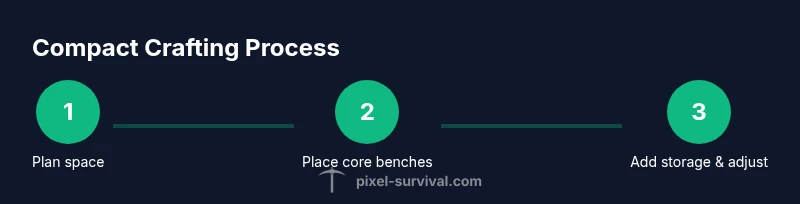
- 1
Plan your footprint
Survey available space and decide which benches and storage are essential. Create a rough schematic and mark the furthest reach you’re willing to extend to every station.
Tip: Draw a quick layout with blocks on the floor to visualize reach and flow. - 2
Clear and prepare base
Remove obstacles, level ground, and ensure at least two tiles of clearance around each workstation. This reduces accidental clicks and keeps combat spaces clear.
Tip: Leave a straight, unobstructed path from the door to the crafting area. - 3
Place central crafting cluster
Position the Work Bench at the center, then place the Anvil and Furnace in a compact triangle nearby. This minimizes travel between common recipes.
Tip: Keep the most-used bench within one step of the Work Bench. - 4
Set up storage
Install a row of labeled chests along a wall and group items by category (ores, ingots, wood, plants). Add signs for quick identification.
Tip: Color-code chests or use simple signs to cut search time by 50% in busy sessions. - 5
Add depth and accessibility
Use platforms to create a two-tiered work surface where benches sit on top and chests below. This saves floor space and improves visibility.
Tip: Test reach from your usual combat stance; adjust heights if you have to duck or stretch. - 6
Test and iterate
Craft common items to evaluate flow. If you find wasted steps, shift benches or re-label storage to reduce friction.
Tip: Aim for a layout that reduces walking by at least one full screen edge during typical sessions.
Got Questions?
What is a compact crafting setup in Terraria?
A compact crafting setup is a small, organized area near your base that combines essential crafting benches, furnaces, and storage so you can craft quickly. It minimizes travel time and keeps materials readily available as you progress.
A compact crafting setup is a small, organized area near your base with benches, furnaces, and storage for quick crafting.
Which benches should I prioritize early?
Prioritize a Work Bench, Furnace, and Anvil early on. These unlock the majority of common recipes and enable smoother progression into metalwork and gear upgrades.
Start with the Work Bench, Furnace, and Anvil.
How do I organize storage effectively?
Sort by material type and recipe family, and label chests with signs or color-code them to prevent mis-sorting and speed up crafting.
Sort items by type and label chests for fast access.
Can I expand the setup later without relocating?
Yes. Use modular blocks or tiered racks that let you add more benches or storage without moving the core layout.
Yes, you can expand by adding modules without moving the core area.
What mistakes should I avoid?
Avoid a sprawling workshop that blocks doors or increases travel. Keep the path clear and ensure quick access to essential benches.
Don’t block doors; keep paths clear for quick access.
Watch Video
Key Points
- Plan a compact layout with core benches within reach
- Sort materials by recipe family to reduce travel
- Upgrade storage gradually as you progress
- Label storage to maintain order
- Keep pathways clear for quick retreat