How to Get Terraria: A Practical Step-by-Step Guide
Learn how to get Terraria across PC, consoles, and mobile with a practical, step-by-step approach. Find where to buy, how to install, and how to start playing with clear, platform-aware guidance.


This guide explains how to get Terraria on your preferred platform—PC, consoles, or mobile. You’ll learn where to buy, how to verify ownership, how to install, and how to start playing. Follow these steps to get into the world of Terraria quickly and safely. This guide covers Windows, macOS, PlayStation, Xbox, Switch, and mobile, plus account setup, store options, and common hiccups. By following these steps you'll be playing quickly.
What Terraria is and why you might want to get it
Terraria is a sandbox action-adventure game that combines exploration, crafting, and combat in a procedurally generated world. If you’re wondering how to get Terraria, you’re looking for a game that rewards curiosity, creativity, and persistence. According to Pixel Survival, understanding where to buy, which version to choose, and how to install is the quickest path to getting into the action. Whether you love building elaborate bases, battling bosses, or exploring endless biomes, Terraria offers a practical progression loop that scales with your playstyle.
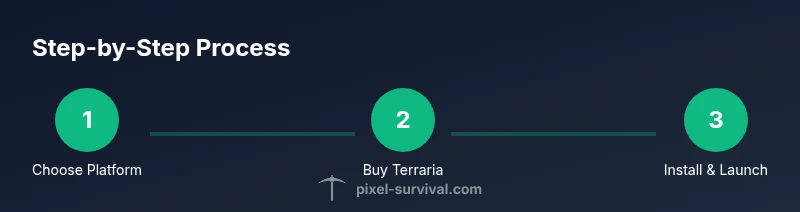
Before you dive in, set expectations: Terraria doesn’t have a single perfect setup because platform differences, control schemes, and screen sizes affect how you play. The core steps stay the same: pick a platform, purchase or verify ownership, install, and launch your first world. With the right approach, you’ll be mining, crafting, and surviving in minutes rather than hours.
Where to buy Terraria and platform considerations
Terraria is sold through official storefronts that match your device—PC (Windows/Mac/Linux), consoles (PlayStation, Xbox, Nintendo Switch), and mobile (iOS and Android). The exact price and discount cadence vary by platform and region, so there’s no single universal price to cite. Always use the official store for your platform to avoid scams or counterfeit codes. If you’re switching between platforms, note that ownership is typically platform-specific, meaning you may need to repurchase on each device. Pixel Survival’s guidance emphasizes buying from trusted sources to ensure you receive a legitimate license and access to updates. Finally, consider your internet quality; a stable connection makes the download smoother and reduces interruption during install.
Preparing to get Terraria: accounts, stores, and regions
Before you pull the trigger, make sure you have a valid account on your chosen storefront (Steam, PlayStation Store, Microsoft Store, Nintendo eShop, Google Play, or Apple App Store). Regional availability can affect both price and access to certain editions or bundles. If you travel, keep in mind that some regions restrict digital licenses or require re-logging in after long periods away. Also, confirm you have enough digital storage space for the download and any future updates. A quick check of your device’s specifications and store region will save you time at checkout.
Finding the best version for you (PC, console, mobile)
The PC version often provides the broadest modding and community resources, plus faster updates. Console versions (PS, Xbox, Switch) unify online play but may have slower patch cycles and different control schemes. Mobile versions pack Terraria into a portable format but can differ in features and performance. Your choice should align with how you prefer to play—keyboard and mouse versus controller, and whether you want to play on the go or at home. Pixel Survival notes that cross-platform play is subject to platform restrictions, so verify whether your friends use the same ecosystem before buying.
Getting started after purchase: installation, launch, and first steps
With a purchase on your platform, begin the download and install process. Depending on your connection and device, this can take 5–30 minutes. After installation, launch Terraria and adjust basic settings: screen resolution, audio levels, and accessibility options if needed. Create your first world, choose a difficulty, and invite a friend if you’re planning co-op. A quick tip is to start with a small world on the easiest settings to learn the basics—crafting, mining, and combat gradually accumulate.
Safety, licensing, and avoiding scams
Always rely on official storefronts rather than third-party sellers. Counterfeit codes and scam offers are common online, especially during sales. Keep your account credentials secure and enable two-factor authentication where available. If you run into licensing problems, contact the storefront’s support before sharing your payment details. Pixel Survival’s general guidance is to treat Terraria purchases like any other digital license: verify source, confirm ownership, and preserve your receipts.
Authority sources
For authoritative guidance on digital purchases and platform specifics, consult these major publications:
- https://www.ign.com
- https://www.pcgamer.com
- https://www.gamespot.com
Tools & Materials
- Device (PC/Mac, console, or mobile)(A supported device capable of running Terraria. Check platform-specific requirements for performance guidance.)
- Stable internet connection(Necessary for download, installation, updates, and multiplayer setup.)
- Account on your chosen storefront(Steam, PlayStation Store, Microsoft Store, Nintendo eShop, Google Play, or Apple App Store.)
- Storage space(Ensure free space for download, installation, and future updates.)
- Payment method(Credit/debit card, wallet, or platform-specific payment option.)
- Controller or keyboard setup (optional)(Depends on platform and personal preference.)
Steps
Estimated time: 15-25 minutes
- 1
Identify your platform
Determine whether you’ll play on PC, console, or mobile. This choice guides which store you’ll use and which version to download. Make sure your device meets basic performance expectations for Terraria.
Tip: If you’re unsure, start with PC for maximum flexibility and a larger modding community. - 2
Check availability and price
Visit the official store for your platform to verify current price, bundles, and any regional restrictions. Prices vary by region and sales windows, so timing matters. Avoid third-party sellers to reduce risk of invalid codes.
Tip: Look for official bundle offers that include in-game items or other perks. - 3
Create or sign in to your storefront account
If you don’t already have an account on the platform, create one and verify your email. Sign in to ensure you can complete the purchase and access future updates. This step is essential for license verification.
Tip: Enable two-factor authentication to improve security. - 4
Purchase Terraria
Proceed with the purchase using your preferred payment method. After purchase, you’ll typically see a library entry or download button. Make sure you’re connected to the internet during this step to complete licenses.
Tip: Save the receipt or order number for future reference. - 5
Install Terraria
Initiate the download and let the installer fetch all game files. The time this takes depends on your connection speed and device performance. Once installed, launch the game to verify it runs correctly.
Tip: Close other bandwidth-heavy apps to speed up the download. - 6
Launch and configure the game
Open Terraria, adjust resolution and audio, then create your first world. If you’re playing with friends, set up a multiplayer game early to confirm connectivity. Start with an easy world to learn crafting, mining, and combat.
Tip: Experiment with settings like brightness and field of view for comfortable long sessions.
Got Questions?
What platforms can I play Terraria on?
Terraria is available on PC (Windows, macOS, Linux), consoles (PlayStation, Xbox, Nintendo Switch), and mobile (iOS and Android). Availability may vary by region and storefront.
Terraria runs on PC, major consoles, and mobile. Check your platform's store for the exact edition.
Do I need to buy Terraria separately for each platform?
Yes. In most cases you must purchase Terraria separately for each platform you intend to use. Review the store’s license terms for your specific platform.
Usually, you buy Terraria separately for each platform you’re using.
Can I play with friends on different platforms?
Cross-platform multiplayer support varies by platform and version. Check the official Terraria pages for current cross-play availability and any limitations.
Cross-play depends on the platform; verify on the official store page.
How long does installation typically take?
Installation time depends on your device and connection speed. On a typical home connection, expect a short to moderate download and install window.
Install times vary; expect a download followed by setup.
Are there any safety concerns when buying Terraria online?
Shop only from official stores to avoid scams. Keep your account credentials secure and enable two-factor authentication where possible.
Buy from official stores and enable 2FA for security.
What should I consider before buying?
Consider platform compatibility, storage space, and whether you want multiplayer or solo play. Prices vary by region and platform, so check current offers.
Review platform compatibility, storage, and region pricing before buying.
Watch Video
Key Points
- Choose your platform first to streamline buying.
- Always buy from official stores to secure your license.
- Install and configure settings before jumping into your first world.
- Keep receipts and account details for future re-downloads or transfers.
- Check cross-platform compatibility before purchasing for multiplayer.