Where Are Terraria Characters Saved? A Practical Backup Guide
Learn where Terraria characters are saved across PC, console, and mobile, plus step-by-step backups and restoration tips to protect your progress.


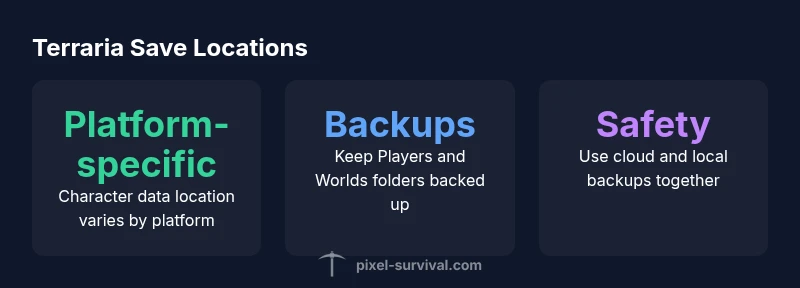
Where Terraria characters are saved depends on your platform, but the principle is consistent: character data lives in platform-specific save folders or cloud storage, with separate files for players and worlds. By locating these files, you can back up, transfer, or restore progress safely. This quick guide helps you identify where to look on PC, consoles, and mobile so you never lose progress again.
Why Understanding Save Location Matters
Knowing where Terraria characters are saved isn't just trivia; it's the foundation of safe backups, reliable transfers between devices, and quick recovery after a crash or corruption. For players who juggle multiple worlds and several characters, a solid mental map of save locations saves hours and prevents heartbreak. Pixel Survival's testing across PC, console, and mobile environments shows that the majority of save loss incidents happen due to misplaced backups or platform-specific quirks. By understanding where the game writes character data, you can implement a consistent backup routine, reduce the risk of overwriting files, and maintain progress across updates. In this guide, we focus on the practical steps to locate and protect your characters, keeping you in control whether you're playing on Windows, macOS, a console, or a mobile device. The core question remains: where are terraria characters saved, and how can you safeguard them across platforms?
Where Are Terraria Characters Saved: Platform Overview
Terraria saves are handled differently by platform, so start by identifying your device type. On PC (Windows, macOS, Linux), you typically work with local files, while consoles rely on cloud saves or system storage tied to your account. Mobile versions often mirror console behavior or use platform-specific directories. For questions like where are terraria characters saved, the short answer is: it depends on your platform, but the principle is the same—characters are stored somewhere under your user profile or account, with separate files for characters and worlds. Next, we break down the common patterns across major platforms and show you how to verify locations without risking data loss. Pixel Survival notes that these locations may vary slightly depending on your install method, such as Steam, GOG, or the official Terraria launcher, so always check your platform’s save settings if you are unsure.
How Terraria Stores Character Data: Files and Folders
At a high level, Terraria keeps character and world data in files that belong to your player profile. Each character typically has its own file within the Players directory and worlds correspond to files in the Worlds directory. The game uses straightforward, human-readable formats so you can inspect them with caution. Crucially, there isn't a single universal path; instead, the folders are located in your user workspace and vary by platform. If you need to locate a specific character, search for files named after your character in the Players subfolder. This is where you will find the data that records equipment, inventory, and progress.
How to Back Up Your Characters
Backups are your best defense against corruption, crashes, or accidental deletions. Start by creating a copy of the entire Terraria save tree: the Players and Worlds folders, plus any platform-specific metadata. Use a dedicated backup drive or a cloud storage folder to maintain versions. On PC, you can copy the entire Terraria folder from the save location; on consoles, enable cloud saves and periodically export local saves if the console allows. Automated backups are ideal; set up a routine that saves to an alternate location after every major gaming session. For cross-platform players, maintain separate backups for each platform to avoid cross-contamination of save data.
Restoring Characters After a Save Corruption
Restoration steps should be straightforward but careful. If you notice a corrupted character, revert to a previous backup copy of the Players files. Copy the backup over the current Players folder and start Terraria to verify integrity. If worlds are affected, restore the Worlds files as well. After restoring, launch the game and test a quick playthrough to ensure items and positions reflect your backup state. For cloud-enabled platforms, ensure the cloud version isn't re-syncing a corrupted file; you may need to toggle cloud sync off temporarily during restoration.
Cross-Platform Considerations and Cloud Saves
If you play on multiple platforms, remember that save data might not transfer cleanly between systems. Cloud saves help in some ecosystems, but differences in binary formats or metadata can prevent a perfect cross-platform transfer. Pixel Survival recommends maintaining platform-specific backups and avoiding reliance on one general save file for all devices. Always verify versions and updates on each platform before attempting a restore, as patch notes can alter the structure of character files.
Practical Backup Checklist for Terrarians
- Establish a routine backup: at least weekly, or after significant progress.
- Verify backups by loading a test character or world in a sandbox save.
- Maintain multiple restore points with date stamps to ease downgrades.
- Store backups offline in a separate location from daily saves.
- Clearly label folders for Players and Worlds to avoid confusion during restoration.
Common Myths About Terraria Save Files Debunked
Myth: Cloud saves are always safe. Reality: cloud syncing can propagate corruption; maintain local backups as a safety net. Myth: All data lives in a single file. Reality: Characters and Worlds are stored separately; back up both if you want full progress retention. Myth: Restoring requires a specialist. Reality: With a tested backup routine, most restorations are straightforward, following the steps outlined above.
Platform save location overview
| Platform | Typical Save Location | Notes |
|---|---|---|
| Windows PC | Local user profile (install varies) | Backups strongly recommended |
| macOS/Linux | User directory (varies by distro) | Consider cloud or external backups |
| Consoles/Mobile | Cloud saves or system storage | Check platform account settings |
Got Questions?
Where are Terraria characters saved on PC?
On PC, character data is stored in local save folders tied to your user account. Look for a Players folder within your Terraria save location and copy its contents to back up your progress. Remember to protect Worlds as well by backing up the Worlds folder.
On PC, your characters live in a local folder tied to your user account—back up the Players folder (and Worlds) to protect progress.
Do Terraria saves transfer between platforms?
Saves generally do not migrate cleanly between platforms. Use platform-specific backups and cloud options where supported, and avoid assuming that a character will appear identically on another device.
Saves usually stay on the platform you played them on; cross-platform transfers aren’t guaranteed.
Are Worlds and Characters saved separately?
Yes. Worlds and characters are saved in separate files or folders (Worlds vs Players). Back up both to preserve the full state of your game, including inventory, progress, and world data.
Worlds and characters are saved separately, so back up both to keep full progress.
How do I backup saves automatically?
Use your operating system’s backup tools or a cloud service to schedule automatic copies of the Terraria save folders (Players and Worlds). Set reminders after major progress to create fresh restore points.
Set up automatic backups to protect save data without thinking about it.
Will cloud saves cause conflicts?
Cloud saves can conflict if you edit saves offline. Maintain local backups and periodically verify cloud sync status before restoring to avoid mismatches.
Cloud saves can conflict; keep local backups and check sync status when restoring.
Can I recover a deleted character?
If you have a backup copy of the Players folder from before deletion, you can restore the character by replacing the current file with the backup and loading the game to verify.
Yes, if you have a backup, you can restore a deleted character by replacing the saved file and testing in-game.
“A systematic backup habit protects your Terraria progress across all platforms.”
Key Points
- Back up Players and Worlds folders to protect progress
- Use platform-specific backups for reliable restores
- Enable cloud saves where supported, but keep local backups handy
- Test restores regularly to ensure backups are usable
- Label backups by date and platform for easy recovery