Terraforming Terraria: Practical Step-by-Step Guide
Learn step-by-step how to terraforming terraria: plan biomes, raise terrain, and create balanced districts for thriving builds. A Pixel Survival guide with practical tips, materials, and safe housing design.


By following this tutorial you will learn terraforming terraria: shaping biomes, raising terrain, and crafting functional habitats. You’ll lay foundations, select terrain blocks, and use biome-friendly features to create balanced landscapes. The guide provides a step-by-step workflow, essential tools, and safety checks to help you progress from planning to polished builds.
Terraforming terraria: Vision, Biomes, and Basics
Terraforming terraria blends architectural intent with biome rules to create practical landscapes. In this guide we explore how to plan, execute, and refine large-scale terrain projects while staying true to the game's biome mechanics. Pixel Survival's approach emphasizes predictable, repeatable techniques that reduce retries and increase build quality. By thinking in terms of zones, you set a foundation for all future projects. According to Pixel Survival, successful terraforming starts with a clear plan rather than a pile of random blocks. This mindset helps you map out target biomes, desired elevations, and housing zones before digging a single trench. You’ll build confidence by outlining a simple grid and a handful of foundational blocks that appear across all zones, making later stages faster and more consistent.
Planning Your Terraforming Project
Before you touch the ground, define your terraforming terraria project. Decide which biome or aesthetic you want to emphasize, and outline the boundaries of each zone. Create a rough map of elevations, waterways, and housing areas. Consider seed availability and world generation—it affects where biomes naturally occur and how you’ll sculpt transitions. A good plan includes a palette of block types (grass, dirt, stone, and building blocks) that feels cohesive across zones. Sketching a simple grid helps you schedule actions and reduces backtracking. Pixel Survival recommends starting with a central hub or corridor that connects future biomes; this keeps movement intuitive for you and NPCs. Finally, plan housing density early so you can verify NPC availability as your terraformed world takes shape.
Core Techniques: Terrain Shaping and Biome Alignment
Use terrain shaping to create functional landforms while respecting biome borders. Elevate land to form terraces, plateaus, and ridges that support platforms, trees, and pathways. When you flatten hills, aim for gentle slopes that players and NPCs can navigate. Biome alignment matters: place grass and biomes transitions carefully so that visual cues follow natural patterns. Lightweight, repeating palettes help maintain a coherent look as you expand. Tools like dirt, stone, and mud blocks are your building blocks, but the real trick is planning how each block type advances both the aesthetic and the practicality of exploration, combat, and progression.
Building Materials and Block Choices
Your block palette defines the feel of every zone. Start with core building blocks (dirt, stone, and wood) for stable foundations, then layer in grass, mud, and decorative blocks for texture. Use endemic blocks to reflect biome identity: e.g., desert-adjacent tones for arid zones, lush greens for jungles, and darker textures for caves. Platforms and walls help shape vertical space and NPC housing. Lighting matters; balance torches, lanterns, and chandeliers to avoid harsh shadows. For terraforming terraria, assembling a consistent material chain makes future projects faster: you can reuse patterns across biomes, reducing design drift and helping players navigate the world more intuitively.
Water, Biomes, and Aesthetic Zoning
Water features are both practical and aesthetic. Plan rivers, ponds, and artificial lakes to connect zones while guiding player movement. Avoid flooding by keeping water sources contained and using barriers or dry channels. Biome transitions should feel natural: shoreline gradients, gradual changes in texture, and consistent flora placement help players recognize zones at a glance. Aesthetic zoning aligns with progression: create distinct yet harmonious areas that reward exploration and exploration-driven goals, such as new NPCs, loot, or challenges. Keep in mind that water physics and terrain height influence how fast a biome feels—the smoother the gradient, the more accessible the map.
Housing, NPC Layout, and Pathing
Terraforming is closely tied to housing density and NPC availability. Create compact, well-lit houses that fit within your landforms, and ensure each home has a valid entrance, lighting, and seating. Place NPCs in zones with biome consistency and clear pathways between hubs. Use roads and stairs to guide players through the map, reducing backtracking. Pathing should reflect progression priorities: start with easy-to-reach biomes and gradually add more complex zones as your world evolves. Lastly, remember to balance aesthetics with function—beautiful areas that NPCs can inhabit will feel alive and purposeful.
Lighting, Safety, and Performance
Lighting is a simple yet powerful tool. Use a mix of torches, lanterns, and ambient lighting to avoid dark corners that hinder exploration. Avoid over-lighting to preserve atmosphere; too much light can flatten textures and reduce depth. Safety matters: keep paths clear of lava and water spills when you’re not ready to manage them. Performance tips include chunking large terraformed regions into scenic subsections, which helps with loading times and reduces frame drops. Finally, test your world in different lighting conditions and adjust color temperatures to match the mood of each biome.
Seeds, Weather, and World Generation Considerations
World seeds influence terrain distribution and biome locations, so choose a seed that supports your design goals if you’re aiming for specific biome clusters. Weather and environmental effects can alter mood and lighting; plan accordingly. When terraforming terraria, you can implement seeds’ natural variations to create distinct playspaces while preserving balance and progression. If you’re using a pre-generated seed, map out key landmarks early and adapt your terraforming plan to the existing terrain constraints. This reduces unnecessary reshaping later on.
Common Pitfalls and Pro Tips
Common mistakes include overcomplicating borders, ignoring NPC housing needs, and neglecting lighting in early stages. Pro tips: lay out foundations before blocks, keep a consistent palette, and document changes. Pixel Survival analysis shows that methodical, biome-conscious terraforming reduces backtracking and makes future expansions faster. Regularly save builds and use screenshots to compare changes over time. Always test paths and NPC zones during the planning stage to avoid dead-ends.
Pixel Survival Case Study: Real-World Terraforms
In this fictional case study, we examine how a mid-sized Terraria world was terraformed to host three distinct biomes connected by a central hub. The study highlights the practical steps, block choices, and design decisions that led to coherent transitions and a livable NPC layout. The Pixel Survival team often observes that visible planning outputs—maps, palette lists, and step-by-step targets—dramatically improve efficiency and player satisfaction. While every world differs, the outlined methodology offers a reliable blueprint for ambitious terraforming projects.
Tools & Materials
- Pickaxe (any tier)(Essential for removing blocks and shaping terrain)
- Hammer(Needed to adjust walls and hit blocks into place)
- Block inventory (dirt, stone, grass)(Use a cohesive palette across zones)
- Wooden platforms(For building elevated paths and terraces)
- Lighting (torches, lanterns)(Prevent dark areas; set mood per biome)
- Water bucket(Useful for creating rivers and ponds; optional)
Steps
Estimated time: 90-120 minutes
- 1
Assess terrain and define goals
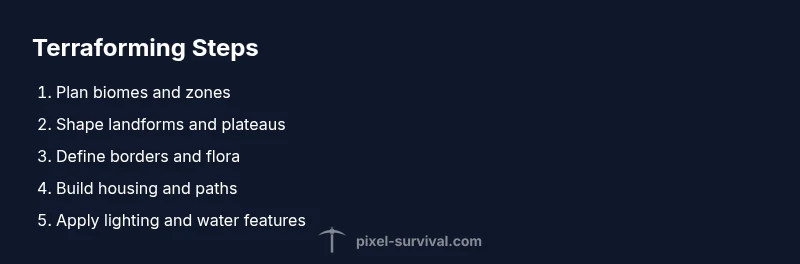
Survey the world and establish clear terraforming terraria objectives. Decide which biomes to emphasize, set boundaries, and sketch a basic grid that outlines elevations, water features, and housing zones.
Tip: Document your goals in a quick map before touching blocks. - 2
Mark zones and plan core layout
Create markers for biome borders, hubs, and major routes. This acts as a blueprint to minimize backtracking and ensures consistency across the map.
Tip: Use color-coded markers for quick visual reference. - 3
Shape landforms and create elevations
Begin raising or lowering land to form terraces, plateaus, and natural ramps. Keep slopes gentle to maintain navigability and NPC pathing.
Tip: Aim for predictable gradient steps (e.g., 1-2 blocks per step). - 4
Define biome borders and plant flora
Place biome-appropriate flora and textures at borders to create clear yet natural transitions. Maintain a cohesive palette to prevent visual drift.
Tip: Cluster similar flora to reinforce biome identity. - 5
Build housing and establish pathing
Construct compact houses with proper entrances, lighting, and floor planning. Create logical routes between hubs to facilitate exploration.
Tip: Ensure each NPC has a valid housing cell before adding more. - 6
Finalize lighting and aesthetics
Balance lighting to highlight features without washing out textures. Add water features for atmosphere and to guide movement.
Tip: Test night-time lighting to verify mood and visibility.
Got Questions?
What is terraforming in Terraria?
Terraforming in Terraria means reshaping the landscape, biomes, and placement of features to support builds and progression. It combines terrain shaping with biome-aware design to create navigable, aesthetically coherent worlds.
Terraforming in Terraria is reshaping land and biomes to support builds. It combines terrain changes with biome design to make a cohesive world.
Do I need seeds to terraforming terraria?
Seeds influence biome distribution and grass propagation, but you can still terraform without dedicated seeds. Planning border transitions and planting grass manually achieves similar effects.
Seeds help with biome layout, but you can still Terraform Terraria by planning borders and grass manually.
Can you terraforming underwater or in caves?
Yes, you can terraform underwater and in caves, but it’s more complex. Plan air pockets, gradient slopes, and lighting to maintain visibility and progression while managing water flow.
You can do it underwater or in caves, just plan air, lighting, and gradients carefully.
How do biome borders work in terraforming?
Biome borders are defined by texture, flora placement, and terrain elevation cues. Smooth, gradual transitions help players recognize zones without abrupt shifts.
Biome borders are about textures and plants—make transitions gradual for clear zones.
Will terraforming affect game performance?
Terraforming can impact performance if zones are extremely large or complex. Break projects into manageable chunks and test performance as you expand.
Large terraformed areas can affect performance; work in chunks and test as you go.
Watch Video
Key Points
- Define biome goals before terraforming.
- Use a consistent block palette across zones.
- Plan housing early to ensure NPCs have homes.
- Balance lighting to improve mood and navigation.
- Document changes with visuals for future projects.