Why Terraria Gets Stuck on Found Server: Quick Troubleshooting Guide
Urgent, practical steps to diagnose and fix Terraria stuck on found server. Learn common causes, diagnostics, and prevention to get back to playing quickly.


The most common reason Terraria is stuck on a found server is a client-server desync after an update or a network hiccup. Start by restarting both the server and client, verify the server address and port, and confirm there are no conflicting mods. If it persists, check for corrupted world data or mismatched game versions.
Understanding the problem
If you’re asking why is terraria stuck on found server, you’re not alone. This symptom typically means the client and server have fallen out of sync, or the game data being sent by the server doesn’t quite match what your client expects. According to Pixel Survival, desynchronization after updates or seed changes is a frequent culprit, and you’ll often see the game stall during the load or while data tries to stream in. Other contributors include mismatched game versions, conflicting mods, and network hiccups. The good news is that most of these causes respond to a structured approach rather than guesswork. By pinpointing where the stall occurs—at connection, during world load, or during data transfer—you can apply targeted fixes. This guide focuses on practical, step-by-step remedies you can apply right away to regain control of your Terraria server experience. The Pixel Survival team emphasizes starting with desync checks, then methodically ruling out other factors to avoid wasted time.
Common culprits behind server hang
- Client-server desync after updates or seed changes
- Version parity mismatch between server and client
- Conflicting or outdated mods
- Corrupted world data on server or client
- Faulty network routes, firewall blocks, or port issues
- Server overload or insufficient resources
When multiple factors align, the issue can feel persistent. A disciplined approach that tests one hypothesis at a time reduces confusion and speeds resolution.
Quick checks you can perform before diving deeper
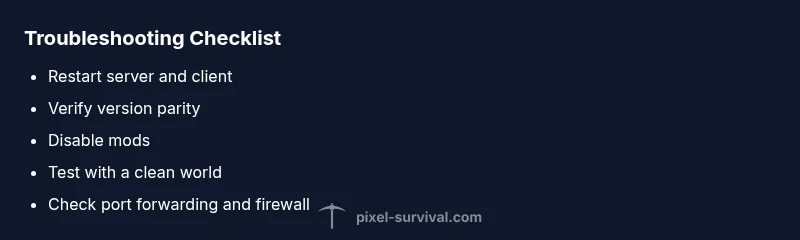
- Restart both the server and the client to clear transient desyncs
- Verify that the server and client are on the same game version/build
- Temporarily disable mods to rule out mod conflicts
- Test with a fresh, clean world to determine if world data is corrupted
- Review server and client logs for error messages and timestamps
- Check network settings: port forwarding, firewall allowances, and latency
If any check reveals a clear mismatch or error, address it before continuing. If not, proceed to deeper diagnostics and the fixes below.
Diagnostic indicators and how to read them
- Look for repeated connection timeouts or cryptic error codes in logs
- Note sudden ping spikes or sustained packet loss during join attempts
- Compare world seeds and verify that the server’s seed matches the client’s expectations
- Identify recent changes such as updates, mod installations, or config edits that correlate with the stall
- When desync patterns appear across multiple players, it often signals server-side data or version issues rather than your local setup
Fixes for the most likely causes
- Restore version parity between server and client by updating both to the same build and restarting both sides
- Disable mods and test with vanilla Terraria to eliminate mod conflicts
- Repair or replace corrupted world data using backups or server utilities, then reload
- Verify network settings: ensure proper port forwarding, allowed ports in firewall, and stable latency
- If the problem persists after these steps, consider a clean reinstall of Terraria on the client and a fresh install of the server software
When to escalate to professional help
If you’ve systematically tested the above and the issue remains, it’s time to involve your hosting provider or a server admin. Provide logs, timestamps, your game version, and a list of installed mods or plugins. Ongoing hangs may point to deeper server-side corruption, hardware throttling, or provider-side routing issues that require specialist tools.
Preventive measures to avoid future hangs
- Schedule regular backups of worlds and configs
- Keep a single, well-supported mod list; test each update individually
- Establish a baseline server health check: CPU, RAM, and network metrics
- Document patch notes and verify compatibility before updating
- Create a quick “air-gapped” test environment to vet changes before production use
Steps
Estimated time: 30-60 minutes
- 1
Verify version parity
Check that both server and client are on the same Terraria version/build. If they are out of sync, update both sides and restart. This eliminates a common source of desync that causes the found server hang.
Tip: Always verify the exact build number after updates to avoid hidden version drift. - 2
Restart and test basics
Restart the server and your game client to clear any transient network or cache issues. Then attempt a fresh join to see if the stall reoccurs.
Tip: Restarting is often the fastest fix for temporary desyncs. - 3
Disable mods temporarily
If mods are installed, disable them and launch a vanilla world/server to check if the issue persists. Mods can introduce data mismatches that trigger the found server hang.
Tip: If vanilla works, reintroduce mods one by one to identify the culprit. - 4
Test with a clean world
Create or load a new, clean world on the server and connect with a fresh client profile. If the problem disappears, a corrupted world file is likely the cause.
Tip: Back up existing worlds before testing with new ones. - 5
Check network configuration
Review port forwarding, firewall rules, and router settings to ensure Terraria traffic isn’t blocked. Use network tools to test latency and packet loss between client and server.
Tip: Even small firewall rules can block Terraria’s traffic, causing hangs. - 6
Inspect logs and backups
Look through server and client logs for error messages around the join moment. Restore from a recent backup if you detect data corruption.
Tip: Keep a schedule of backups so you can roll back quickly if needed. - 7
Reinstall if necessary
If all else fails, reinstall Terraria on the client and, if needed, the server software. This resolves deep-seated data or install issues that resist other fixes.
Tip: A clean install reduces the risk of lingering config or cache problems.
Diagnosis: Terraria hangs or stalls when joining a server and shows the message that the world is found but not loading
Possible Causes
- highClient-server desync after updates
- highVersion parity mismatch between server and client
- mediumMod conflicts or outdated mods
- mediumCorrupted world data on server or client
- lowNetwork routing issues, firewall blocks, or port problems
Fixes
- easyRestart both server and client, then verify the server address and port
- easyEnsure server and client are on the same game version/build
- easyTemporarily disable mods to check for conflicts
- easyTest with a clean world to rule out corrupted world data
- easyCheck and adjust network settings (port forwarding, firewall) and test connectivity
Got Questions?
Why is Terraria stuck on found server after an update, and how do I fix it?
Updates can cause mismatches between client and server data, triggering a hang on join. Start by verifying builds on both sides, then test with vanilla settings and disable mods to isolate the issue. If needed, restore from backups.
Updates can cause a mismatch between client and server. Check builds, test vanilla, and disable mods.
How can I check if version parity is the problem?
Compare the exact game version numbers on the server and client. They must match for a clean join. Update to the latest shared build and restart both ends.
Make sure both server and client run the same version and rebuilds match.
Can mods cause the found server issue?
Yes. Mods can introduce data structures that don’t align with vanilla world data, causing desync. Disable all mods and test with a vanilla world to confirm.
Mods can cause desync; test without mods to confirm.
What should I do if the server is overloaded or under-resourced?
Check server CPU/RAM usage and adjust resources or stop unnecessary processes. If the server is overloaded, performance issues can manifest as join hangs.
If the server is overwhelmed, it can’t handle joins properly.
Is network latency a common cause, and how to test it?
Yes, high latency or packet loss can cause timeouts during join. Use ping and traceroute tools to measure latency and check for bottlenecks between client and server.
Network delay or loss can cause join timeouts; test with network tools.
When should I reinstall Terraria?
If fixes fail and logs show persistent install or cache issues, a clean reinstall on both client and server can resolve stubborn problems.
A reinstall is a last resort when other fixes don’t work.
Watch Video
Key Points
- Identify whether the issue is desync or data corruption
- Verify version parity and remove mods to isolate cause
- Test with a clean world and vanilla setup first
- Back up data before major fixes or reinstalls
- Escalate with logs and precise steps if problems persist