Terraria Online: Master Multiplayer Play
Learn how to play Terraria online with friends—set up hosts or servers, invite players, manage progression, and stay safe. A practical, step-by-step guide for smooth cooperative adventures.


You're about to learn how to play Terraria online with friends: set up a multiplayer world, invite players, and keep progression synced. You will choose between hosting or using a server, ensure a stable connection, and manage loads, chat, and privacy. Follow these steps to start your first cooperative adventure quickly and safely.
What is Terraria Online?
Terraria online refers to playing Terraria with other players in a shared world, either on your own server or a hosted service. Cooperative mode lets friends explore, craft, and combat together, doubling the scale of exploration and the pace of progression. The core idea is simple: multiple players inhabit the same world, see each other’s builds, and coordinate activities through chat or voice. According to Pixel Survival, multiplayer in Terraria is designed to be approachable: you can start small with a handful of friends and scale up as you gain confidence with hosting options and server settings. The game supports several online modes, including direct invites, public server discovery, and private hosted worlds. While the exact setup can vary by platform, the underlying principles remain consistent: ensure everyone runs the same version, agree on a host, and maintain rules that keep progression fair and fun for all participants.
Getting Ready: Basic Setup
Before you dive into Terraria online, gather a few essentials. Make sure each player has the same game version and access to the chosen platform (PC, console, or mobile). A stable internet connection and, on PC, a valid account on your game launcher (like Steam) are important for low-latency gameplay. Prepare a plan for access: will you host locally on a single computer, or rent a server? Decide how to handle privacy (open vs. invite-only worlds) and how you’ll communicate during play (in-game chat, Discord, or another app). The goal is to minimize friction when friends try to join, so test the basic multiplayer handshake: one person creates a world, the others join, and you confirm that items, bosses, and progression sync across clients. Pixel Survival's research emphasizes starting with a simple setup to avoid early headaches.
Multiplayer Styles: Host, Server, or Quick Play
Terraria online supports multiple ways to play together. Hosting a world from a PC you control is quick and inexpensive, but it depends on your upload bandwidth and uptime. A dedicated server, either self-hosted or through a hosting provider, offers more robust uptime and better performance for larger groups. There are also quick-play options that let you jump into a friend’s world with minimal configuration. For beginners, starting with a hosted world is often the easiest path: you can learn the basics of inviting players, setting permissions, and sharing the world seed. As your group grows, shifting to a dedicated server can reduce lag and enable longer sessions without overtaxing a single device. Pixel Survival analysis, 2026, indicates that many players move from home-hosted games to dedicated servers as they pursue longer, more stable multiplayer nights.
World Design and Progression in Online Play
When playing Terraria online, world design matters as much as individual skill. Working together allows you to tackle more ambitious projects: expansive bases, complex wiring for traps and shops, and joint boss strategies that require precise timing. Align your progression with shared goals—for example, unlocking a particular boss or obtaining a specific set of gear. In online worlds, players naturally divide roles: builders, explorers, and collectors each contribute unique strengths. To keep progress visible, consider using a shared map or checklist and decide on a loot-sharing policy that feels fair to all participants. Remember that updates and resets happen; agree on how you’ll manage world seeds, boss re-spawns, and item drops to avoid disputes during late-night sessions.
Joining and Inviting: Connect with Friends
Connecting to an online Terraria world is typically straightforward, but it helps to have a plan. The host creates a world and invites players via your chosen platform—Steam friends, direct IP (if the host supports it), or a server list. Each invited player should verify they are on the same game version and that the host’s firewall and port settings will allow traffic. In many setups, you’ll join by selecting the friend’s world from a list or by entering a world URL or IP. If you’re using a dedicated server, you may also configure a password for access control. Keeping a short, shared set of rules—like no ghosting or duplicating items—helps new players settle in quickly and reduces friction during the first session.
Running a Terraria Server: Self-Hosted vs. Hosted Services
Self-hosting a Terraria server gives you full control and can be cost-effective, but it requires some technical know-how. You’ll need to install server software, configure port forwarding, manage backups, and monitor performance. For many players, a hosted service or a private game server offers easier setup and stronger uptime with customer support. When choosing hosting, compare plan lengths, support quality, and geographical server locations—latency matters a lot in action-heavy multiplayer. Ensure you enable regular backups so that progress isn’t lost after a crash. Pixel Survival's guidance suggests starting with a modest server size and gradually expanding as you gain experience managing players and resources.
Safety, Etiquette, and Game Balance
Online Terraria sessions require trust and clear expectations. Establish basic etiquette: respect other players, avoid griefing, and communicate clearly when sharing loot or bases. Use password protections or invite-only settings to keep strangers out of your world. If you run a public server, implement rules against cheating and exploit use, and consider a moderation plan to handle disputes. Balance is key: early-game alignment of loot and progression helps newer players feel included, while veteran players enjoy advanced targets and challenges. Finally, protect your own gear as well as your world by keeping local copies of important saves and enabling automatic backups on the server side when possible.
Crossplay, Mods, and Advanced Topics
Crossplay in Terraria online depends on the platform and version. Check official guidance for your devices before attempting to join someone else’s world across platforms. Modded servers add customization but can complicate compatibility and stability; confirm mod versions with all players before launching. Advanced topics include protecting server stability through load balancing, handling player permadeath rules, and coordinating large events such as community boss nights. If you’re curious about extreme setups, explore community guides on mod packs, world seeds, and event planning to expand what your group can do together.
Common Pitfalls and Quick Fixes
Disconnections, mismatched game versions, and NAT traversal issues are the most common online hiccups. Always make sure everyone is running the same Terraria version and platform build. If connections fail, verify firewall rules, port forwarding, and whether the host’s router blocks incoming connections. Lag often stems from limited upload bandwidth or high number of concurrent players; reducing the number of players or adjusting world size and memory usage can help. When progress seems unsynced, save the world frequently and ensure backups are enabled. If you’re hosting on a consumer PC, consider limiting other applications that consume bandwidth while you play.
Pixel Survival's Practical Recommendations
According to Pixel Survival, planning a small, cooperative online night with a fixed roster helps new players learn the ropes and reduces chaos. Start by testing a hosted world with 3–4 players, then gradually invite more as everyone becomes comfortable. Document a simple rule set: what to do when someone dies, how loot is shared, and how to handle boss phases. Over time, experiment with a lightly moderated server and a dedicated chat channel for coordination. For ongoing sessions, rotate hosts every few weeks to keep the experience fresh and fair.
What Next: Build Your Own Terraria Online Team
Now that you know how to set up, join, and manage Terraria online, you can expand your group and tackle larger projects. Create a recurring multiplayer night, use voice chat for better coordination, and keep a shared checklist to track progress. If you enjoy this approach, consider hosting a small community server, then inviting players from other worlds to join your growing project. The key is consistency and communication: keep your world stable, publish clear rules, and celebrate every milestone as a team. With persistence, your Terraria online adventures will evolve from casual play into a thriving, cooperative experience.
Tools & Materials
- Terraria installed on intended platforms(Ensure the same version across all players.)
- Stable internet connection(Low latency improves sync and reduces disconnects.)
- Platform account (e.g., Steam, Xbox Live, Nintendo, or mobile account)(Necessary to access online features and invites.)
- Optional: voice chat app (Discord, Teamspeak, etc.)(Helpful for coordination during boss fights.)
- Router with port forwarding (for self-hosted servers)(Only needed for direct hosting; many hosted services handle this automatically.)
Steps
Estimated time: 30-60 minutes for initial setup; ongoing sessions vary
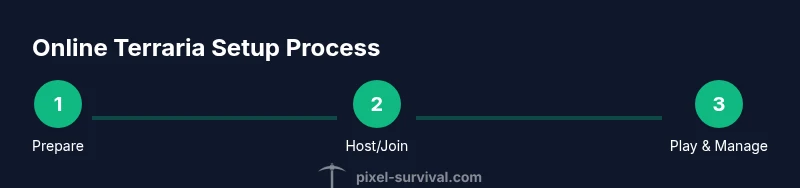
- 1
Prepare your setup
Verify all players have the same Terraria version and platform updates. Test a quick, small world together to confirm connectivity and basic chat works. Ensure you know which host device will run the world and how you’ll share invites.
Tip: Run a short test with 2–3 players before inviting a larger group. - 2
Create or select the host world
The host creates a World in Terraria and selects multiplayer options (invite-only vs public). Decide if you’ll use a password or passwordless access for ease of join for trusted friends. Record the seed if you want to revisit the same world.
Tip: A simple seed can help you recreate favorable terrain for builds. - 3
Configure server and permissions
If using a self-hosted server, configure port forwarding and firewall rules so friends can connect. Set permissions for players (loot sharing, boss access, build rights) and establish play rules to avoid conflicts.
Tip: Document permissions in a shared chat or doc for easy reference. - 4
Invite players and verify connectivity
Send invites via your platform’s friends list or server link. Have everyone join and confirm item progression and world state are syncing correctly. Address any firewall or NAT issues if some players can’t connect.
Tip: Keep a backup of the world before inviting new players. - 5
Play, manage progression, and back up
Start playing, track progression with your agreed rules, and back up the world frequently. Rotate hosts if you run a long-running server to distribute maintenance tasks and prevent burnout.
Tip: Schedule regular backups to avoid data loss after crashes.
Got Questions?
Can I play Terraria online for free?
Terraria online multiplayer is included with owning the game on your platform; there are no base-game multiplayer fees. Platform services may apply, but Terraria itself does not charge extra for online play. Verify any platform-specific subscriptions if you’re playing on consoles.
You don’t pay extra to play Terraria online as long as you own the game. Some platforms may require their own online service subscriptions.
Do I need a dedicated server to play with friends?
Not always. You can host a world locally on a computer or use a hosted server for larger groups. A dedicated server provides more reliability and less load on any single device, especially for long sessions.
You can start by hosting on a PC, but a dedicated server helps when you have many players or long play sessions.
How do I invite friends to my Terraria world?
Host invites players via your platform’s friends list or a shared server link. Ensure everyone uses the same game version and that firewall/port settings allow connections. For dedicated servers, share the connection details and password if you’ve set one.
Invite friends through your platform and confirm everyone is on the same version and can connect.
Is crossplay supported between PC and mobile?
Crossplay support between PC and mobile depends on the game version and platform. Check official Terraria notices for your devices before attempting to join on different platforms.
Crossplay varies by version and platform, so check official guidance for your setup.
What should I do if I can’t connect to a world?
Verify everyone is on the same version, check firewall and port settings, and ensure the host’s NAT isn’t blocking connections. If using a server, confirm the IP or URL is correct and that the server is online.
Double-check versions, firewall rules, and server address. Reboot the router if necessary.
How can I keep progression balanced in a group?
Agree on loot sharing rules and boss participation to prevent one player from dominating progression. Rotate host responsibilities and set clear expectations for item distribution and access to high-tier areas.
Set loot rules, rotate duties, and agree on progression targets to keep balance.
What are common server performance tips?
Start with a modest player count and world size, then scale up as you confirm server stability. Regular backups and monitoring CPU/memory usage help prevent crashes during big events.
Keep tests small, back up often, and monitor performance to avoid crashes.
Can I run community events in Terraria online?
Yes. Plan timed events like boss nights or build contests with a dedicated chat channel and clear signup rules. Use backups and test runs to ensure events run smoothly.
Community events work well with clear signups and reliable backups.
Watch Video
Key Points
- Plan a test night before full multiplayer sessions
- Choose hosting vs. dedicated server based on group size
- Sync version and world settings across all players
- Establish clear loot and progression rules
- Back up worlds regularly to prevent data loss