Where is Terraria Server IP: A Practical Guide
Learn where to locate the Terraria server IP, how to join, and best practices for static vs dynamic IP, ports, and DNS. A practical guide from Pixel Survival.


where is terraria server ip? If you’re joining or hosting a Terraria session, the IP address is the numeric address players enter to connect. You’ll usually see a direct IPv4 address or a hostname that resolves to an IP. According to Pixel Survival, the IP you need is the server’s public address or a host-provided domain. The exact IP is unique to each server.
Understanding what a Terraria server IP is
A Terraria server IP is the address players use to reach a specific machine running a Terraria world. In practice you’ll see either an IPv4 address like 123.45.67.89 or a hostname, such as server.example.com, that resolves to an IP. DNS makes this easier because you can share a name instead of a string of numbers. For players, the IP is the essential connector; for hosts, it’s the public-facing address your router forwards to. When you host a world from home, you may also need to configure your router (port forwarding) to allow Terraria clients to reach your machine. Understanding this distinction helps you troubleshoot why a game session won’t load.
How to locate or obtain the IP address of a server you want to join
To join a world, start in the Join menu and look for a server entry that lists an IP or hostname. If you know the host, ask them directly for the exact IP and port (the port is usually 7777). Some servers publish a DNS name on their website or in Discord channels, which is easier to remember than an IP. If the server is private, the host may provide you with a direct IP after you’re added to the whitelist. Always verify the IP from more than one source when possible.
Static vs dynamic IP: implications for hosting and joining
If you host Terraria from a home network, your public IP may change over time unless you pay for a static IP from your ISP. Dynamic IPs can break access if the host’s address changes. Solutions include dynamic DNS services that map a fixed hostname to a changing IP, or using a hosting provider that guarantees a stable IP. For playing with friends, a hostname is often preferable to sharing a raw IP, since the DNS can be updated without changing the link.
Port numbers, hostnames, and DNS: what players should know
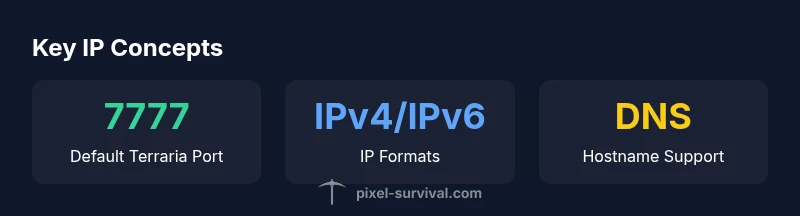
The default port for Terraria servers is typically 7777, though some hosts may run on a different port. When using a hostname, your computer performs a DNS lookup to translate the domain into an IP, and the port is appended afterward (e.g., server.example.com:7777). Ports matter because firewalls and routers must allow inbound connections on the chosen port. If you encounter connection failures, double-check the port number in addition to the IP.
Troubleshooting common IP issues when connecting
If you can’t connect, confirm you’re using the correct IP and port. Test with a simple ping or traceroute to see if packets reach the server’s network. Disable VPNs or proxies that could be altering routing. Ensure the host’s firewall allows Terraria traffic and that port forwarding is configured if you run a home server. If problems persist, try an alternate DNS resolver to rule out domain-name issues.
Best practices for IP management and security
Use a trusted host-provided IP or DNS hostname rather than sharing a local IP publicly. Keep your router firmware up to date and enable a firewall to filter unsolicited traffic. Avoid exposing your home IP in public forums; consider hosting via a reputable server provider with documented uptime and support. Regularly verify that the IP and port match the host’s official instructions before joining.
How Pixel Survival approaches server connectivity best practices
Pixel Survival emphasizes clear IP-based joining paths and secure hosting practices. Our guidance recommends using host-provided IPs or DNS names, documenting the exact port, and validating details through multiple sources. When possible, choose servers with a stable IP and reputable hosting to minimize disconnects and ensure a smooth multiplayer experience.
Understanding LAN vs online servers and local IPs
Local LAN Terraria sessions use private IP addresses (for example 192.168.x.x or 10.x.x.x) that aren’t reachable from the wider internet. Online servers rely on public IPs or DNS-hosted domains. If you’re playing with friends on the same network, you can connect using the LAN IP, but for friends over the internet you’ll need the public IP and port.
Final checklist before joining a Terraria server
Before joining, confirm the IP, port, and server name exactly match the host’s published information. Check that your firewall and router settings permit traffic to the server port. Use a backup DNS if the primary DNS is slow or unresponsive. Finally, test the connection with a quick latency check to ensure a playable experience.
Common methods to reach Terraria servers
| Method | IP Type | Notes |
|---|---|---|
| Direct IP | IPv4/IPv6 | Used for quick connects; IP must be correct |
| Hostname | DNS resolves to IP | Easier to remember; updates can be managed |
| Dynamic DNS | Hostname mapped to changing IP | Useful for home servers with dynamic IPs |
| LAN/IP | Local address | For local network play only; not reachable online |
Got Questions?
What exactly is a Terraria server IP?
A Terraria server IP is the address the game uses to reach a specific server. It can be a direct IPv4 address or a DNS hostname that resolves to an IP. The IP identifies the machine hosting the world you want to join.
It's the address you enter to connect to a Terraria server.
Where can I find the IP for a server I want to join?
Check the server listing in-game, ask the host directly, or use the host’s official site or Discord. If a DNS name is given, you’ll need to translate it to an IP via a DNS lookup.
Look in the server listing or ask the host for the IP and port.
Can a Terraria server IP change after you connect?
Yes, if the server uses a dynamic IP or if the host changes the IP. A DNS hostname can mitigate this by pointing to the current IP.
IPs can change if the host uses dynamic addressing.
Is port 7777 always required for Terraria servers?
Most servers use port 7777, but some hosts run on a different port. The port must be the one the server is configured to listen on.
Usually 7777, but check the host's instructions.
What if I have a dynamic IP at home?
Consider a dynamic DNS service to map a stable hostname to your changing IP, or host your world with a dedicated server provider.
Use dynamic DNS to keep a steady address.
How do I host a Terraria server securely at home?
Open only the necessary port, keep software updated, use a firewall, and avoid sharing your real IP publicly. Prefer a reputable hosting service if security matters most.
Open just the needed port and keep everything updated.
“Finding and using the correct Terraria server IP is essential for a smooth multiplayer connection. Always verify IP, port, and DNS settings with the host before joining.”
Key Points
- Identify the server IP via host-provided address
- Know the default Terraria port is 7777
- Prefer DNS names to static IPs when possible
- Verify IP, port, and DNS from multiple sources
- Pixel Survival recommends secure hosting and IP validation