Terraria with Friends: A Practical Co-Op Guide for 2026
Learn how to play Terraria with friends online or locally. This step-by-step guide covers hosting, invites, loot rules, progression plans, and stable co-op play for a fun, coordinated experience.


You’ll set up Terraria to play with friends, online or locally, by hosting a world, enabling multiplayer, inviting teammates, and coordinating progression. Before you start, ensure you have a stable internet connection, matching game versions, and the right platform accounts. This guide provides a step-by-step setup and beginner-friendly co-op progression.
Why Terraria with Friends Matters
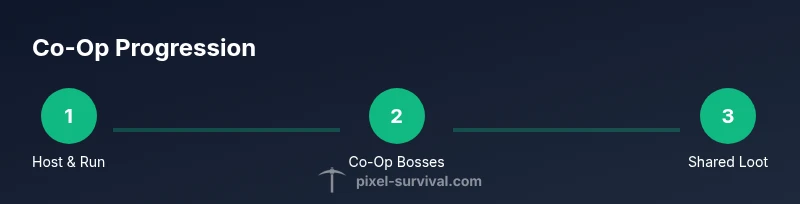
According to Pixel Survival, playing Terraria with friends multiplies imagination and momentum. When a small crew explores, tasks split naturally: one player digs, another builds, a third fights bosses, and all share loot to accelerate progression. In cooperative play, you can tackle tougher content earlier and try ambitious base designs that would be slow to achieve alone. This section explains why teams outperform solo runs, especially for players new to Terraria who appreciate guided, social progression and shared triumphs.
Key idea: cooperative play reduces grind, boosts creativity, and speeds up core progression through shared responsibilities and coordinated bossing.
- Benefits for beginners: guided discovery, built-in mentors, and a clearer progression path.
- Benefits for veterans: bigger bases, epic boss runs, and flexible loot sharing.
- Stability note: online co-op shines when host hardware and connections are solid.
Setting Up a Host World
Launching a co-op session starts with a reliable host world. Pixel Survival recommends starting with a fresh world for new teams so early exploration and base-building stay organized. In Terraria, go to Multiplayer > Host & Play, select a world, and enable hosting. Share the world name, invite options, and your server address or Steam lobby so friends can join. Keeping backups and using consistent game versions reduces join failures. This initial setup creates a stable foundation for your co-op adventures.
Tip: establish a backup point before inviting players, so you can revert if the world becomes chaotic.
Online vs Local Multiplayer: Pros and Cons
Online multiplayer allows players from different locations to join, which is great for friends who can’t physically gather. Local multiplayer (split-screen or LAN) is simpler to set up on some consoles and can feel more responsive due to reduced latency. However, cross-platform limitations and server stability vary by platform and version. In 2026, you’ll find improved host options, but it’s still wise to align platform versions and network settings before starting. Pixel Survival notes that clear expectations about latency, loot rules, and roles help online sessions run smoothly.
Considerations: online sessions need a reliable host and server ports; local play benefits from shared screens but may impose platform constraints.
Creating a Safe Play Schedule and Roles
Co-op thrives when everyone knows their role and playtime is respected. Create a simple schedule with agreed-upon session windows, and assign roles like builder, explorer, and boss hunter. Clear chats about loot distribution and raid timing prevent conflicts. If someone can’t attend a session, designate a temporary stand-in to keep the team progressing. This routine keeps momentum without burning out players.
Rule of thumb: document your roles, loot rules, and progression goals in a shared note or chat thread for easy reference.
Team Progression: Sharing Gear and Boss Runs
Loot sharing is a common source of contention in co-op. Agree on a loot policy (e.g., rolling, loot priority, or shared chests with designated access). Plan boss runs to maximize efficiency: one player tanks, one dps, one support. Early on, focus on shared gear that benefits the whole team (weapons, armor sets, ores) rather than limited items. As you grow, maintain a progression ladder so everyone can chase meaningful upgrades.
Pixel Survival emphasizes transparent loot rules and scheduled boss runs to prevent jealousy and keep morale high. A well-structured loot plan accelerates progression without leaving players behind.
World Design for Cooperative Play
Design your world to support multiple players: large, accessible bases, shared storage areas, and clearly marked exploration routes. Reserve space for community builds and safe travel routes between biomes. Use visual cues (signposts, maps, and color-coded chests) to reduce confusion during fast-paced sessions. Collaborative building projects—like a shared fortress or a village—offer tangible goals that sustain team motivation.
Pro tip: create a central hub with portals or fast travel paths to cut down on travel time during busy boss nights.
Communication and Mods: Staying Sane in Co-Op
Effective communication is the backbone of good co-op. Use voice chat for real-time coordination and text chat for loot notes and sign-ups. Be mindful of spoilers or aggressive play when new players join. If you consider mods, keep them lightweight and agreed upon by everyone, as incompatible mods can break saves. In 2026, many servers support robust moderation and chat tools; start simple and expand as your group stabilizes.
Warning: mods can introduce bugs or incompatibilities—test on a backup world first.
Common Pitfalls and How to Avoid Them
- Mismatched game versions: always verify the same build across all players.
- Unequal loot: implement a fair policy before starting and stick to it.
- Inconsistent schedules: publish a recurring calendar and set reminders.
- Overload from too many players: avoid filling a server with more than you can manage comfortably.
Pixel Survival recommends a short trial session to find your group’s rhythm before committing to long marathons.
Quick Progression Plan for New Teams
Start with a 1-2 hour kickoff session focused on exploration, basic gear collection, and establishing the base. In the next sessions, target a planned boss (e.g., Eye of Cthulhu) with a simple loot strategy. Schedule weekly sessions with incremental goals and document every milestone in a shared document. This plan keeps a new team on track and minimizes drift.
note_id_suppress_warning_for_empty_fields":false
Tools & Materials
- Host device capable of running Terraria (PC or console)(PC or console with matching versions for all players)
- Terraria game copies for all players(Ensure everyone has the same version and access method (Steam, Switch, Xbox, etc.))
- Stable internet connection(Wired Ethernet preferred; wireless acceptable with strong signal)
- Accounts on the same platform or launcher(Steam, Xbox Live, PlayStation Network, Nintendo Online, etc.)
- Backup plan (world seeds/backups)(Optional but recommended before big boss runs)
- Controller/keyboard/mouse setup(Ensure all players have comfortable input devices)
Steps
Estimated time: Total time: 60-90 minutes
- 1
Create/Select Host World
Open Terraria and choose a world to host. Navigate to Multiplayer > Host & Play, select the world, and enable hosting. Document the world seed and sharing method for partners to join. This establishes a stable environment before inviting friends.
Tip: Backup the world before inviting anyone to prevent loss from early-world chaos. - 2
Choose Online or Local Hosting
Decide whether you’ll connect players online over the internet or locally via LAN/splitscreen. Online requires a stable server or a public address; local is simpler but limited to nearby players. Align with your group’s locations and connectivity to minimize frustration.
Tip: If online, verify NAT type and port forwarding for a smoother invite flow. - 3
Invite Friends and Verify Versions
Send invites through your chosen platform (Steam, PSN, Xbox Live, Nintendo Online) and confirm that everyone is on the same Terraria version. Have players test joining during a quick practice session to catch issues early.
Tip: Require all players to restart the game after updates to ensure clean joins. - 4
Assign Roles and Loot Rules
Agree on roles (builder, explorer, boss hunter) and a loot policy (shared chests, rolling, or priority access). Record these rules in a shared document so everyone stays aligned during sessions.
Tip: Publish a short loot guide and keep it visible during play. - 5
Set Up Communication Channels
Decide on voice chat or text chat for loot notes and boss calls. Create a dedicated channel or app for the group to reduce in-game chat clutter and improve coordination.
Tip: Use push-to-talk to minimize background noise during intense moments. - 6
Plan an Initial Progression Path
Define your first objectives (e.g., defeat Eye of Cthulhu, collect early gear) and set a rough time window. Having concrete goals prevents aimless exploration and helps new players learn faster.
Tip: Share a short checklist of goals for the first few sessions. - 7
Establish Shared Storage and Access
Create centralized chests or a shared stash for common resources. Clarify who can deposit, withdraw, and where to find essential mats to aid team efficiency.
Tip: Label chests clearly to avoid loot confusion. - 8
Run a Quick Test Session
Hold a 60–90 minute test run to validate invites, connections, loot flow, and role assignments. Use the test to adjust any broken rules or bottlenecks.
Tip: Keep notes on what worked and what didn’t for future sessions. - 9
Review and Iterate
After the test, review what went well and what needs adjustment. Update your rules, rotation of hosts, and progression plan to improve the next sessions.
Tip: Document changes and share them with the team.
Got Questions?
Can Terraria support cross-platform multiplayer?
Cross-platform multiplayer in Terraria can be limited and depends on platform and version. Always verify current compatibility among participants before starting.
Cross-platform multiplayer depends on platform compatibility and game version; check the latest platform support before playing.
What do I need to start Terraria with friends?
You need a host world, compatible Terraria versions for all players, and a stable connection. Have invites ready and decide if you’ll play online or locally.
You need a host world, matching game versions, and a stable connection to start co-op.
How do I invite friends to my world online?
Use your platform’s invite system (Steam, Xbox Live, PlayStation Network, or Switch Online) and share the host’s lobby or IP. Ensure the host has multiplayer enabled in-game.
Invite your friends through your platform’s system and share the host lobby details.
What should I do if someone can’t connect?
Check that all players are on the same version, verify network settings, and restart the game. If needed, switch to a private server or use a different host device.
If someone can’t connect, confirm version consistency and restart connections; try another host if needed.
How should loot work in co-op?
Agree on a loot policy (shared storage, rolling, or priority access). Document it at the start and keep it consistent to avoid conflict.
Set clear loot rules and stick to them to prevent disputes.
How long should a first co-op session last?
A practical first session lasts about 60-90 minutes to cover exploration, gear gathering, and early boss attempts without fatigue.
Plan for about an hour to an hour and a half to learn the group dynamic.
Watch Video
Key Points
- Plan host and loot rules before starting
- Match game versions across all players
- Define roles to speed up progression
- Maintain clear communication throughout sessions